 GAMESLASH
AI keeps changing your pixel-art game assets? pixlrt makes sprites reproducible from code
By GameSlash
pixlrt is an Apache-licensed code library, not an AI image generator. A coding agent can write precise pixel grids and export PNG, GIF or sprite sheets without random redraws.
Ask an image AI to fix one corner of a tiny game character and it may redraw the entire character. For certain simple pixel-art assets, there is a more predictable route: describe each colored square in code, then render exactly those squares. pixlrt is an Apache-2.0-licensed TypeScript library for this job. It is not a generative image model, but an AI coding assistant can author or revise its specifications.
Why code makes a pixel easier to fix
In the project examples, short text grids and a color palette define which color goes in each position. Change one character in the grid and the renderer changes the corresponding pixel, with no model randomly reinterpreting the rest. The library supports flipping, rotating, recoloring, layers and multiple animation frames.
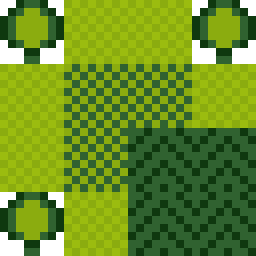
You can export PNG, animated GIF or APNG, and sprite sheets with metadata that game code can use. The green overworld image above is an original generated example from the repository—not a playable game's screenshot.

Useful for coding agents, but not magic prompt-to-art
The second example shows a green two-frame creature sprite sheet. Its strength is repeatability: an assistant can work from source definitions and you can review changes in code. Its limitation is just as important: to create new detailed art you still need a designed grid or a coding assistant able to write one; pixlrt does not invent polished illustrations from a sentence.
The README recommends small grids, around 24×24 pixels or less, when an AI coding agent writes the design because spatial layout can still be difficult. Installation requires Node.js 20 or later.
This guide explains the documented workflow. See pixlrt examples and installation plus the Apache-2.0 license. GameSlash has inspected the original example files but has not independently run the library.