 GAMESLASH
Scenario for Blender 0.10.0 Brings AI 3D Workflows and MCP Agent Controls
By GameSlash
Scenario's October 13 Blender release adds more controlled AI asset, scene and MCP agent workflows. Here is what game creators can use and what remains experimental.
Scenario released its experimental Blender extension version 0.10.0 on 13 October 2026. The official changelog details AI-assisted 3D and material workflows, controlled application of generated media to a scene, and local MCP features that let authorized coding agents work with Blender. For game creators, these tools target asset prototyping and scene preparation rather than generating a playable game on their own.
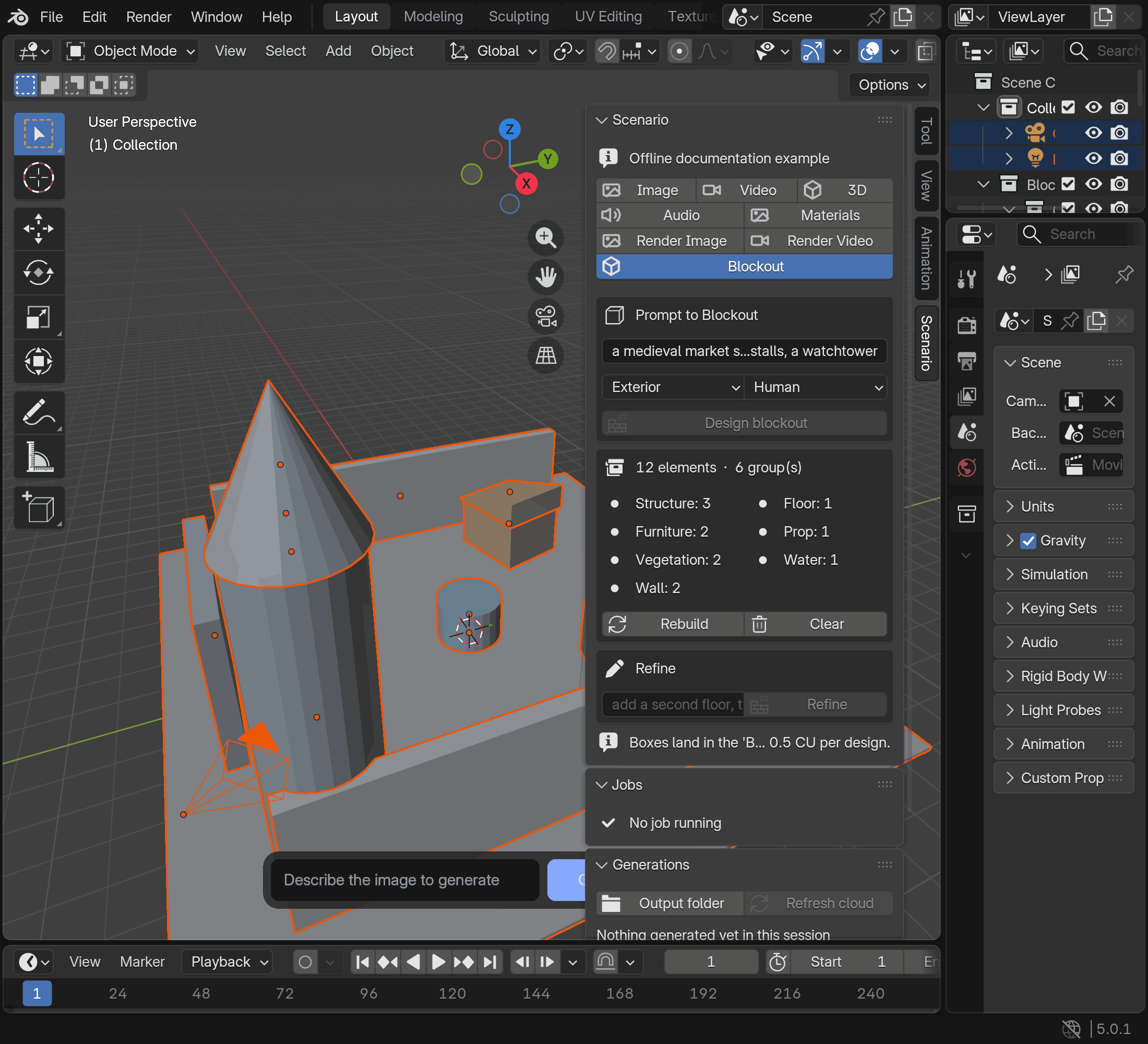
Scene blockouts and 3D assets inside Blender
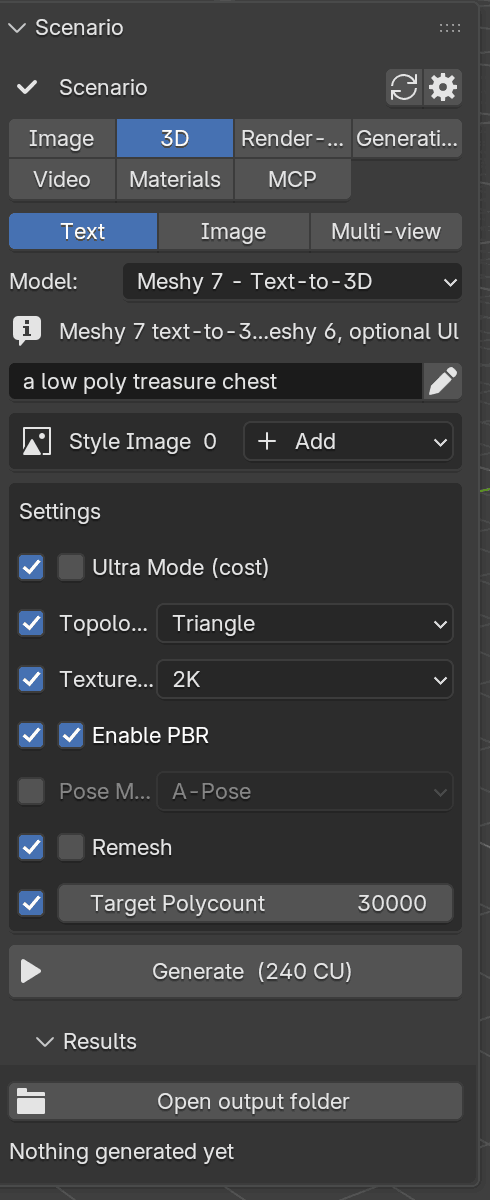
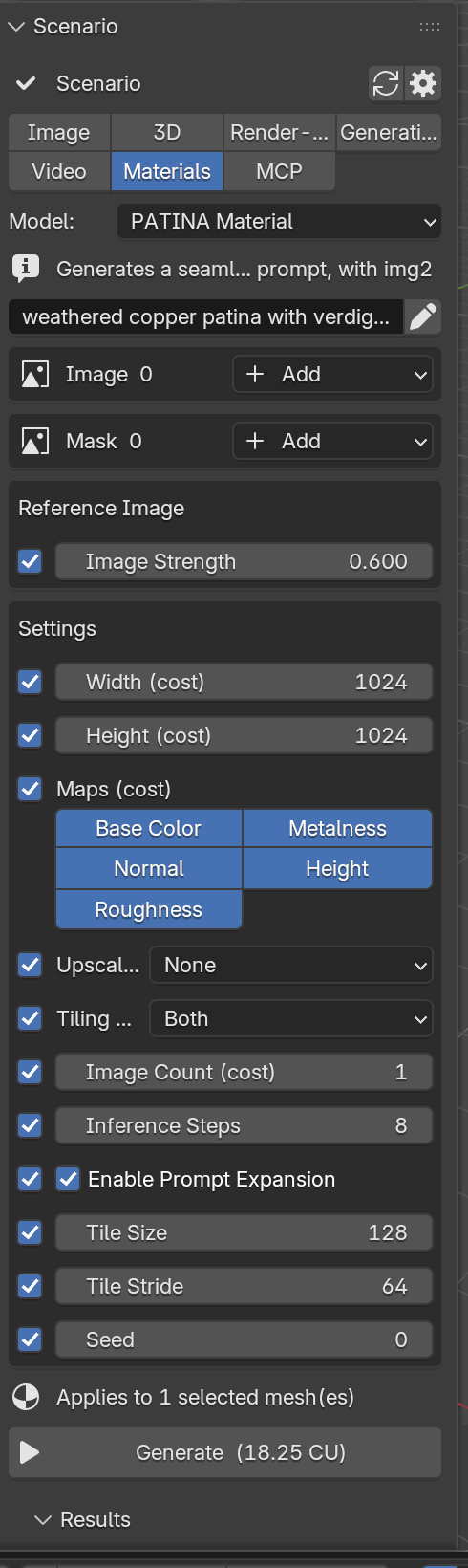
Scenario's user guide describes a Blockout mode that turns a scene description into a greybox layout that can be rebuilt or refined. Separately, the 3D lane offers text, image and multi-view inputs for mesh generation, while the Materials lane exposes PBR maps. The 0.10.0 changelog also lists importing saved 3D formats and applying texture sets only to explicitly approved mesh material slots.
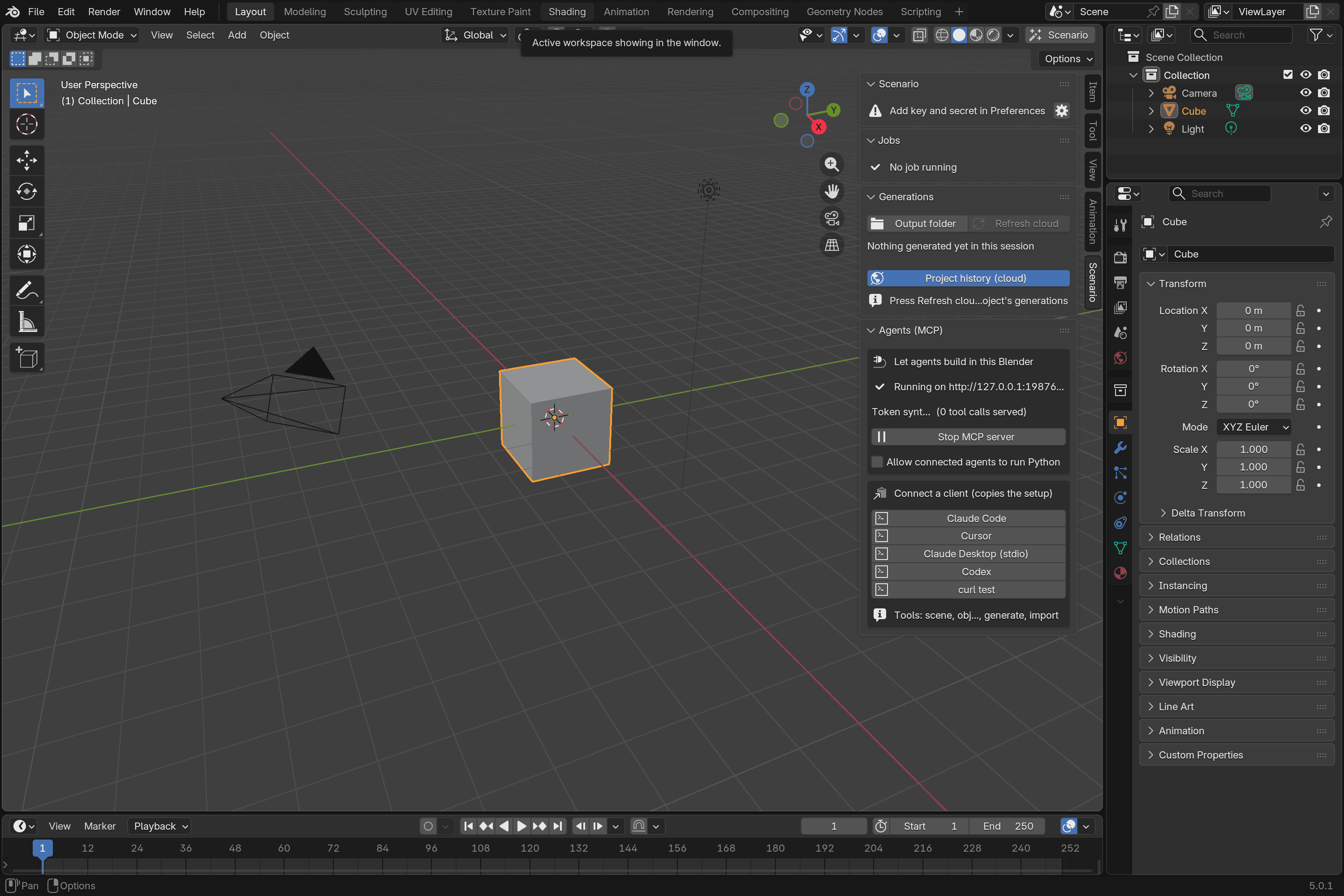
MCP connects agents, with permissions and approvals
The extension includes a local 'scenario-blender' MCP server. According to the project README, it provides client setup for Claude Code, Cursor, Claude Desktop and Codex. Agents can inspect the open scene and request generation tasks through authorized tools; arbitrary Python execution is a separate permission that is off by default. The 0.10.0 release also documents approvals for applying saved meshes, materials, audio and video.
Availability, pricing and limits
The official requirements are Blender 5.0 or later, a Scenario account with API key and secret, internet access and enabled online access in Blender. Generation and prompt helpers may spend Creative Units, so a cost estimate should be reviewed before submission. The plugin is labeled experimental and its known limitations distinguish tested local workflows from cloud or desktop behaviors that still lack full live acceptance. The images above are documentation screenshots, not GameSlash tests or proof that every workflow has been verified on a current production build.
Primary sources: release changelog; repository and installation guidance; user guide.