 GAMESLASH
AI made your game, but its sound files are a mess? GAI connects repeatable audio and art workflows
By GameSlash
GAI offers a visual workflow for cleaning up sound, image and video assets, plus an AI coding agent for Godot. See two authentic editor screenshots and the real setup limits.
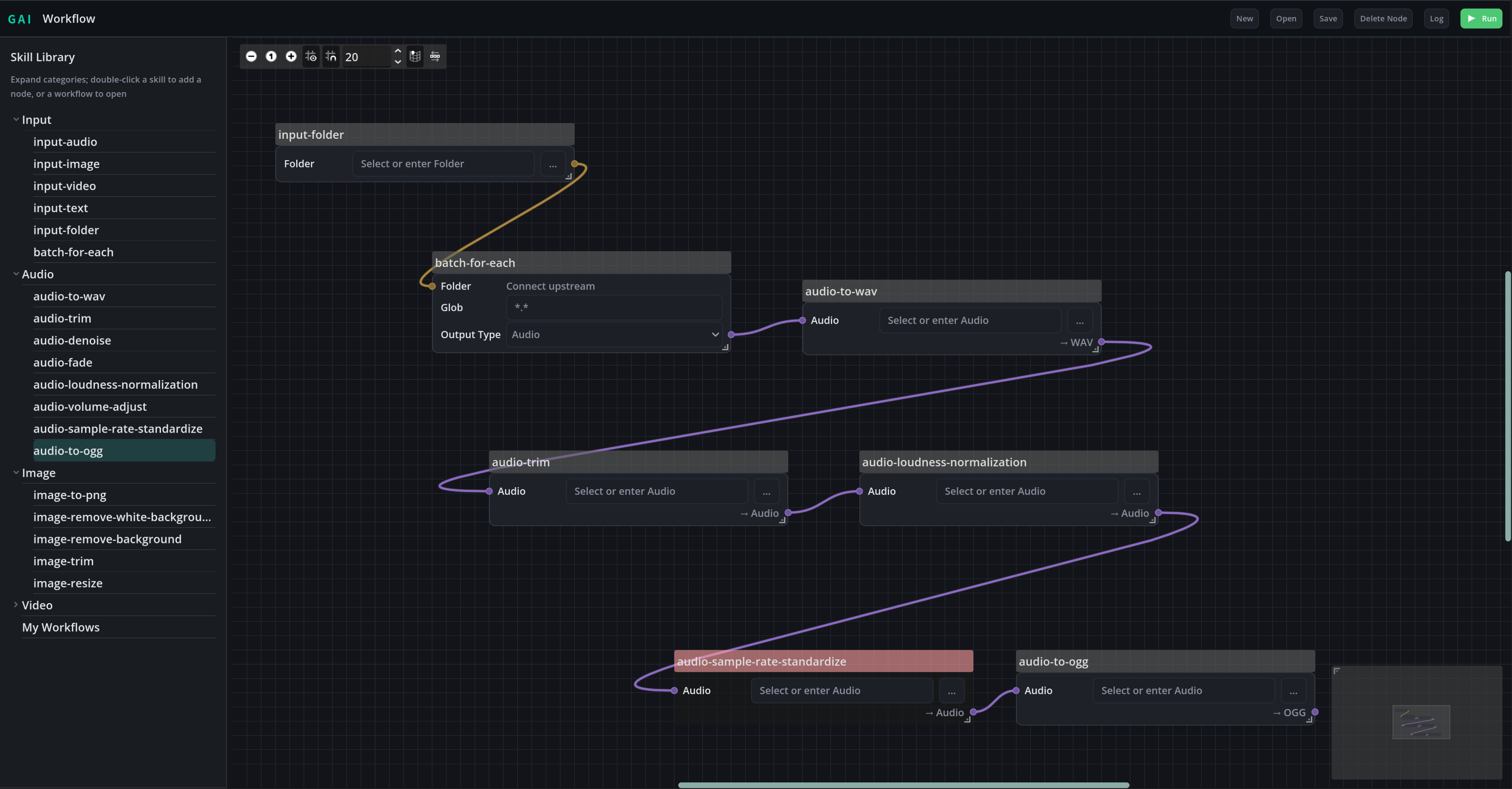
Your AI can write the game code, but the asset folder is still a mess: voices at different volumes, sound files in incompatible formats and dozens of images that need resizing. GAI offers a different kind of assistance: connect repeatable processing steps visually instead of cleaning up files one at a time.
The open-source GAI project is built around Godot and includes two related parts. A desktop AI coding agent can inspect and edit project files; a separate workflow editor can run chains of audio, image and video tasks. These are developer-documented capabilities, not an installation or test performed by GameSlash.
One chain for dozens of sound effects
The developer's example connects an input folder to batch processing, WAV conversion, silence trimming, loudness normalization, sample-rate standardization and OGG export. In ordinary terms, you tell the workflow where the recordings live, and the same preparation steps run over many files.
That workflow is most useful after generating music or voices with AI: rather than re-opening each file to fix its loudness or format, reuse one processing recipe. It doesn't mean an AI model composes new songs by itself; the illustrated workflow is deterministic file processing.
The same workspace also has a coding assistant
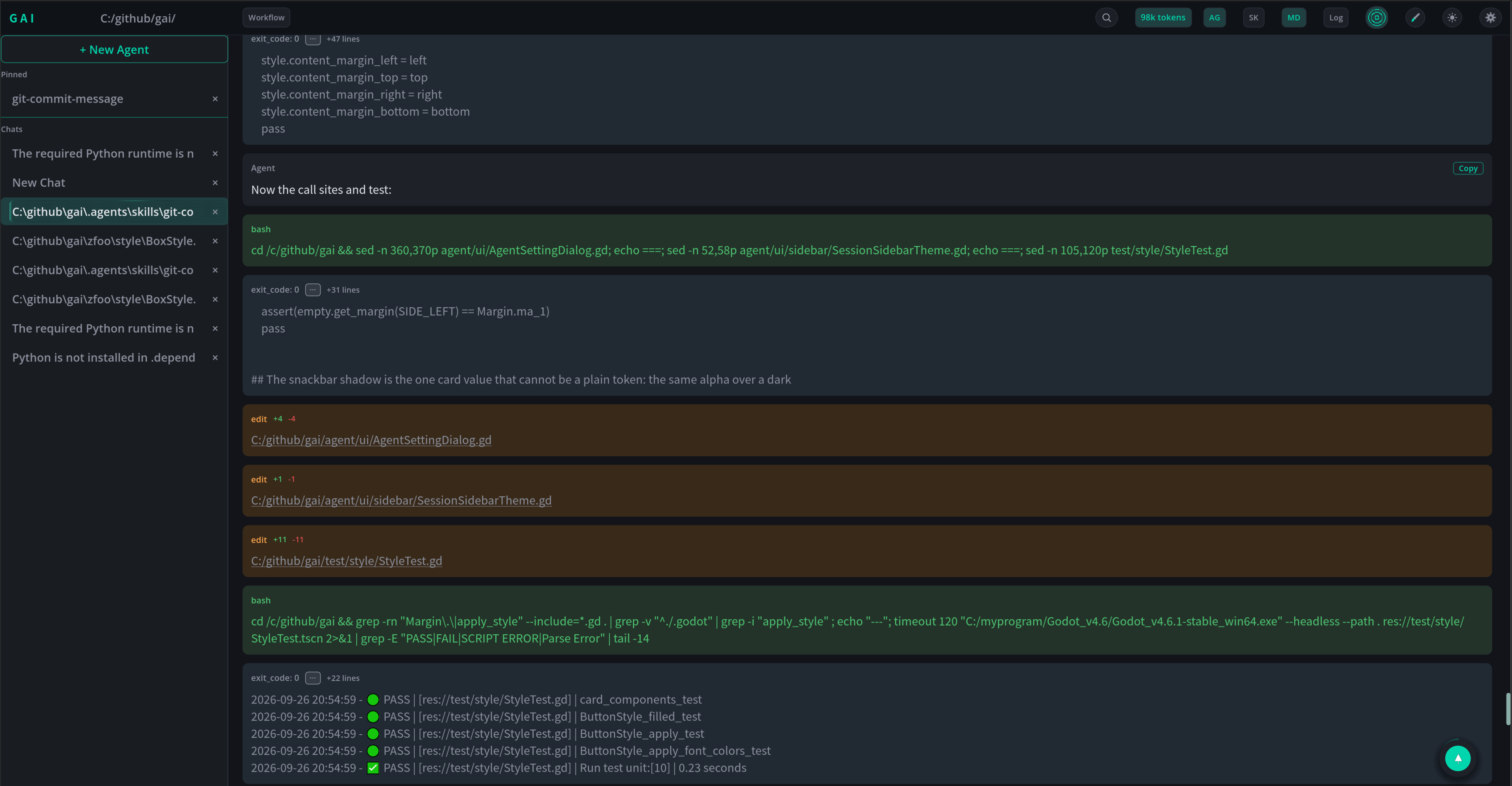
The agent side reads project files, proposes edits, runs commands and can execute tests. It supports checkpoints and restoring previous work, which is important when an AI fix breaks a scene or changes more than expected. The image is a developer screenshot of a code-and-test session, not a gameplay test performed by GameSlash.
Separate built-in processing skills cover resizing images, removing backgrounds, cutting sprite sheets and video or audio preparation. The workflow editor can save the connected steps and reopen them for later batches.
How would a beginner actually use it?
For a first try, start with five sound effects generated for your game. Make them consistent in format and volume, export them, then import them into a small Godot scene and listen in actual gameplay. That checks whether a clean processing log translates into a better player experience.
This is not a web app where one prompt automatically finishes a game. The documented setup requires Godot 4.6 or a compatible version, an OpenAI-compatible API key for the coding agent, and any dependencies for the chosen processing skills. Model/API and local runtime costs or requirements apply.
Read the official GAI repository and its MIT LICENSE. This is an evergreen creator workflow overview checked October 27, 2026; it does not claim a release happened today.