 GAMESLASH
AI Game Spritesheets: make walk and attack animations with consistent characters
By GameSlash
See real wizard sprite examples and learn how character anchors, frame selection and alignment help make reusable 2D animations.
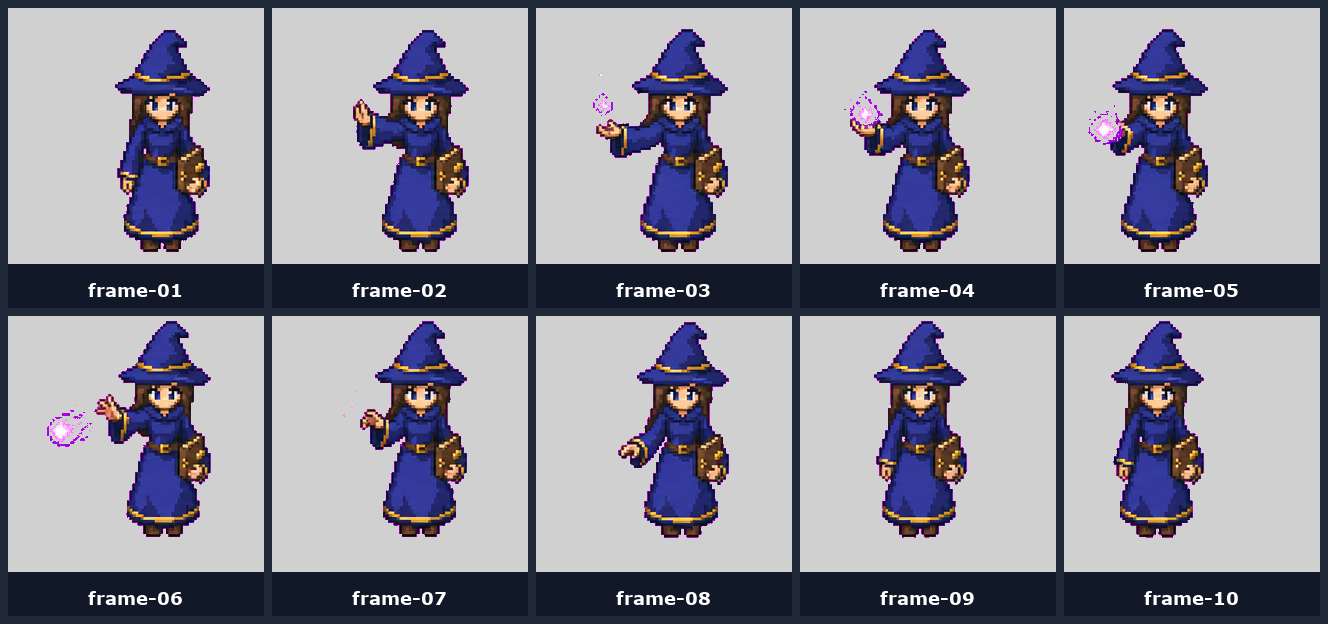
If you ask AI to draw every frame of a game character separately, the character's proportions and appearance can drift, making the animation jitter. The creator of AI Game Spritesheets shares a blue-robed wizard example and a workflow for keeping idle, walk and attack animations consistent. This is a practical look at an existing repository, not a claim that the tool launched on October 26, 2026.
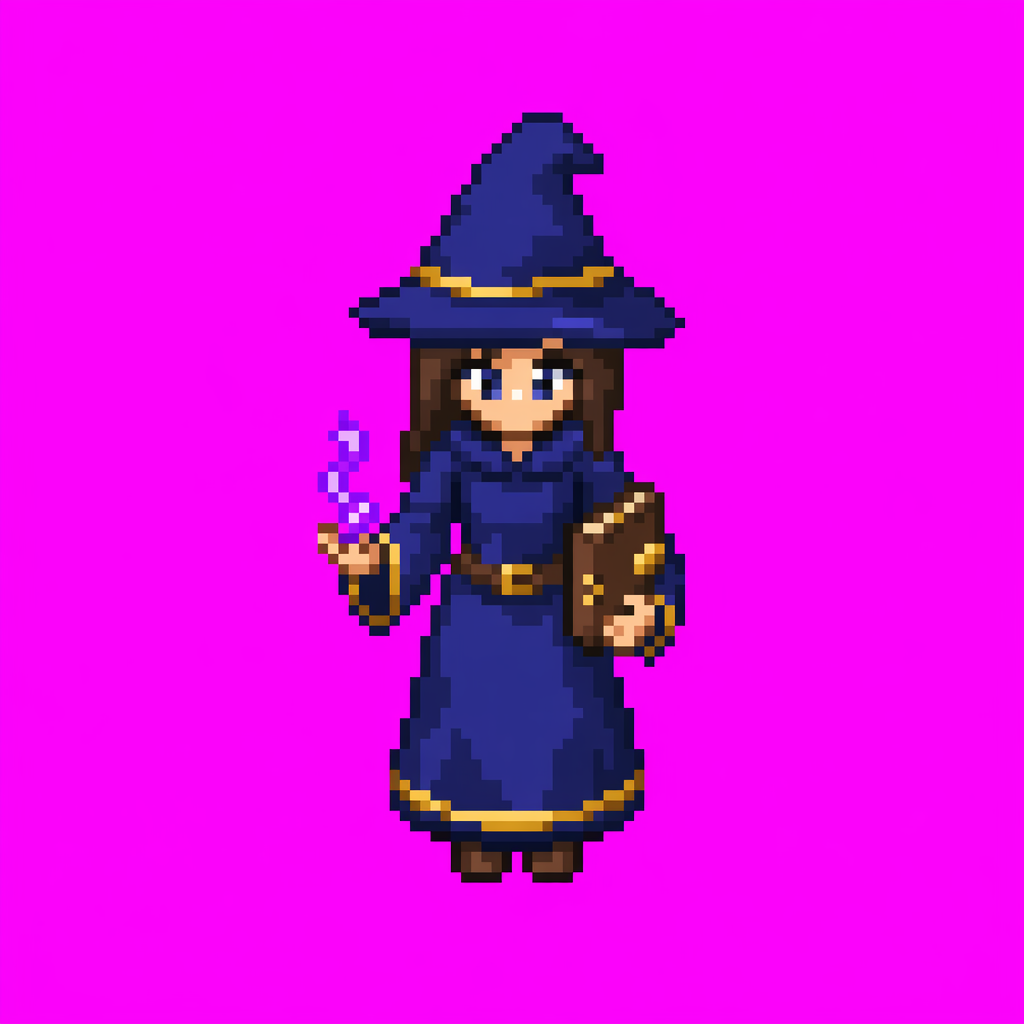
Start with a fixed character reference, not a fresh drawing for each frame
The workflow begins with one front-facing character reference, called an anchor. Other directional views retain the same outfit, proportions and foot position. The goal is to avoid character identity drifting across poses; a walk animation then starts from this stable reference instead of an unrelated text prompt.
You still have to select frames and normalize them
The maintainer's README describes more work than simply generating an image. Walk cycles start with image-to-video, followed by selecting roughly 8–12 usable frames. Attack and idle actions use multi-cell image sheets. The process then removes backgrounds, standardizes frame dimensions and aligns the feet so the character does not visibly slide between frames.
The author lists GPT Image 2.0 for source images and certain actions, Seedance 2.0 through fal.ai for walking motion, and BRIA or remove.bg for background removal. These external AI services can carry separate costs and usage terms.
Where this helps game creators
A 2D game character usually needs repeatable idle, walk and attack clips. This repository provides examples and prompt templates, not proof that one text prompt yields a finished game-ready character. Creators still need to check for clipped limbs, changing proportions, unwanted frame drift and compatibility with their chosen game editor.
Explore the original GitHub repository for prompts and examples. Its README says the prompts and references are reusable under the MIT license. Commercial projects should also check the terms of any external AI generation services and any additional source material they provide.
Image license notice
MIT License Copyright (c) 2026 Chong-U Lim Permission is hereby granted, free of charge, to any person obtaining a copy of this software and associated documentation files (the "Software"), to deal in the Software without restriction, including without limitation the rights to use, copy, modify, merge, publish, distribute, sublicense, and/or sell copies of the Software, and to permit persons to whom the Software is furnished to do so, subject to the following conditions: The above copyright notice and this permission notice shall be included in all copies or substantial portions of the Software. THE SOFTWARE IS PROVIDED "AS IS", WITHOUT WARRANTY OF ANY KIND, EXPRESS OR IMPLIED, INCLUDING BUT NOT LIMITED TO THE WARRANTIES OF MERCHANTABILITY, FITNESS FOR A PARTICULAR PURPOSE AND NONINFRINGEMENT. IN NO EVENT SHALL THE AUTHORS OR COPYRIGHT HOLDERS BE LIABLE FOR ANY CLAIM, DAMAGES OR OTHER LIABILITY, WHETHER IN AN ACTION OF CONTRACT, TORT OR OTHERWISE, ARISING FROM, OUT OF OR IN CONNECTION WITH THE SOFTWARE OR THE USE OR OTHER DEALINGS IN THE SOFTWARE.