 GAMESLASH
Which AI connector should you use with Godot? Compare MCP Toolkit and Conduit with a real demo
By GameSlash
Godot MCP Toolkit and Conduit both let AI agents edit scenes and playtest projects. Compare supported Godot versions, setup, runtime tools and the developer's brick-breaker screenshots.
Godot MCP Toolkit connects an AI coding assistant to the Godot editor. The assistant can place objects, edit scripts, run the game and inspect errors. Conduit provides a similar connection. For creators using AI, the choice depends on their Godot version, setup and debugging workflow.
Two available options are NPGameDev's Godot MCP Toolkit and Conduit, which GameSlash has covered before. Both can connect an AI assistant such as Claude Code to a Godot project. This comparison is based on the Toolkit documentation and Conduit documentation checked on October 26, 2026; it is not an announcement of a new release.
A real example: an agent builds and tests brick-breaker
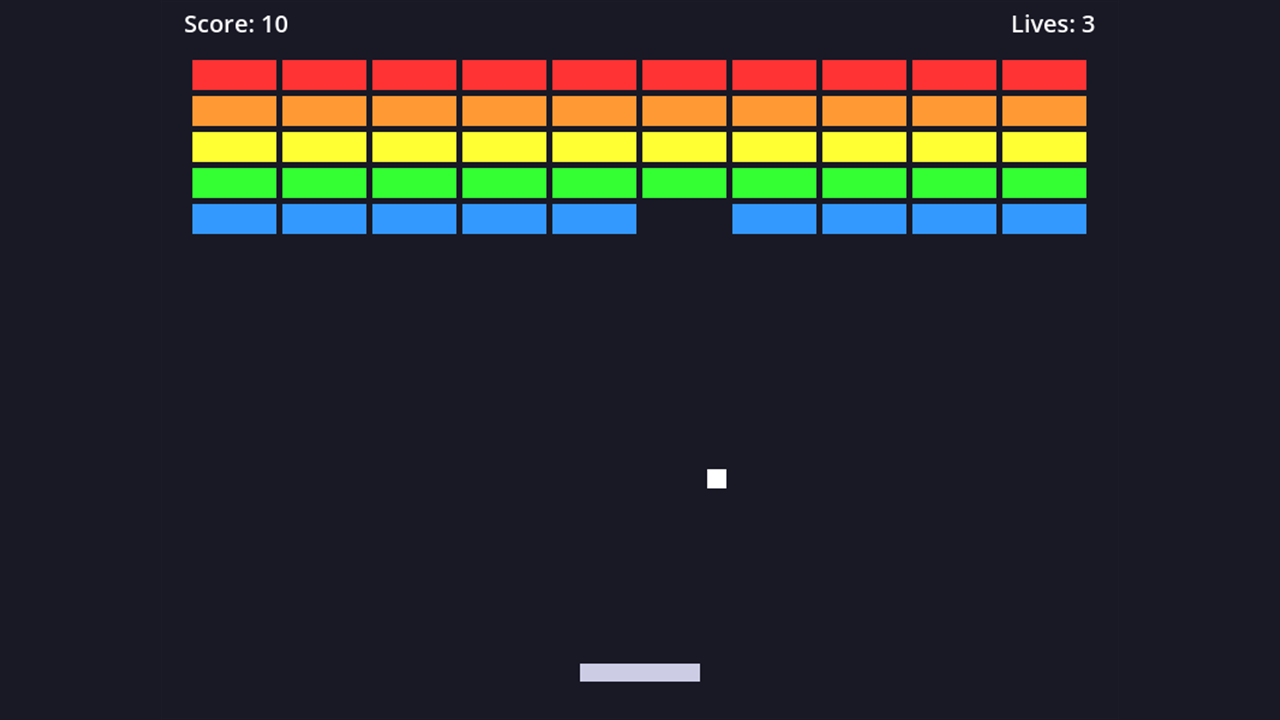
The developer's brick-breaker example shows a running game with a paddle, ball, score and lives. NPGameDev uses small games like this to test the toolkit's commands. GameSlash has reviewed the developer's documentation and screenshots, without installing the toolkit.
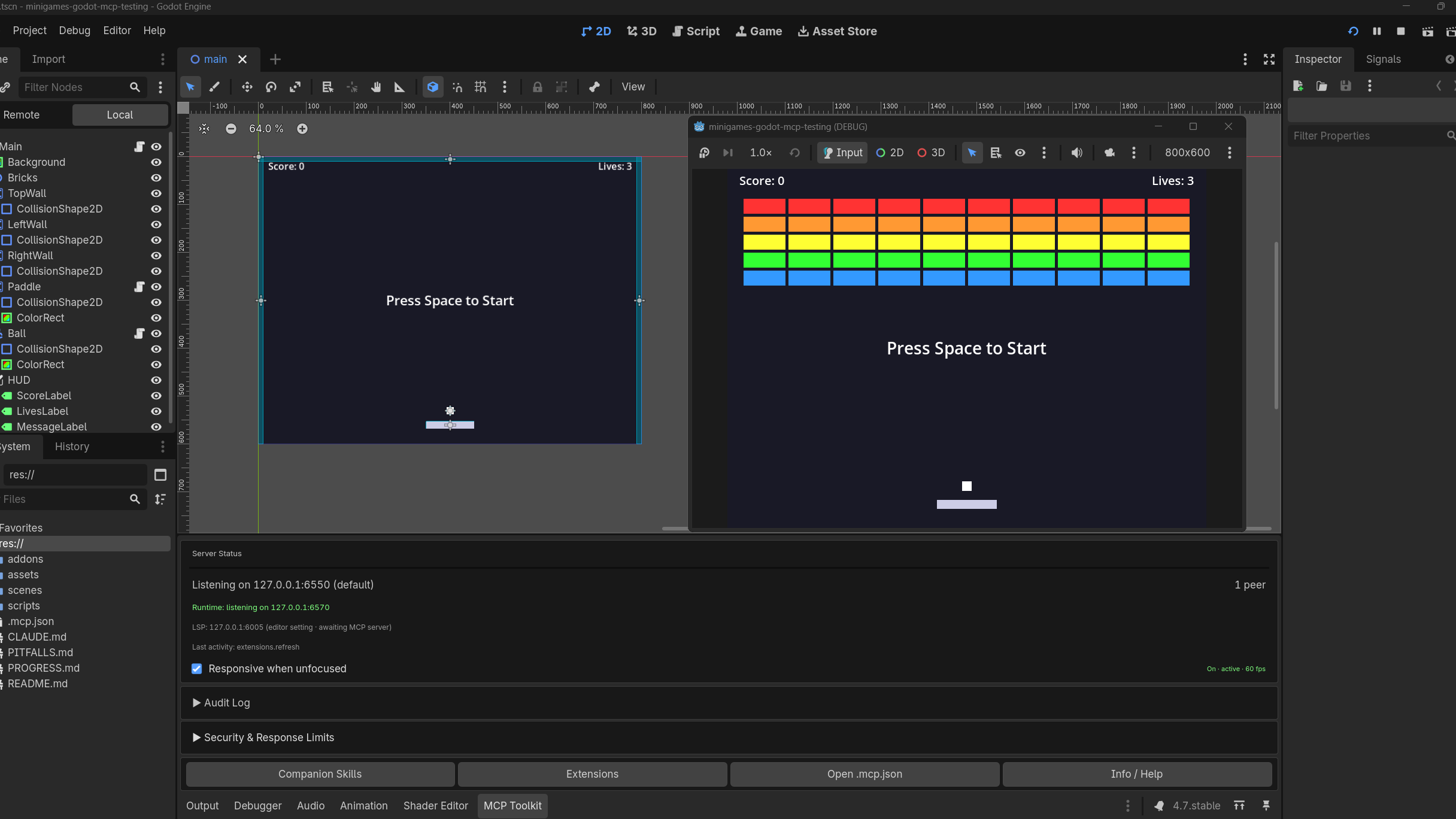
The second screenshot shows the Godot scene beside a playtest window. The MCP Toolkit dock below reports a connected client, so readers can see where the connection appears in the editor.
What does Godot MCP Toolkit offer?
Toolkit supports Godot 4.2 and newer. The developer documents more than 150 operations spanning scenes, nodes, scripts, animations, live properties and playtests. An agent can add game objects, run the game, and inspect a character's position while you observe the editor.
Creators can add project-specific commands in GDScript. Setup requires the desktop Godot editor, Node.js 22 or newer, and an AI client that supports MCP.
What is different about Conduit?
Conduit uses a native Rust bridge and requires Godot 4.4 or newer. Both tools support scene edits, simulated input and live debugging. Toolkit also has breakpoint and stepping commands, so these are not features exclusive to Conduit.
For a project on Godot 4.2 or 4.3, Toolkit lists support for those versions. On Godot 4.4 or newer, compare both installation guides and test the commands your project needs before choosing.
How to test before granting broad access
Begin with a separate test project. Ask the assistant to build a small controllable character or a brick-breaker, run it, read the errors and fix one problem at a time. Review the changes before granting access to an existing project.
See Godot MCP Toolkit on GitHub and its Godot Asset Store listing, whose original public listing dates to July 27, 2026. For Conduit, check the existing GameSlash overview and its source repository.
The Godot Asset Store listing checked on 26 October 2026 shows version 1.1.0, last updated 25 October, and marked unstable by its publisher. Test it in a separate project or back up work before production use.
Both figures come from the developer's media provenance manifest as original test captures. We did not reuse the project's separately commissioned brand banner.