 GAMESLASH
AI keeps editing the wrong Godot scene? Godot AI lets it inspect and change the live editor
By GameSlash
Connect a coding assistant to a real Godot project so it can inspect scene objects, adjust controls and revise scripts. See the block-arena demo, setup steps and limitations.
Your AI helper can generate a Godot script, but what if it modifies the wrong object, forgets how the scene is connected or leaves you with a game you cannot inspect? Godot AI connects a coding assistant to the actual Godot editor so it can examine scene objects and propose changes to the project, rather than guessing from a chat transcript.
What can the AI actually change?
The plugin connects assistants such as Claude Code, Codex and Cursor to the editor using a tool protocol called MCP. Its documented tools can create and edit scenes, add or change nodes (objects in the scene tree), edit scripts, connect signals, and configure cameras, user interfaces, materials and animations. It does not automatically guarantee that the finished game plays well.
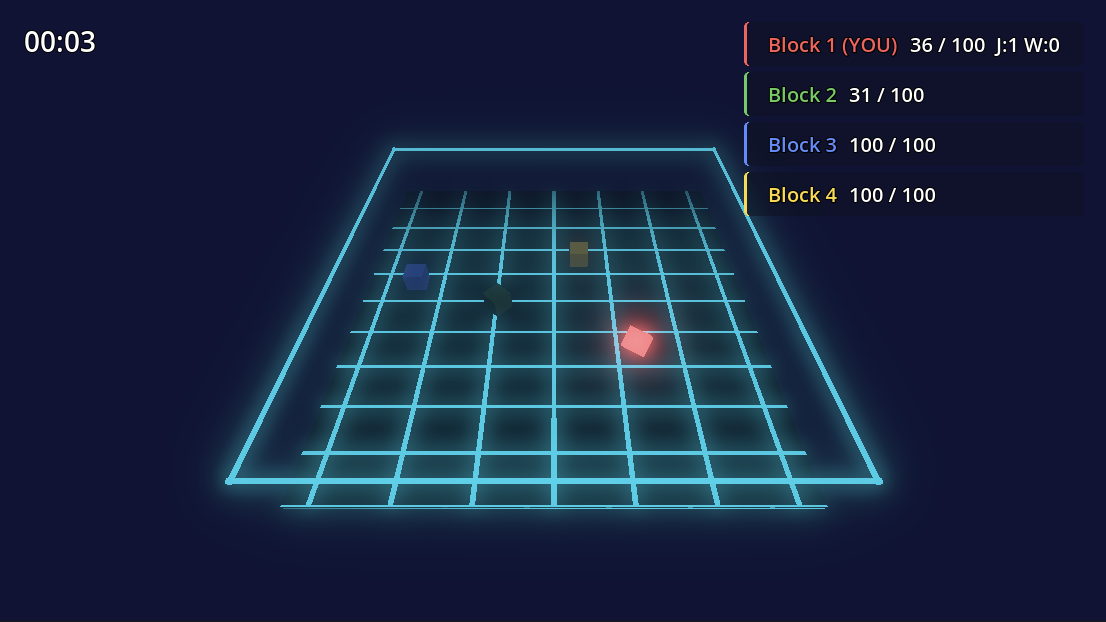
For instance, in a small arena prototype you might ask the assistant to inspect the current scene, add a camera to the main scene, or adjust a control panel. Seeing the project structure gives the assistant more context than merely pasting a code snippet into chat. The team also links to a separate block-world example and a cyberpunk HUD demo in the project README.
How to get started
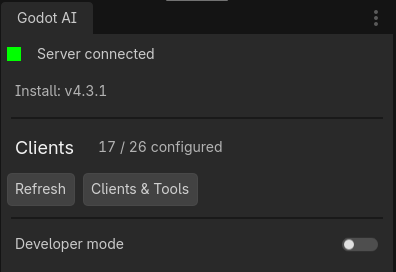
According to the official setup guide, you need Godot 4.7 or later, the uv Python runner and an MCP-compatible coding assistant. Install the Godot AI addon, enable it under Project Settings → Plugins, then use the Godot AI panel to configure your assistant. Setup still requires installing software and allowing the integration; this is not a one-prompt game generator.
What should game creators watch out for?
The documented GDScript integration includes parsing and validation, but C# editing is text-only; the addon does not compile .NET projects or report their compiler errors. Generated code and scenes still need human review and in-game testing. The project is open source under the MIT license; check the installation guide and supported clients before connecting it to an important project.
This is a practical reference for improving an AI-assisted Godot workflow, not an announcement of a newly launched product on October 28, 2026. Source: official GitHub repository.