 GAMESLASH
AI cutscenes keep changing? GameDirector saves repeatable shots instead of regenerating video
By GameSlash
Direct an in-game scene with AI using existing characters and animations, revise individual camera shots, and replay the same timeline. Real robot example and setup.
You ask AI to create a cutscene, then request a small camera change—but the entire sequence comes back different. GameDirector tackles this by giving the AI a director's job: write a reviewable shot timeline. The game engine executes that exact timeline, so the same take can be replayed and changed shot by shot.
An AI director—not a character generator
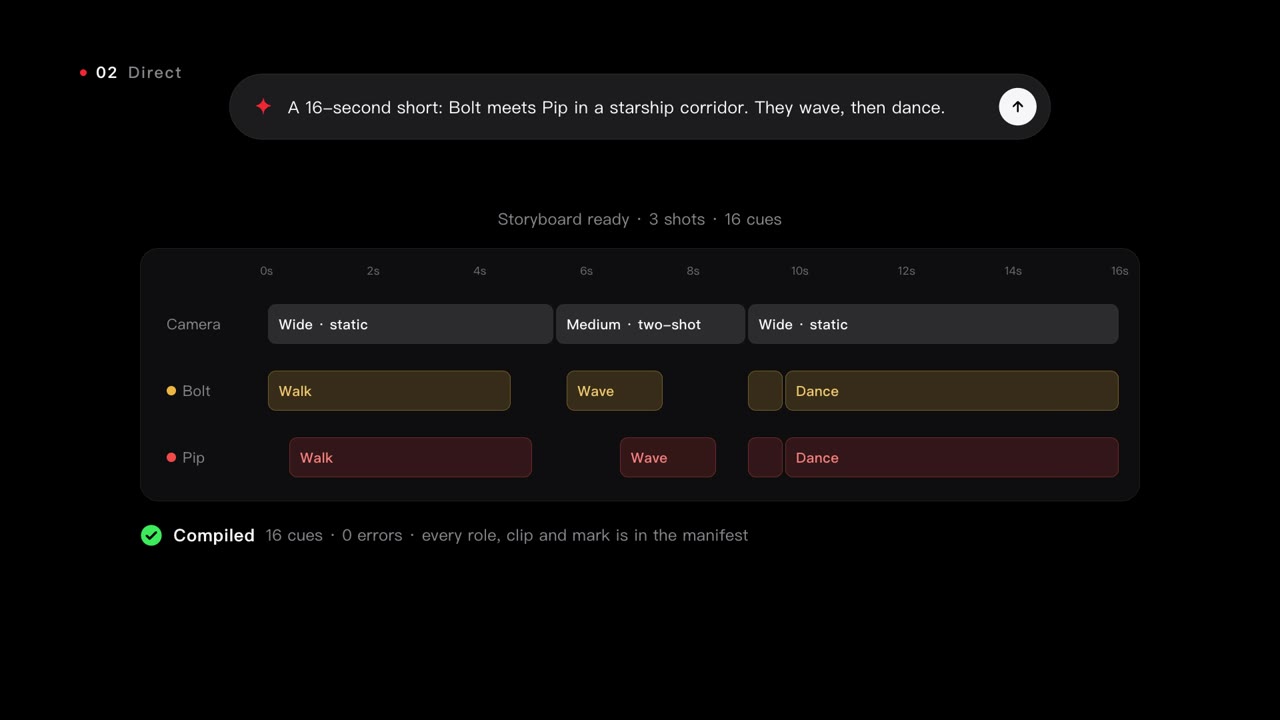
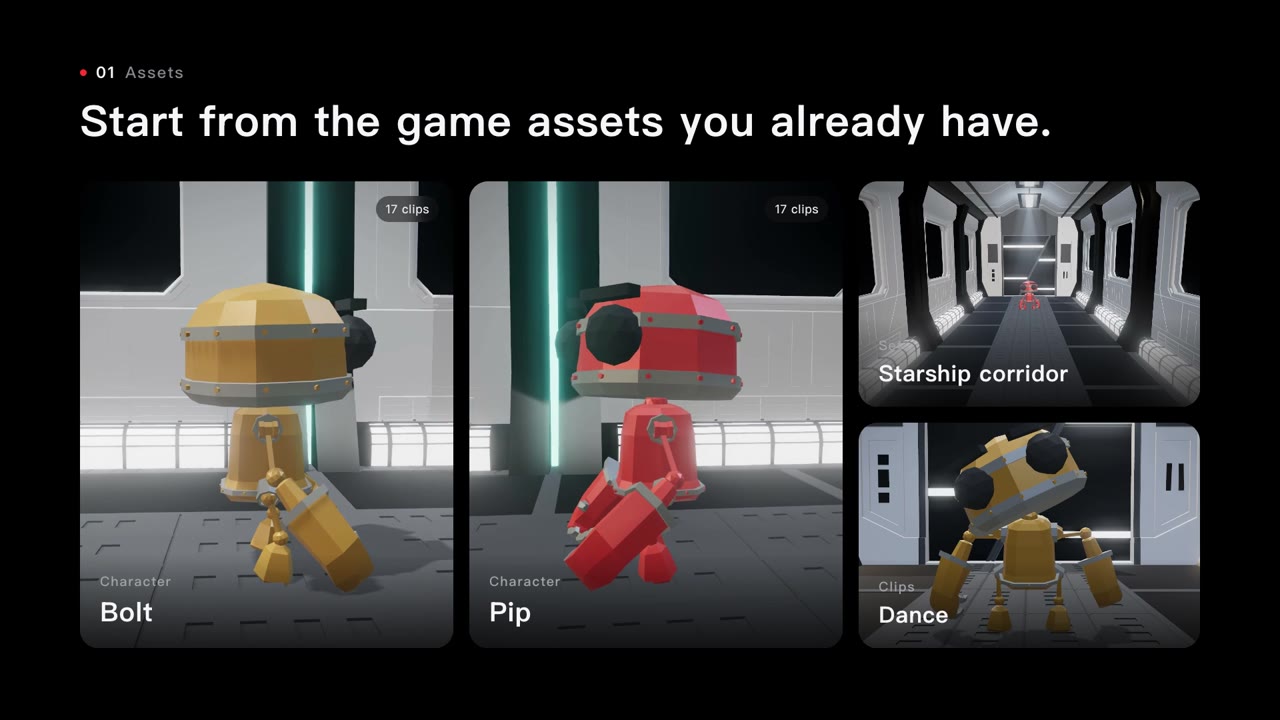
The team's Stardeck example starts with two robots, Bolt and Pip, an existing spaceship corridor and animations for walking, waving and dancing. Ask for a 16-second scene where they meet and dance: the assistant translates it into a sequence of camera positions and character animation clips, and the engine performs those instructions. It does not generate new art or character rigs from scratch.
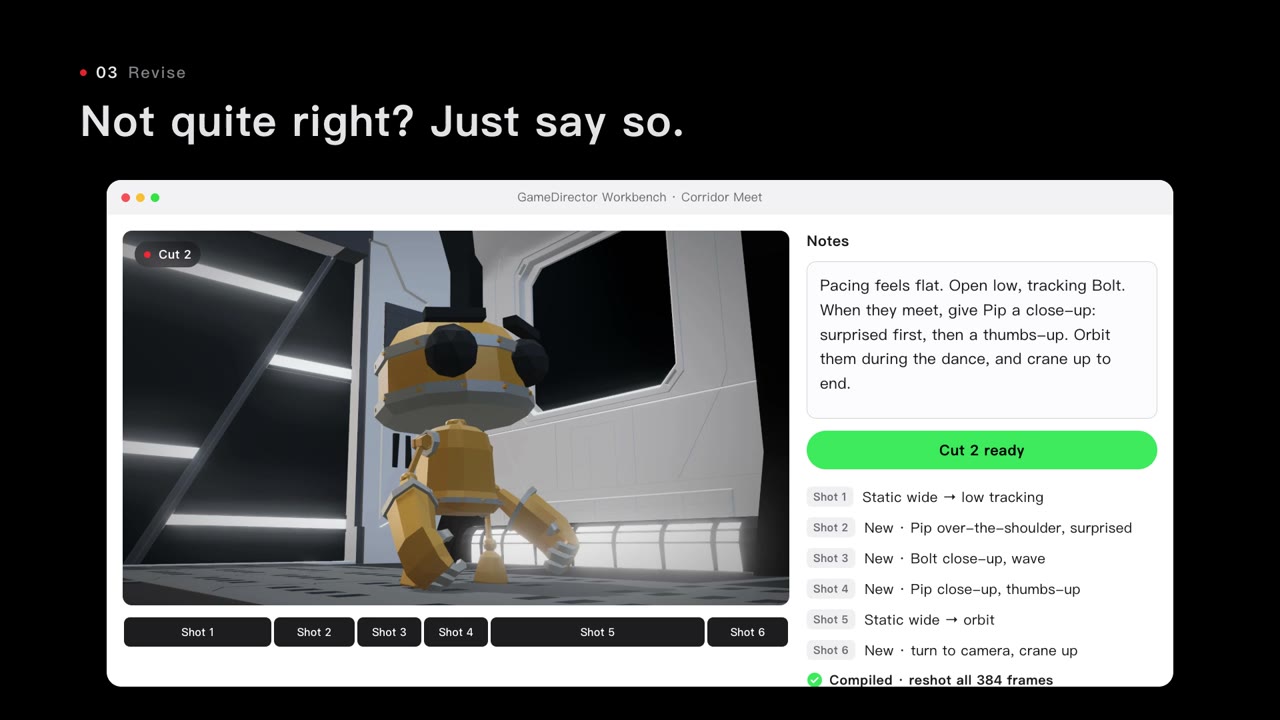
Before a shot is played, GameDirector checks the roles, available clips and locations in the game's asset manifest. Its output can be kept as JSON, compared across revisions and replayed. That makes a targeted note like 'cut closer to Pip when they meet' easier to manage than asking a video model to recreate the entire scene.
Where does it fit into a game workflow?
The release documents Unity, Godot and Three.js integrations. In Unity, a Director Workbench can help assemble takes; in Godot, tag your characters and markers, start the bridge and connect an MCP-capable assistant. Prepare the scene and animation clips first, direct the shots with the assistant, review the shot list, then ask for a specific revision before shooting again.
According to the developer, Unity 2022.3+ and Godot 4.6+ are supported. This still requires software setup, existing assets and a compatible AI agent; it is not one prompt that produces a complete game. The initial release was tested primarily on Apple Silicon macOS, with other packaged platforms less extensively tested.
GameDirector software is MIT-licensed, while example 3D assets retain separate licenses. Read the official guide and third-party notices. This article explains an existing development technique, not a newly announced launch on October 28, 2026.