 GAMESLASH
Modly turns reference pictures into local 3D model drafts for game assets
By GameSlash
See a real 3D dragon example and the model-installation steps, plus the GPU, licensing and finishing work beginner game creators need to know.
If you make games but cannot model props in 3D, Modly shows a different route: provide a reference image, run a compatible local AI model and inspect a generated 3D mesh. Its official documentation demonstrates a dragon example. This article examines an existing tool using its official documentation, checked on October 28, 2026; it is not a launch announcement. See the original project and installation guide.
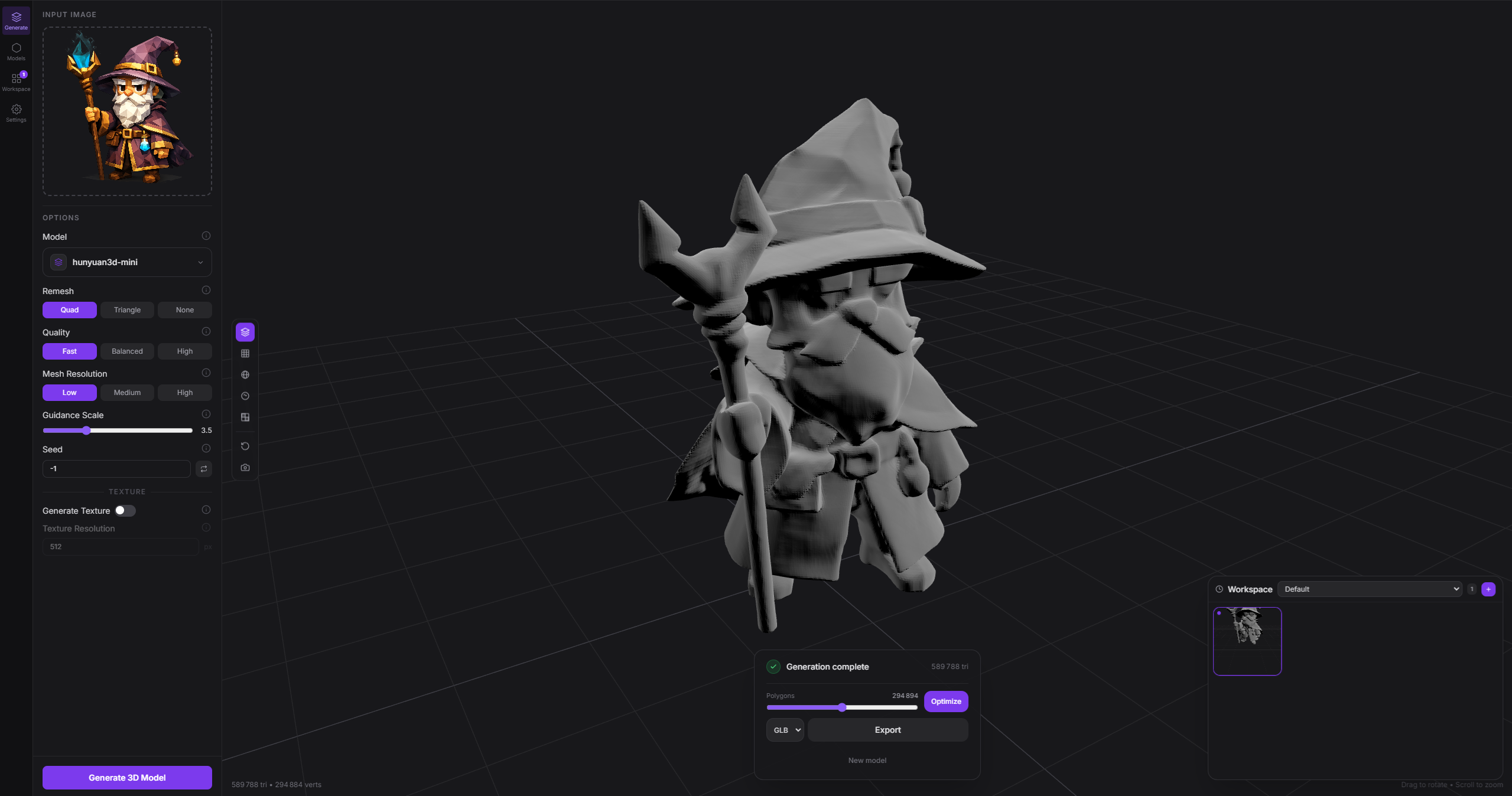
What can game creators actually make?
Modly is an image-to-3D desktop application with a visual workflow editor. The project describes loading compatible model extensions, using a reference image to produce geometry, viewing it and working with workflows. It can help prototype the shape of a monster, object or environmental prop before further cleanup in a 3D editor. The public screenshot is a developer-provided demonstration, not a model we generated independently.
The project supports local execution, model extensions such as Hunyuan3D Mini and TripoSG, and a command-line interface for automation. The screenshot alone cannot establish the quality, speed or commercial rights of every generated model.
How model installation works
Models are installed through the app's extension system. Some require substantial memory and platform-specific GPU support; compatibility depends on the individual model and extension, not just whether the app window launches. Read the model's installation notes before downloading weights.
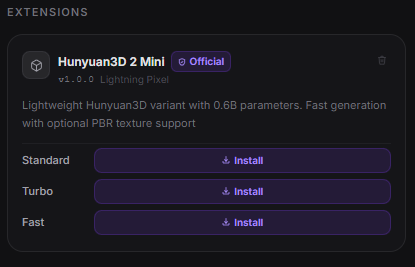
A sensible workflow for a first 3D game asset
Begin with a simple object such as a crate or a single creature, save the reference picture, create a draft mesh and inspect the silhouette from multiple angles. Then check the mesh geometry, size, texture, and license terms of your chosen model and reference before placing it in a game. A screenshot of a mesh does not prove it is rigged, animated or production-ready.
Modly's repository dates to March 2026; this is a practical case study of an existing workflow. Review its README and source license separately from the licenses of AI models and input images.