 GAMESLASH
AI says your Godot game works but it fails at Play? Conduit lets agents test and debug it
By GameSlash
Conduit connects AI coding assistants to a real Godot editor so they can play, capture and debug game scenes. How it helps and what beginners must install.
Your coding AI says a game feature is finished, but you press Play and the character will not move. The missing step is often not writing more code—it is letting the assistant actually run the game and see what goes wrong. Conduit is a free GitHub project that connects AI assistants directly to Godot's game editor and a live game session.
The project was first posted on GitHub on July 20, 2026. This is a practical look at an existing open-source tool, not a claim of a new October 26 launch. Its source and installation instructions describe how an AI agent can edit game scenes, launch the project, simulate player inputs, take screenshots and inspect failures.
What changes when the AI can press Play?
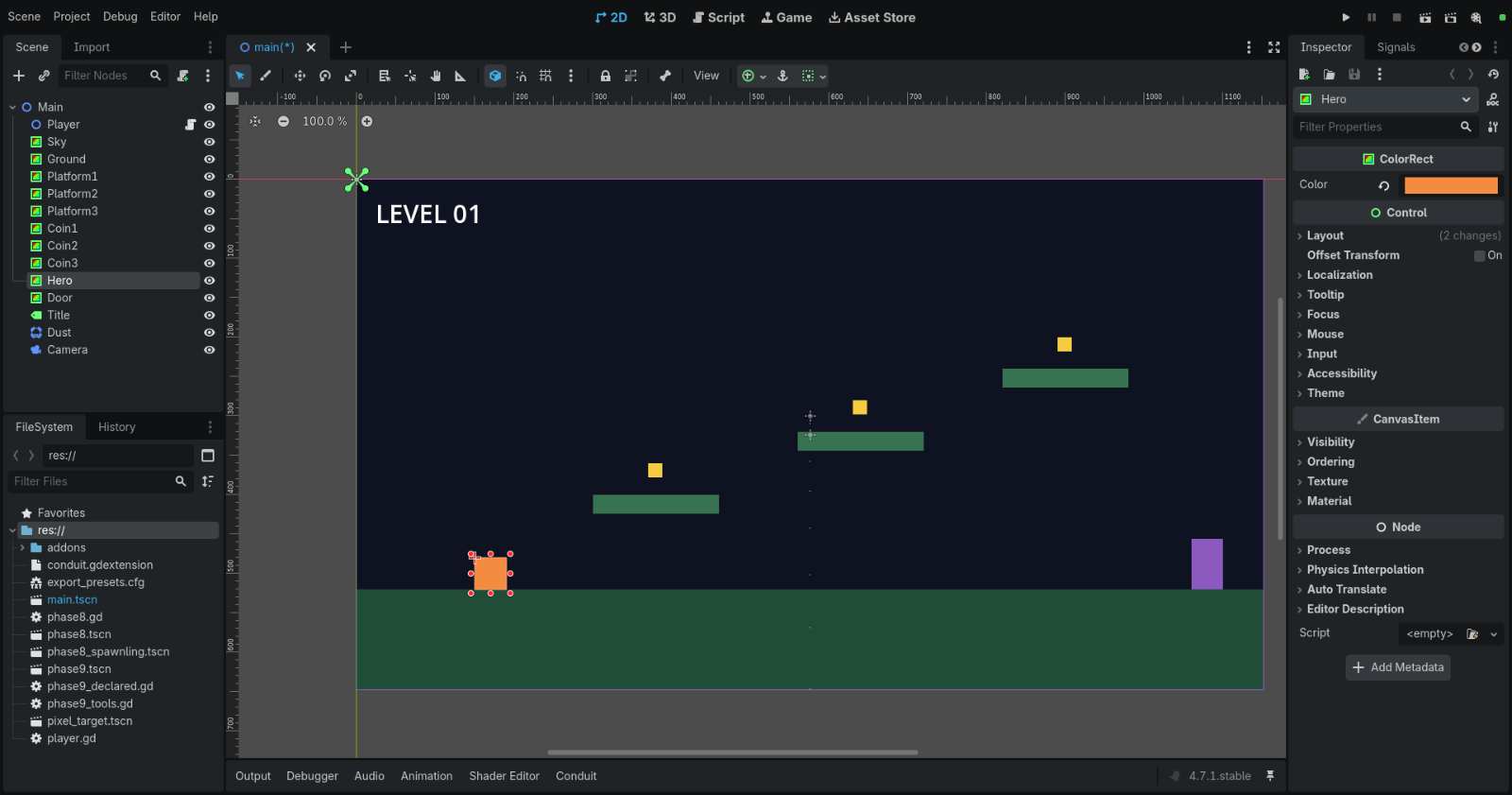
Instead of just responding 'the code looks correct', the assistant can open a scene, launch the game, hold a movement key and inspect how objects respond. The developer supplies this example of a small platform level, including editable objects in the ordinary Godot scene tree.
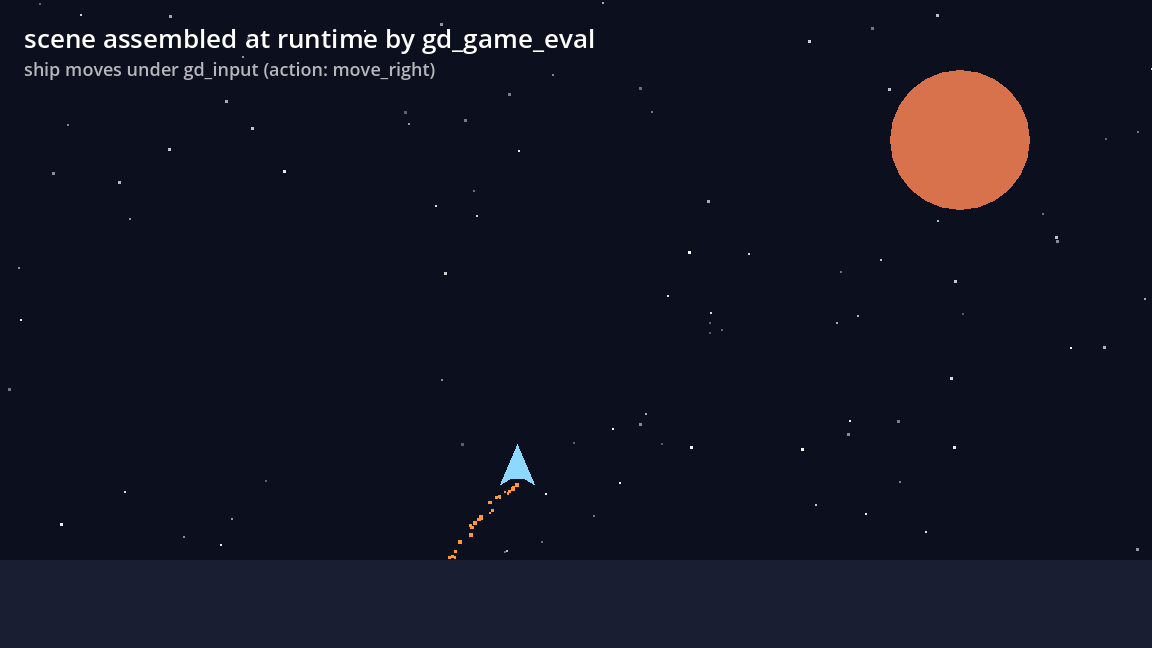
Conduit also connects to the editor's undo history. The assistant can change an object and a person can reverse that edit with Undo, which is safer than directly overwriting unrelated files. The runtime capture shown above comes from an intentionally simple test scene: a spaceship moves while the assistant holds a movement input.
Can it find the exact line that fails?
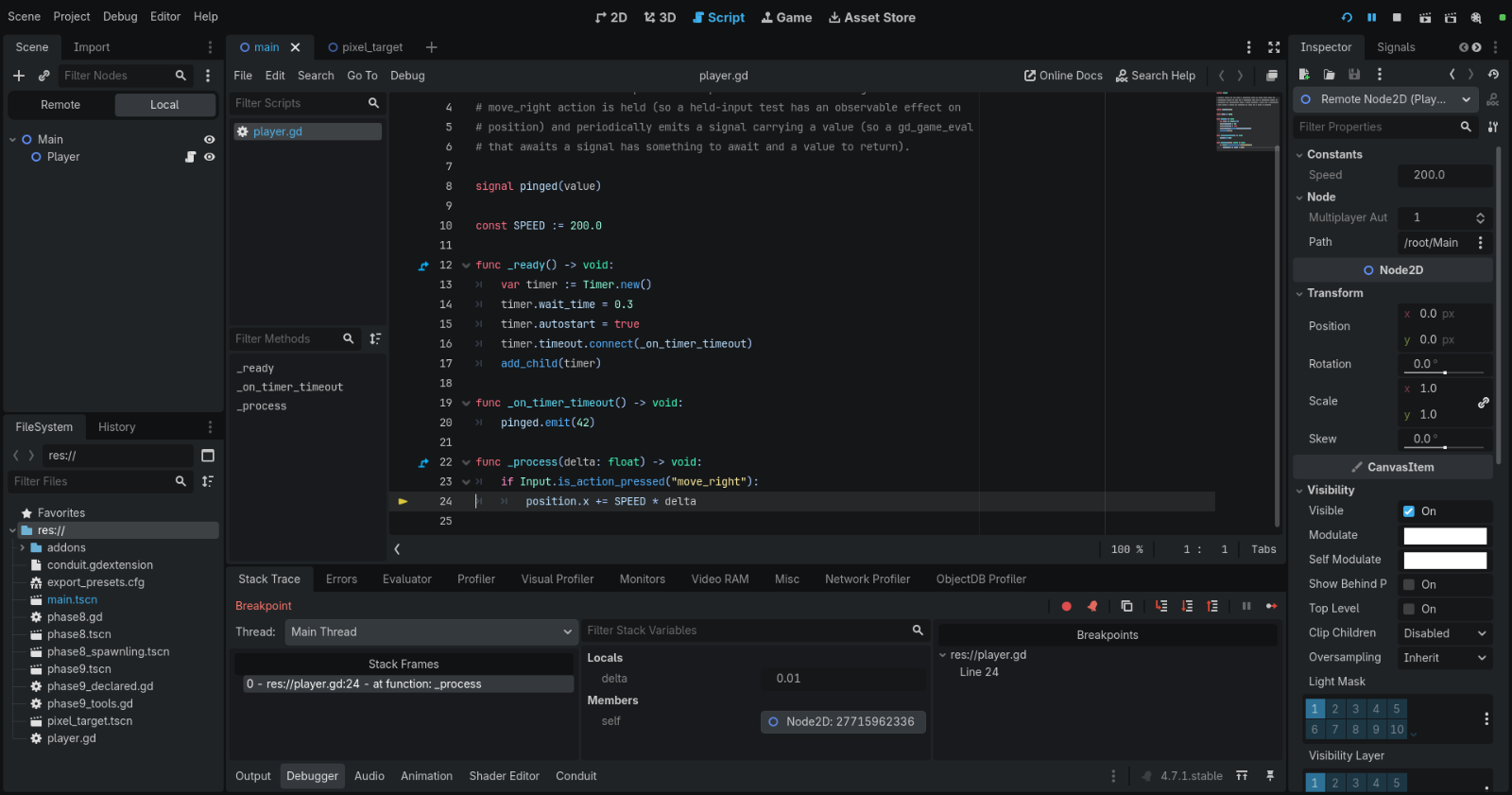
The developer documents a debugger workflow: set a breakpoint, run the game to that point, read the stopped line and variables, then continue. This is more useful than guessing why an error occurred from a text description alone.
This is not 'make a full game from one sentence.' Users need Godot 4.4 or newer, the Conduit extension, and a compatible AI client such as Claude Code. The repository documents installation and version matching; it supports Windows, Linux and macOS, but setup and security decisions still matter.
A small test to try first
Start with a tiny project: a character, one platform and a door. Ask your agent to make the character move, play the scene, capture what happened and fix any actual errors it observes. Review each change and confirm the result yourself before expanding the game.
View the official GitHub repository and MIT license All images above are unchanged documentation screenshots from the developer's repository. GameSlash reviewed the source and images but did not install the plugin or run the demo.