 GAMESLASH
Android Studio Rabbit 2 brings Claude and Codex into Android game debugging
By GameSlash
Google made its Bring Your Own Agent integration stable on October 28, 2026. Here's how Android game developers can use an AI coding agent to inspect builds and logs—and what still needs human testing.
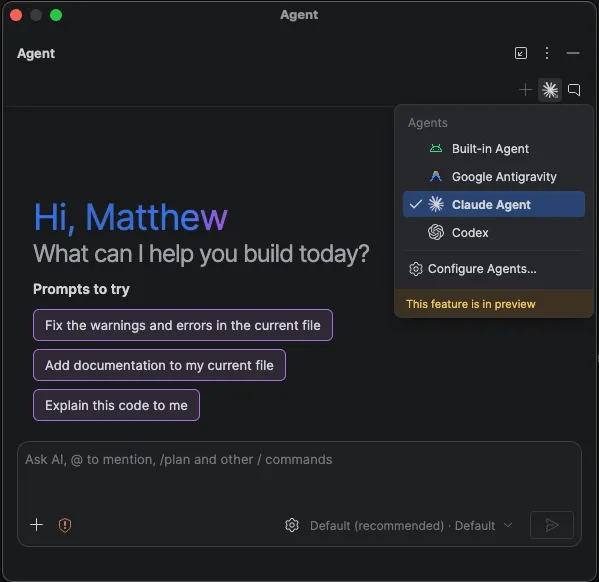
On October 28, 2026, Google released Android Studio Rabbit 2 (2026.2.2) to the stable channel. Its Bring Your Own Agent integration lets developers work with Claude Agent, OpenAI Codex, Google Antigravity and other compatible coding agents inside Android Studio, with access to Android project, build, emulator and log tools. This is an Android development update, not a new game engine or a one-prompt game generator.
What changed with the stable release
Google says developers can choose from more than 40 coding agents compatible with the Agent Client Protocol (ACP). The agent can access Android Studio's build system, emulator and Logcat logs, making it possible to investigate Android project errors without manually passing every error message between separate applications. This functionality was previously available in Rabbit 2 Canary; the October 28 event is the stable availability, not the first demonstration of the idea. Read Google's launch announcement and the Rabbit 2 release notes.
Where this helps people building games with AI
For a native Android game or an Android game project that you maintain in Android Studio, ask the agent to explain a failed Gradle build, inspect a crash in Logcat, or review a patch before trying the game again in the emulator. The workflow is: open your project, select a supported agent, authenticate with that provider, describe the build or runtime problem, examine the proposed edits and test them yourself. Google does not claim it can automatically turn an arbitrary prompt into a complete Unity, Godot or Unreal game.
Skills and limitations
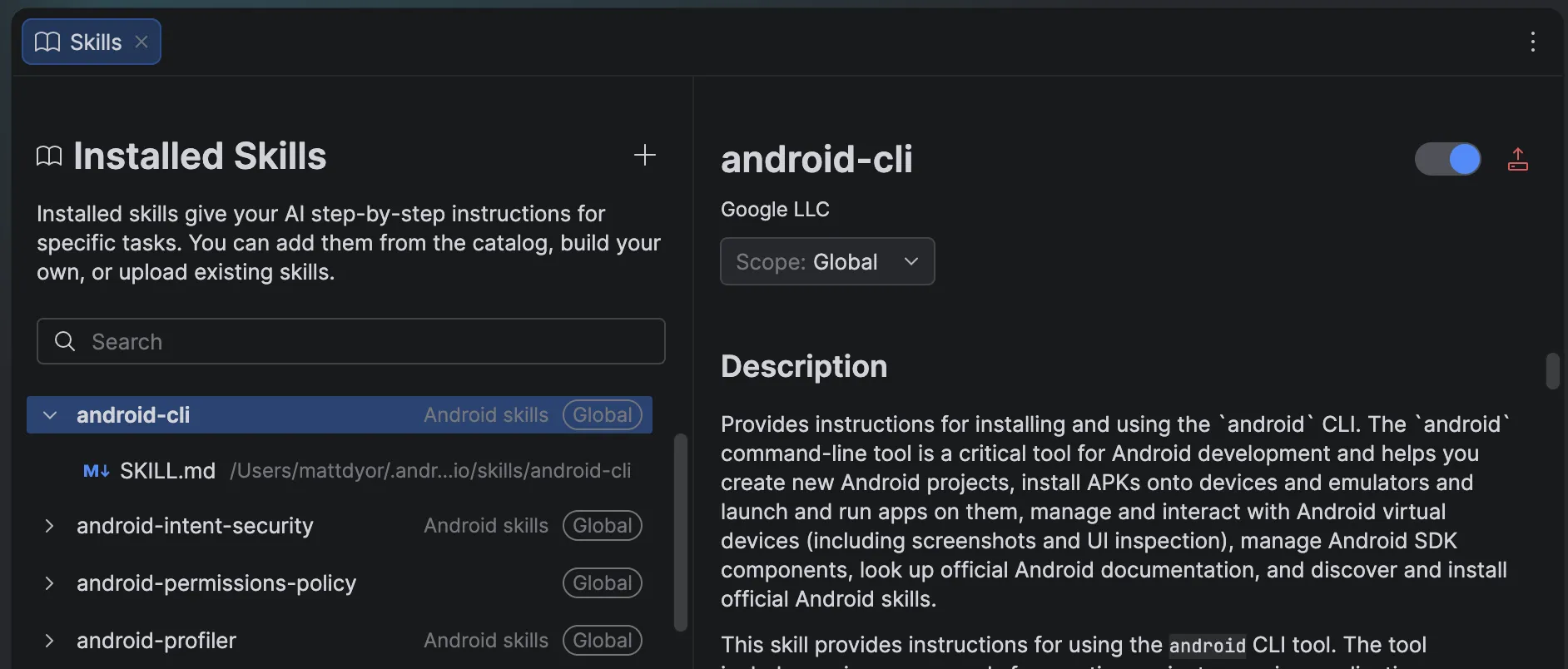
Rabbit 2 also adds a Skills Manager so teams can install and select focused instructions for their AI agent. Examples concern Android tooling, permissions and project setup; these should not be mistaken for game-specific automation. You still need the right Android project, an account or API access for the chosen agent, and human review of edits. Code review, build success and game feel are different checks: a successful build does not establish that collisions, controls or game balance work.
Primary source: Android Developers announcement, October 28, 2026. Version detail: Android Studio release notes.
Images reproduced from work created and shared by the Android Open Source Project under Creative Commons Attribution 2.5. Original screenshots are unchanged; this article is independent reporting, not an endorsement by Google.