 GAMESLASH
AI made a pretty 3D level, but nobody can finish it? Test a graybox before adding art
By GameSlash
Use free CC0 prototype geometry to check doors, jumps, collision and camera before asking AI to decorate a 3D level. A practical beginner workflow.
An AI-made 3D level can have impressive walls, trees and furniture but still be miserable to play. Doors are too narrow, jumps are too far apart, and the camera keeps clipping through objects. Before asking the assistant for more visual detail, prove that the empty level plays well.
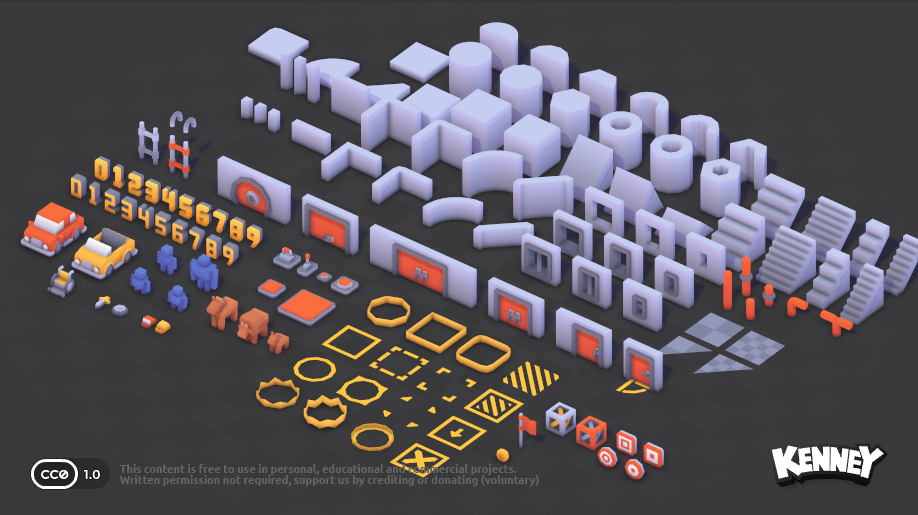
Grayboxing means building a rough playable scene from simple shapes before decorating it. Kenney's Prototype Kit offers 145 CC0 files including walls, doors, stairs and other shapes. They are ready-made components, not an AI level designer.
Make one tiny level with a clear success condition
Import a few pieces and ask your coding assistant for a starting room, a passage, one obstacle and an exit. Keep surfaces and scale consistent. The player should be able to walk from start to finish before you add scenery or enemies.
Test the path from the camera the final game will actually use. Check that characters fit through doors, stairs can be climbed, collision matches the visible surfaces, and the player does not get stuck at a corner. Tell the agent the exact behavior that failed instead of saying only 'make it better'.
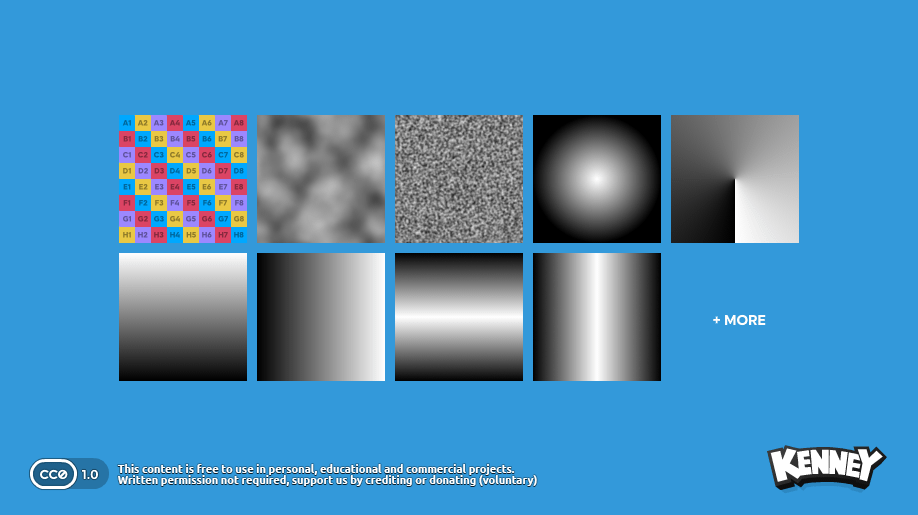
Use simple textures to spot mistakes
Kenney's separate Development Essentials pack contains 15 CC0 visual files including gradients and test-like textures. Depending on the engine, applying a neutral test material can make scale, direction and visual contrast easier to inspect than a busy decorative surface. The pack does not automatically detect bad collision or lighting.
Run a before-and-after check: walk through the untextured area, note errors, fix them, and repeat. Only after the controls and camera work should you ask the assistant to replace temporary objects with final art. If replacement changes dimensions, rerun the collision test.
A useful task for someone who builds games with AI
A practical brief is: 'Build a graybox level using the imported Prototype Kit. One room, one obstacle, one exit. Add collisions and camera, then show where a player can walk. Do not add decorative assets until I test the route.' This creates a smaller, verifiable task than 'make a beautiful 3D game'.
The Prototype Kit was released in 2024, and Development Essentials lists a 2026 release. This is a how-to built from existing CC0 assets, not a new AI product announcement. See Prototype Kit and Development Essentials for official downloads and terms.