 GAMESLASH
AI translated your Godot game but left menus behind? Godot-AI-Localizer finds missing strings
By GameSlash
Before shipping a multilingual game, check every menu, item and quest line. Godot-AI-Localizer shows translation gaps and helps verify AI-assisted localization.
Your AI-assisted game seems ready in English—until you switch languages and discover that a quest item, menu button or character line was never translated. Godot-AI-Localizer addresses that last-mile problem: it finds incomplete language files and gives you a guided way to translate and verify them.
It is an open-source translation companion for games built in Godot, rather than a one-click 'translate my whole game' button. The developer supplies example projects and screenshots showing the dashboard and the gaps it catches. GameSlash reviewed the repository material, not a locally installed run.
First, find the lines your AI forgot
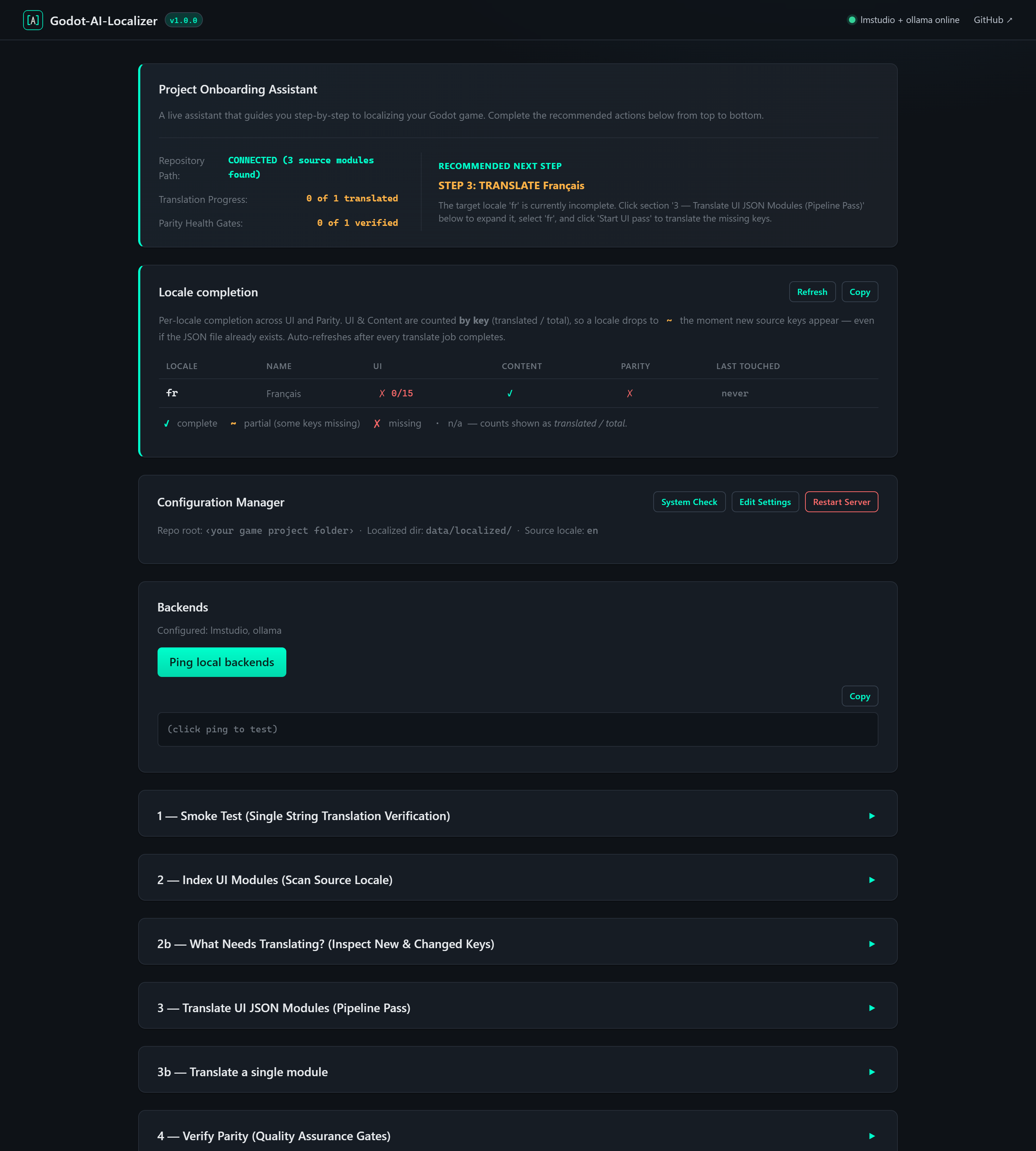
The basic-menu sample is connected to its source files, but French interface text remains at 0 of 15 entries. This separates a configured project from a completed localization; checking translation meaning is another task.
The tool writes language-specific JSON files and checks that the same expected entries exist in every locale. It can also preserve placeholders such as a character name or player score, and keep brand names from being accidentally translated.
Choose a model for your machine before translating
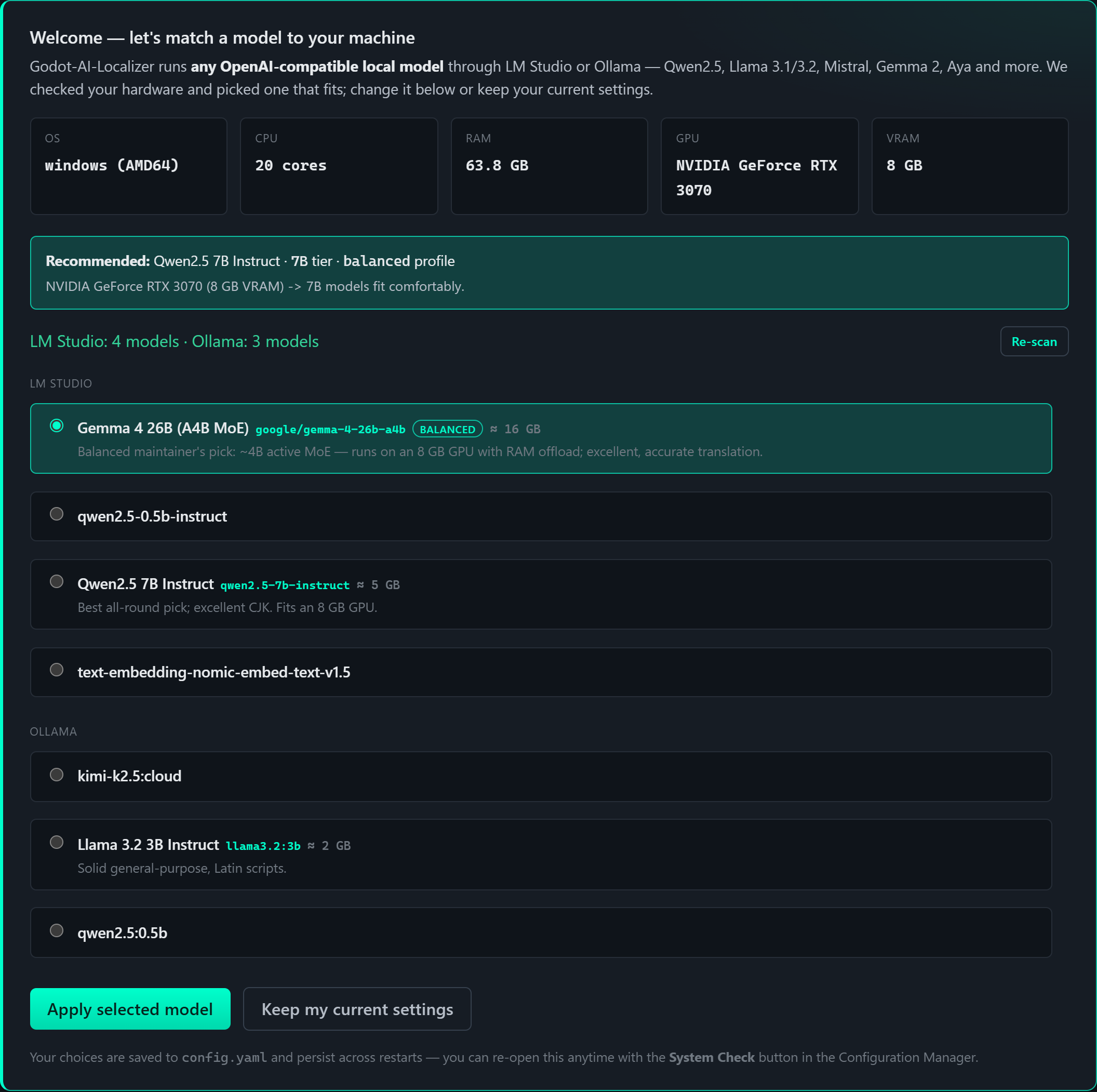
A separate system check displays CPU, RAM, GPU and VRAM alongside detected LM Studio and Ollama models. The screenshot shows the developer's sample machine, not universal minimum requirements or proof that every listed model translates equally well.
Where does AI actually fit?
For the translation step, Godot-AI-Localizer can use an AI model running on your own computer via LM Studio or Ollama, or Google Cloud Translation. The project describes local models as requiring no per-token API charge, but your computer still needs sufficient resources and translation quality depends on the model.
Progress counters and model settings document setup, not machine-translation quality. Configure the backend and review its results in the actual game before shipping.
Try it with a tiny Godot game
The repository includes basic-menu, visual-novel, fan-translation and RPG example projects. Its documented Python setup starts the browser dashboard at localhost:8997, then lets you point a config file at your game. You still need to integrate the resulting language JSON files with Godot's in-game text lookup logic.
Beginners can ask a coding agent to integrate the loader and prepare source strings, then have a person proofread meaning, text overflow and context. Completion counters catch missing keys; they do not guarantee a good translation or culturally appropriate dialogue.
See the GitHub project and setup guide and its MIT license. This is an evergreen developer-tool walkthrough based on materials reviewed October 27, 2026, not a same-day release report.