 GAMESLASH
Soundbox helps game makers create sound effects and arrange dialogue and music locally
By GameSlash
An introduction to an open-source audio workstation for game sounds, music and dialogue, with real app screenshots and model licensing caveats.
A small game feels unfinished without button clicks, coin pickups, footsteps or background music. Soundbox is an open-source desktop app for creating and organizing sounds, music and spoken lines with audio models. It can run locally, while a game creator can also connect a coding assistant to ask for a sound pass across a project.
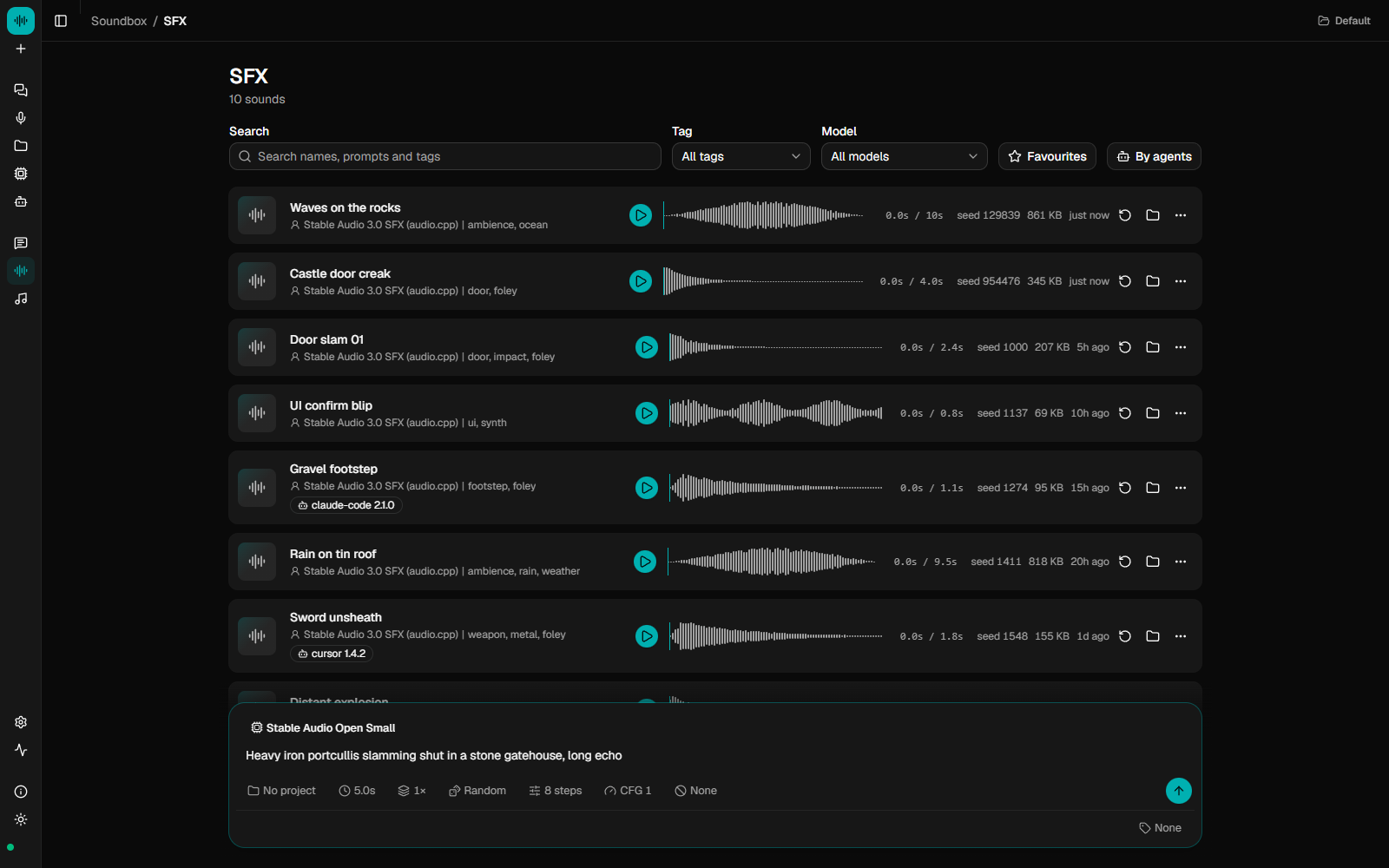
Make a sound, listen, then choose a take
Its Sound Effects page lets creators describe an effect, generate alternatives and review them as waveforms before using the audio in a game. Examples in the developer's documentation include coin pickup, laser fire and ambient audio. It uses downloadable audio models; available sound and music models differ in hardware needs and licenses. The source code being free does not make all model weights or third-party content unrestricted. See the official README and model notes.
A beginner building a two-dimensional platformer could start with three short effects for jumping, collecting an item and losing health. These are suggested creative uses, not GameSlash results from running the tool.
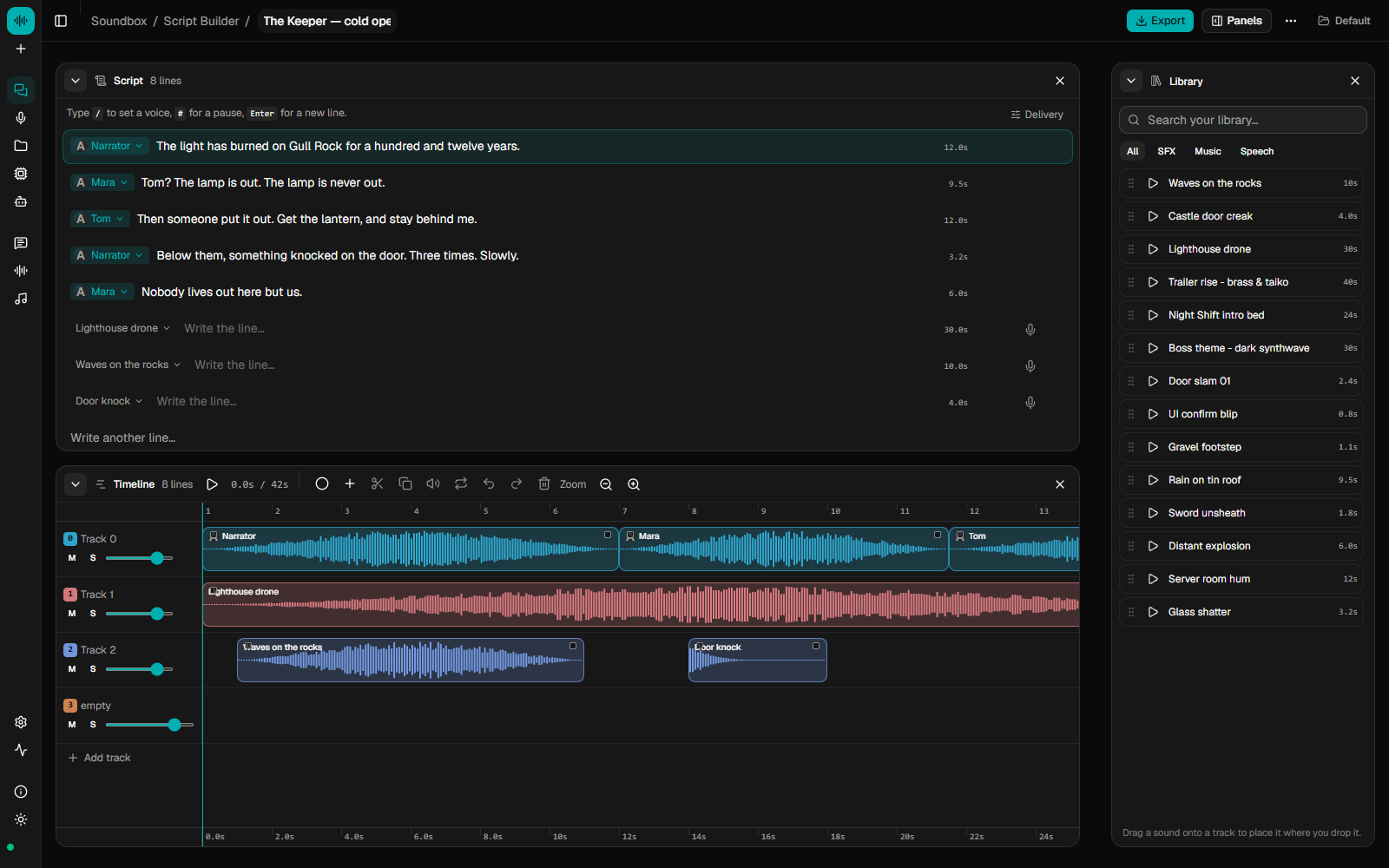
Put dialogue, music and effects on one timeline
The Studio interface shows several tracks laid out together, including speech, effects and a music bed. The project also describes voice tools and an optional local MCP connection that exposes audio controls to compatible coding agents. This helps organize audio around a scene instead of leaving dozens of unrelated files.
Important limits: models need to be installed first, CPU-only generation can be slow, and the developers say their Apple-silicon installers exist but verified model performance on Mac is not yet confirmed. Commercial use depends on the specific model license and rights to any supplied audio or voices. The application source is MIT licensed.