 GAMESLASH
AI Level Designer turns prompts into editable Unity level layouts
By GameSlash
AI Level Designer turns a text idea into a Unity level layout, validates object placement against a preset catalog and builds a scene you can still edit. See real editor examples.
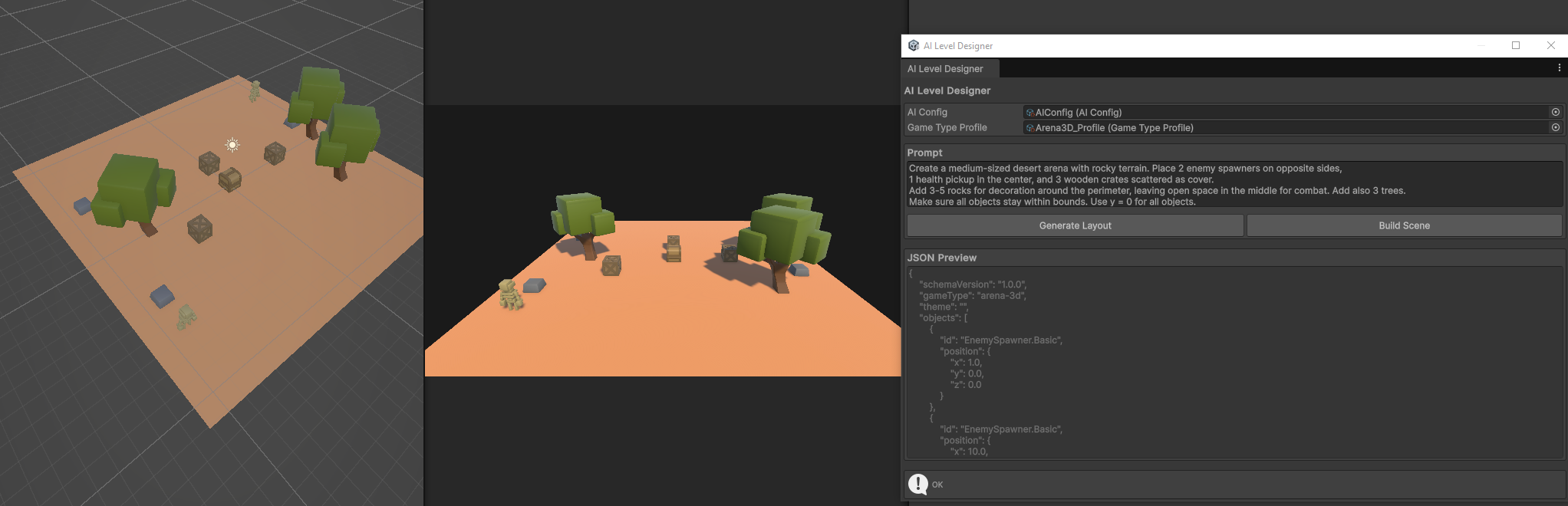
AI Level Designer lets Unity developers describe a level in text, generate a structured layout with OpenAI or Ollama, then build the scene from prefabs already in the project. A validation step checks the layout against the allowed objects, quantities and boundaries before placement.
AI Level Designer is a Unity 6 editor extension that turns a plain-language level request into a structured layout, checks it against configured constraints and instantiates existing project prefabs. This practical overview uses the developer's README and original screenshots
What is different from asking AI to write random level code?
Rather than allowing arbitrary editor changes, the plugin asks the AI for layout data following a defined JSON schema. Its validators check allowed object types, limits and level boundaries against the profile you prepared. The Scene Builder then places available prefabs in Unity.
If your project defines trees, crates, pickups and enemy spawn points, the AI must choose from that catalog. This is useful for prototyping layout variations; it does not automatically invent all art or gameplay systems.
Two examples from the developer
The first screenshot shows an arena with trees, rocks and crates arranged from an instruction. The second is a tower-defense level with a path and tower slots on a grid. These are original Unity Editor captures from the project's screenshots folder.
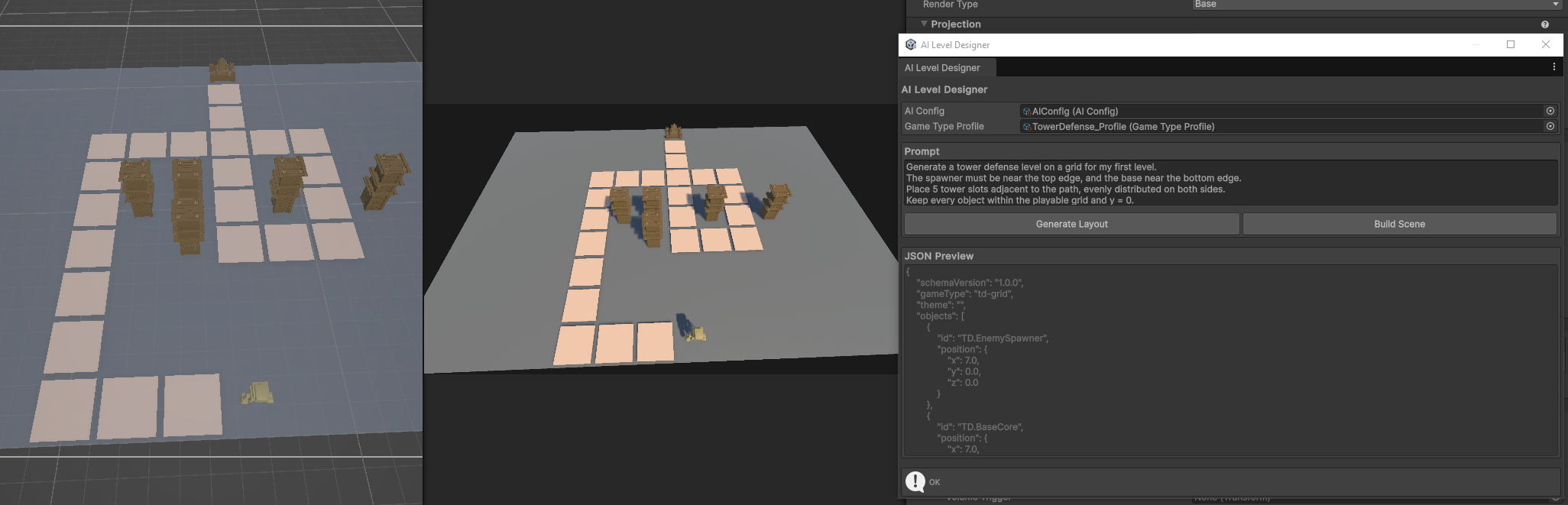
These images demonstrate placed level geometry in Unity Editor, not proof of a finished game. You still need to test navigation, collisions, input, progression and balancing after building a scene.
How to try it in your own game
Start with Unity 6 and a project that already contains prefabs. Install the extension, configure an OpenAI API or a local Ollama model, select a game-type profile and allowed object catalog, then describe the desired layout. Review Generate Layout before choosing Build Scene.
Beginners should start with a short level using only a few object types. As rules and placements become more complex, testing becomes more important. The value here is moving from a design idea to a draft scene you can continue editing, rather than one-click production of an entire game.
See the original GitHub repository and its MIT license. The repository also identifies CC0 art from Quaternius for example 3D objects.