 GAMESLASH
AI-made game effects hard to tweak? Arcadia Effector lets you preview and edit magic and blasts
By GameSlash
Explore Arcadia Effector's coding-agent and visual-editor workflow for creating editable 2D spell and impact effects, with export options and practical caveats.
A spell effect can look impressive in an AI-generated preview but become frustrating when its glow, speed or timing needs one more change. Arcadia Effector aims to bridge that gap: let a coding assistant build a 2D game effect, then open it in a visual editor so the creator can adjust and export it.

A working effect you can edit rather than regenerate
The developer describes a workflow: tell Claude Code or Codex what kind of effect you need; have it write or modify an effect definition in JSON (a readable settings file); open that file in Arcadia Effector; adjust particles, colors, movement paths and glow; then export frames as PNGs or a sprite atlas—a single image holding successive animation frames. The tool also works for manual editing without an AI assistant.
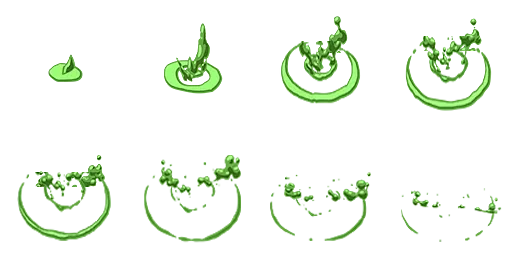
The included effect library provides examples such as a green poison burst and a circular shockwave. These are original project asset files, not proof of effects running inside a finished game.
How a solo game maker could use it
For a top-down action game, start with a request like: ‘Create a short circular pulse when my character casts a shield.’ Inspect the preview, change the ring size or fade timing, export the image frames, and play those frames at the appropriate moment in your game. That last connection to the game's own code is still your job.
What to check before using it
This is a standalone JavaScript/Canvas2D editor and a coding-agent-friendly workflow, not a promise that every prompt automatically yields a polished in-game effect. Check transparency, frame dimensions, color consistency and animation timing after importing into your game. Connecting an external model may have its own costs.
Source: Arcadia Effector repository and MIT license. This is a source-reviewed explanation, not a hands-on gameplay test.