 GAMESLASH
AI drew your game character, but how do you make it walk? SpriteForge turns poses into editable frames
By GameSlash
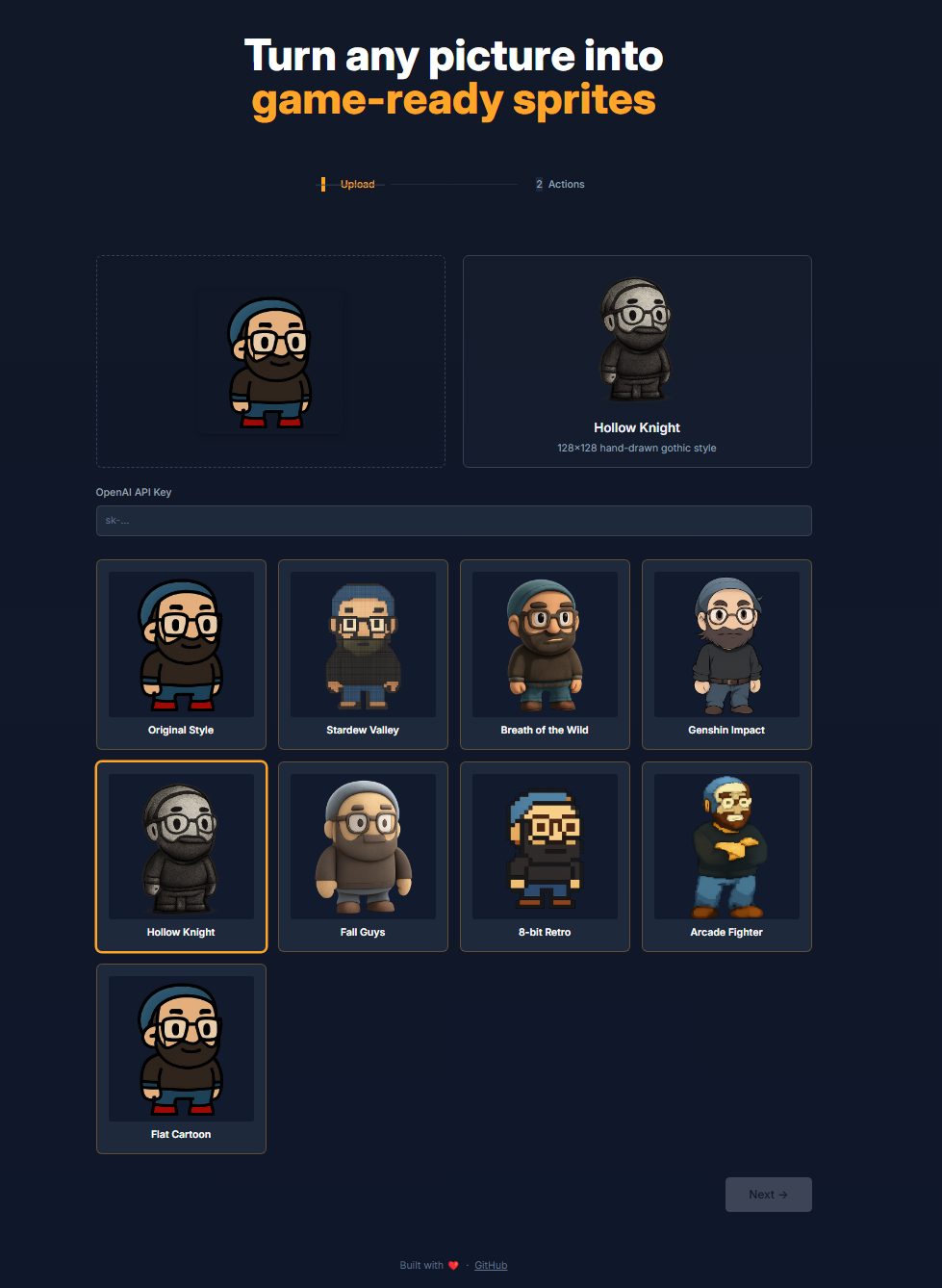
SpriteForge is an open-source character animation workflow: upload an image, select a style, generate walking frames and edit individual poses. See the real UI screenshots and the API-key limitation.
You may already have a character portrait generated by AI, but that picture cannot walk through a game by itself. The next problem is turning the same character into a sequence of poses and fixing a bad frame without losing all the good ones. SpriteForge is a small open-source project illustrating that workflow. This guide explains the documented workflow.
How it works, without the art jargon
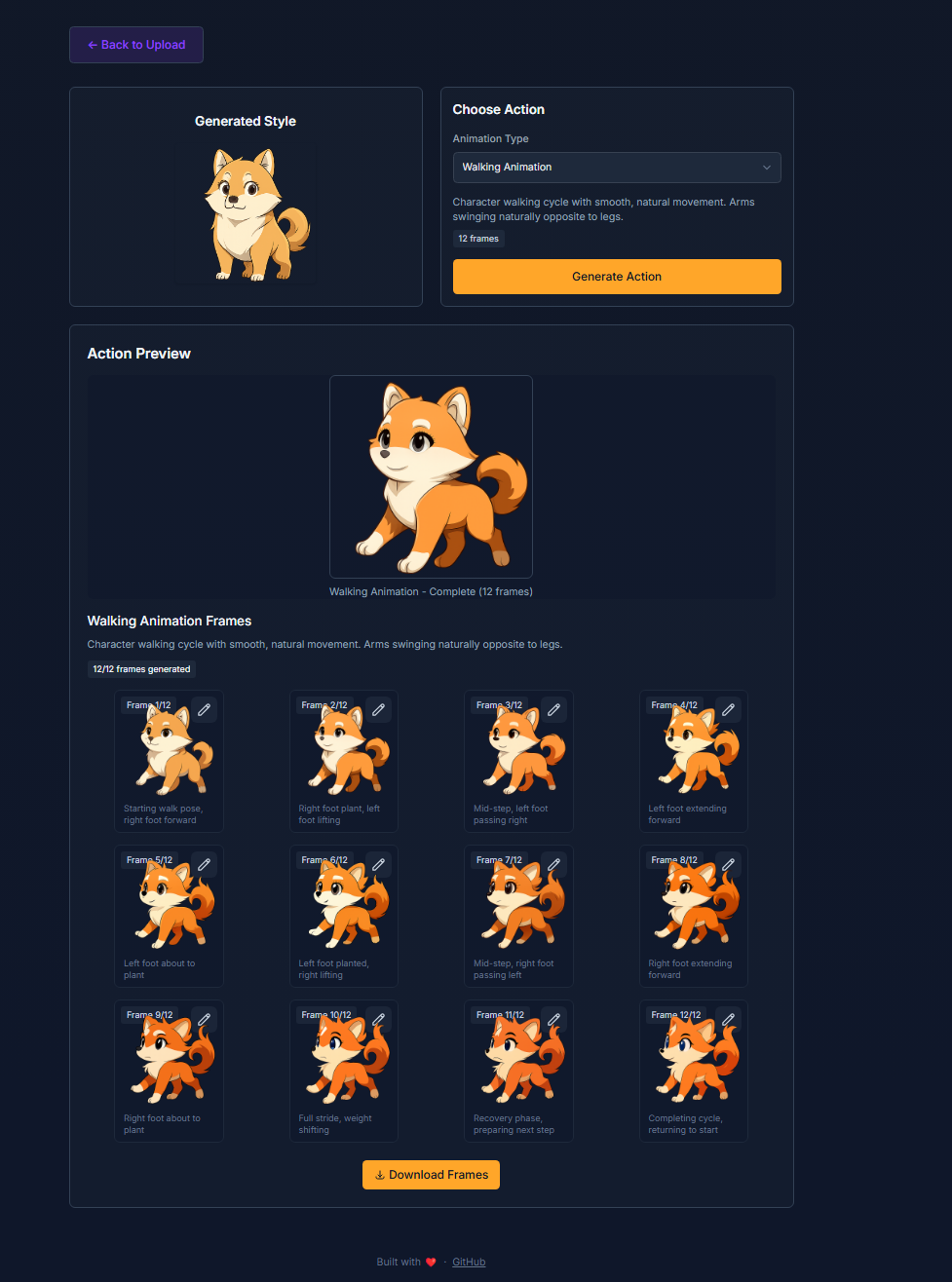
The README describes uploading a character picture, choosing a visual style, then requesting an action such as walking or jumping. The service uses an OpenAI image-generation API key supplied by the user. It assembles the generated poses into a sprite sheet: several little pictures arranged together so a game can play them in sequence.
The developer's example screen shows a cartoon dog with 12 walking frames and edit icons on individual frames. The important feature for game makers is checking one pose before exporting—not treating one generated illustration as a finished animation.
What to check before using the output
A generated sequence may change the character's proportions between frames or move the feet unevenly, so check the walk loop at actual game scale. The interface and frame editor are documented by the repository; GameSlash has not run the app or independently verified export quality. You also need your own API access, and image-generation usage may incur costs.
Read the source and setup instructions and the MIT license before trying it.