 GAMESLASH
Your AI-made 3D game looks empty? Build the first scene with free CC0 models, then test collisions
By GameSlash
A practical beginner 3D game workflow: give an AI coding assistant real CC0 models from Kenney, ask for one playable scene, then verify physics and scale.
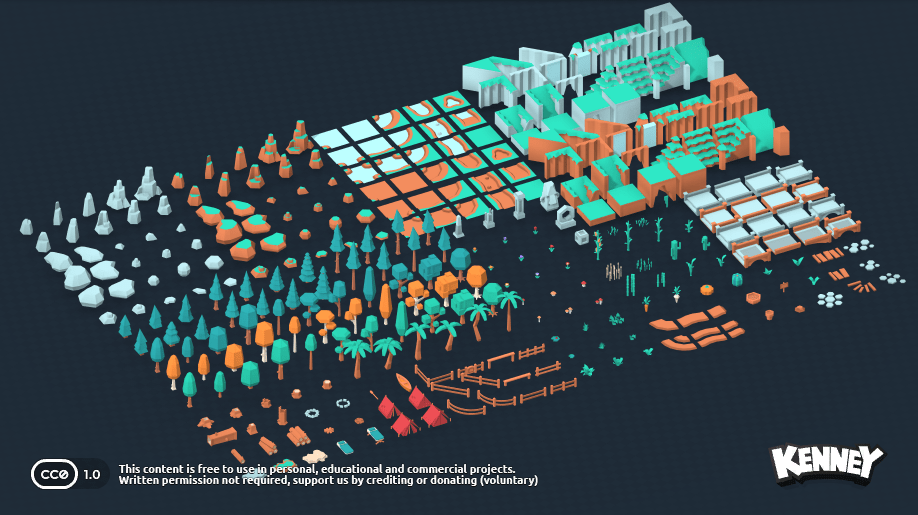
You can ask an AI assistant to code a 3D game, but the first level often looks like empty ground with a cube for a player. The problem is no longer only coding. It is supplying consistent scenery, knowing where objects belong and making the world physically playable. A beginner does not have to generate every tree or rock from scratch.
Kenney's Nature Kit provides 330 ready-made stylized 3D files with a Creative Commons CC0 license. Its original release dates back to 2020. This is an evergreen workflow based on published resources, not a new product announcement or a GameSlash hands-on benchmark. See the pack and license.
1. Give AI a real asset folder and a small scene goal
Download the original Nature Kit from Kenney. Import a few tree, rock and terrain models into your Godot or Blender project. Before letting an AI assistant place them, ask it to list the files and their sizes. Then define a small scene: a path, six trees, a stone landmark and a clear goal marker.
Example instruction: “Build one small 3D walking area using only models already present in the Nature Kit folder. Start with a flat test ground, add a clear player spawn, then arrange the path and props. Do not import models from random websites and do not create extra 3D objects unless you tell me.”
2. Make scale and collision separate checkpoints
Just because a 3D model looks like a rock does not mean the player will collide with it. Ask AI to inspect model sizes and scene scale, then add or verify physics collision only on surfaces that should block movement. On a mobile-targeted game, also inspect how many models and triangles appear on screen. The official Godot 3D physics guide documents collision concepts.
A strong iteration loop is simple: ask AI to create one change, play the test scene yourself, report a specific failure such as “the player passes through the stone” or “the trees block the camera,” and ask AI to correct that part. Do not confuse a convincing preview image with a functioning level.
3. Choose one visual family instead of mixing assets randomly
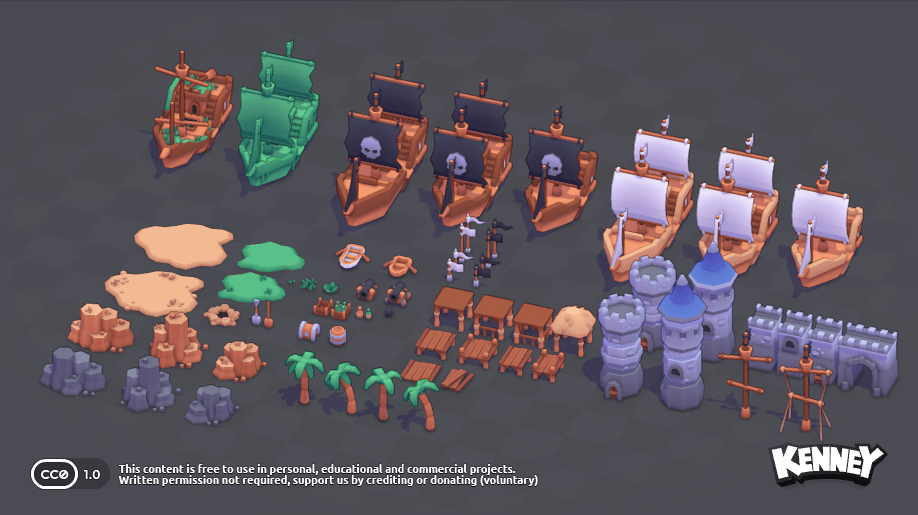
Kenney also has a Pirate Kit with 70 stylized 3D models. Its original pack was released in 2018 and has undergone revisions. The boat and fort assets here are another legitimate visual direction—not a second set we automatically recommend mixing into the forest level. Choose the art direction first, then explain it to AI.
Example: “We're building an island harbor, so use Pirate Kit props, not forest props. Keep one color family, place the docks and two ships first, then add collision and test player movement. Report anything that is only decorative.”
Why this is useful for vibe coding—and where it stops
A trusted CC0 asset folder solves three practical problems: visual consistency, predictable file names and easier license review. It does not make AI automatically good at layout, lighting, performance or level design. Your 3D project still needs playtesting, camera checks, collisions and export tests. The photos in this article are the asset creator's original previews—not screenshots of an AI-built game.
Sources: Kenney Nature Kit (330 models, CC0); Kenney Pirate Kit (70 models, CC0); Godot physics documentation. No new release is claimed for October 2026.