 GAMESLASH
AI game character needs a pose fix? Aseprite AI Artist edits details without starting over
By GameSlash
AI art can be easy to generate but hard to revise. See how Aseprite AI Artist edits individual parts and animation frames in the existing pixel-art project.
You used AI to generate a game character you like. But now you need to fix just one arm, change an attack pose or repair one animation frame—and another generation risks changing details you wanted to keep. For game makers, the harder problem is not generating the first image. It is editing that same character consistently.
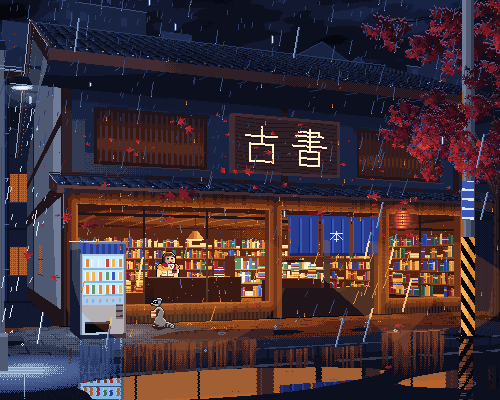
Aseprite AI Artist is interesting because an AI agent can return to the existing editable drawing and revise specific parts or frames, keeping the parts that already work. It connects assistants such as Codex or Claude Code to Aseprite, a pixel-art editor used for game assets, instead of returning only another flattened picture.
For example, you can ask the AI to create a game character and then animate it. If the helmet or arm looks wrong, you can ask it to revise that part of the existing art rather than regenerate the entire character. The frames still need checking for smooth motion.
Real example: an AI-created character and multi-frame attack animation
Below is the developer's actual Boombox Mage example: a 15-frame attack sequence showing preparation, a bright impact, and expanding sound-wave effects. It shows why making game art requires more than one attractive image: shape and motion must remain consistent across a sequence.
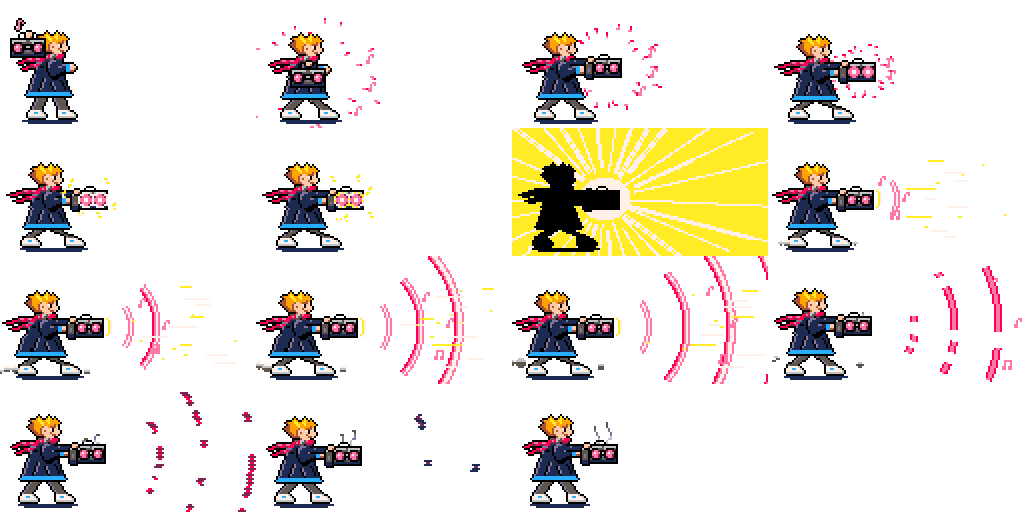
This is an actual result with source files and a generation record, not a screenshot of the four-frame knight prompt in the guide. The filmstrip also does not show a before-and-after arm correction; that editing capability is documented separately by the developer.
How can it edit just an eye or an arm?
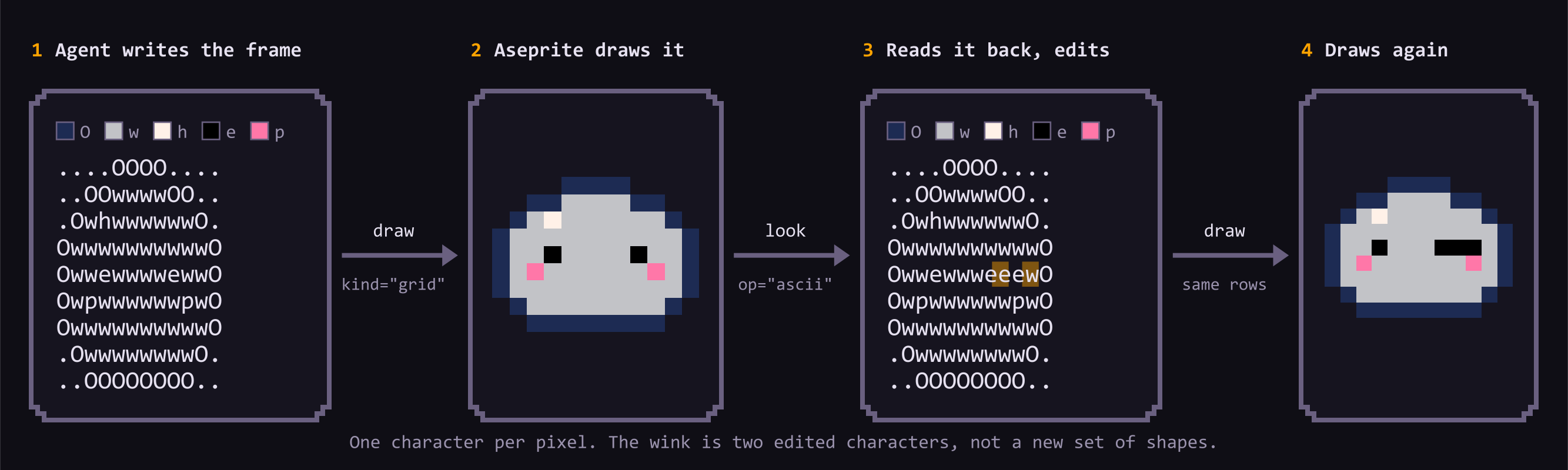
The underlying trick is called a grid loop: AI reads the image as a grid, where each character represents a colored pixel. To make an eye wink, it changes only the relevant cells instead of redrawing the entire face.
The developer also provides drawing guides, example patterns and many color palettes. They do not guarantee beautiful results or smooth animation every time.
How good are the real results?
The Boombox Mage filmstrip shown above has a developer-recorded benchmark: the still and attack animation took 21.8 minutes, 79 tool calls and $6.44 in model usage for that run. Those figures are not universal prices.
Even though automated checks marked 15 criteria as passed, the recorded human overall rating for that run was just 3/10. In other words, AI can create editable art assets that still require substantial artistic cleanup.
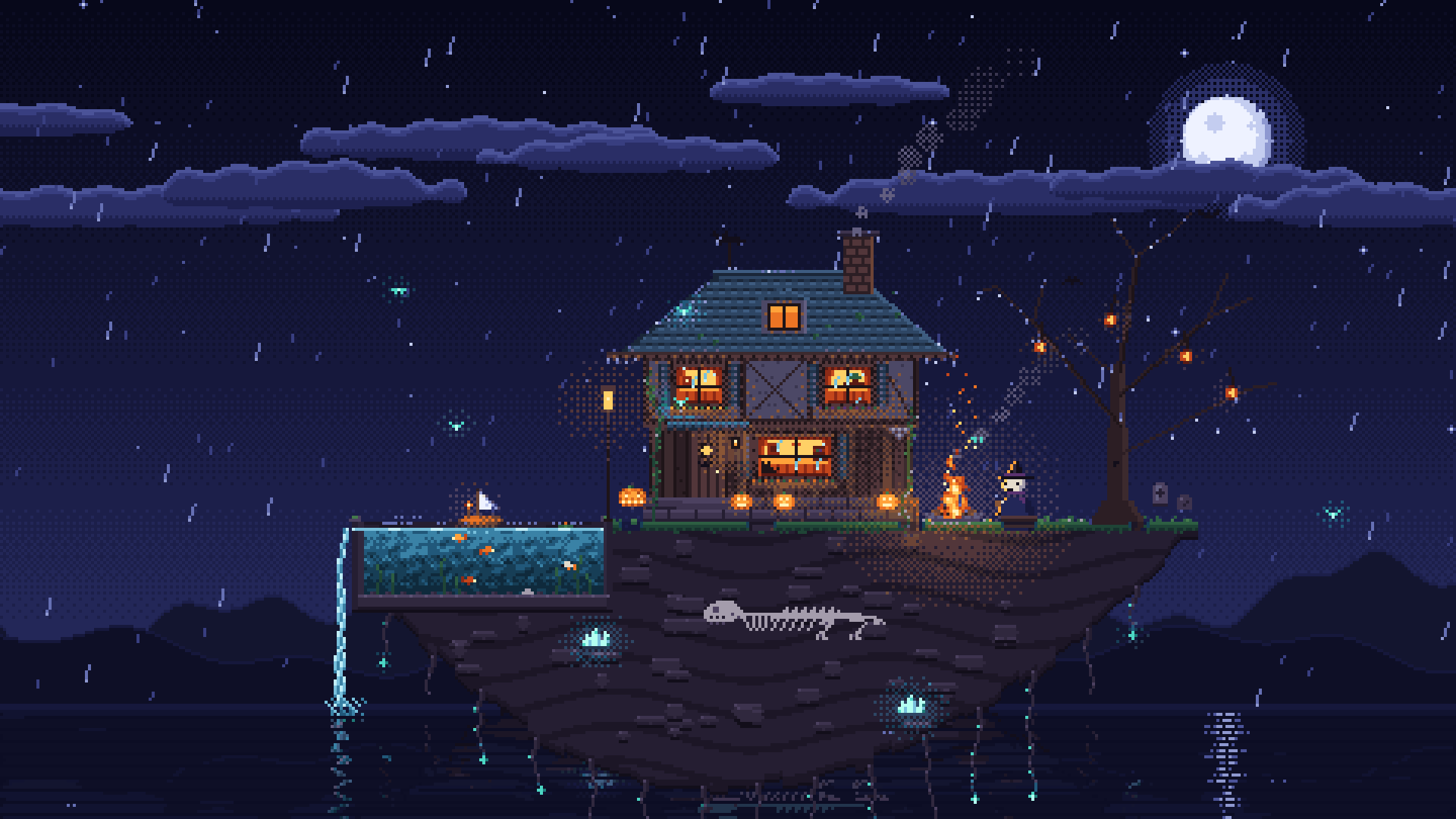
The rainy bookshop and Halloween island are genuine examples from the developer. Their creation notes describe code-assisted production and, for some examples, reference images. They are not guaranteed one-prompt-only outcomes.
Can beginners use it without art or coding experience?
You can describe the art you want in plain language, but setup is still required: Aseprite, Node.js and an AI coding assistant such as Codex must be connected on your computer. A beginner may need to follow a setup guide or ask AI for help with those steps.
The official Codex installation guide provides these commands:
npx @pebbly/aseprite-ai-artist install-extension
npx @pebbly/aseprite-ai-artist install codex
npx @pebbly/aseprite-ai-artist doctor
Claude Code users have separate installation steps in the README. Aseprite and AI model access may have separate costs.
Is it useful for vibe-coded games?
It is relevant if you are already building a game with AI but still need character art and animations. Its main benefit is helping AI produce editable work, so you can refine an asset without starting over each time.
Start with one small character and four idle frames, then judge image clarity, motion and time saved before attempting a whole game. This is not yet a guaranteed one-prompt production system.
Explore the original GitHub project and its art gallery. Images are credited to with-pebbly and linked to their original source below each image.