 GAMESLASH
Audio Studio MCP 1.0 adds a local workbench for AI-generated game audio
By GameSlash
Generate with an agent, then compare takes, replace a passage and export game loops in Audio Studio MCP’s new browser interface.
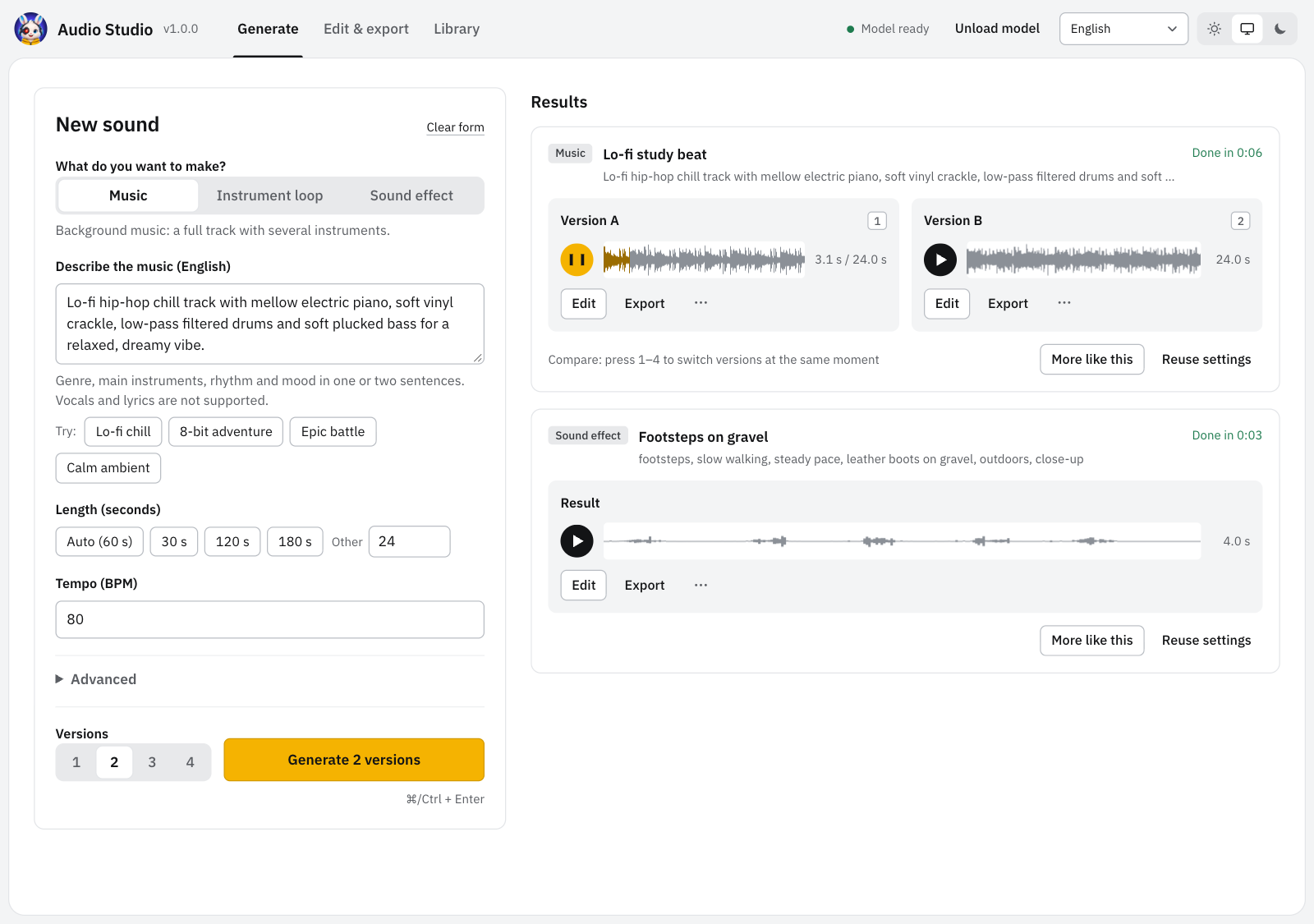
Audio Studio MCP released version 1.0.0 on 24 October 2026, adding a local browser interface alongside its agent tools. For AI-assisted game developers, the useful change is the handoff: ask an agent for music or effects, then listen, compare and refine the results yourself before importing them into a game.
Generate with an agent, choose with your ears
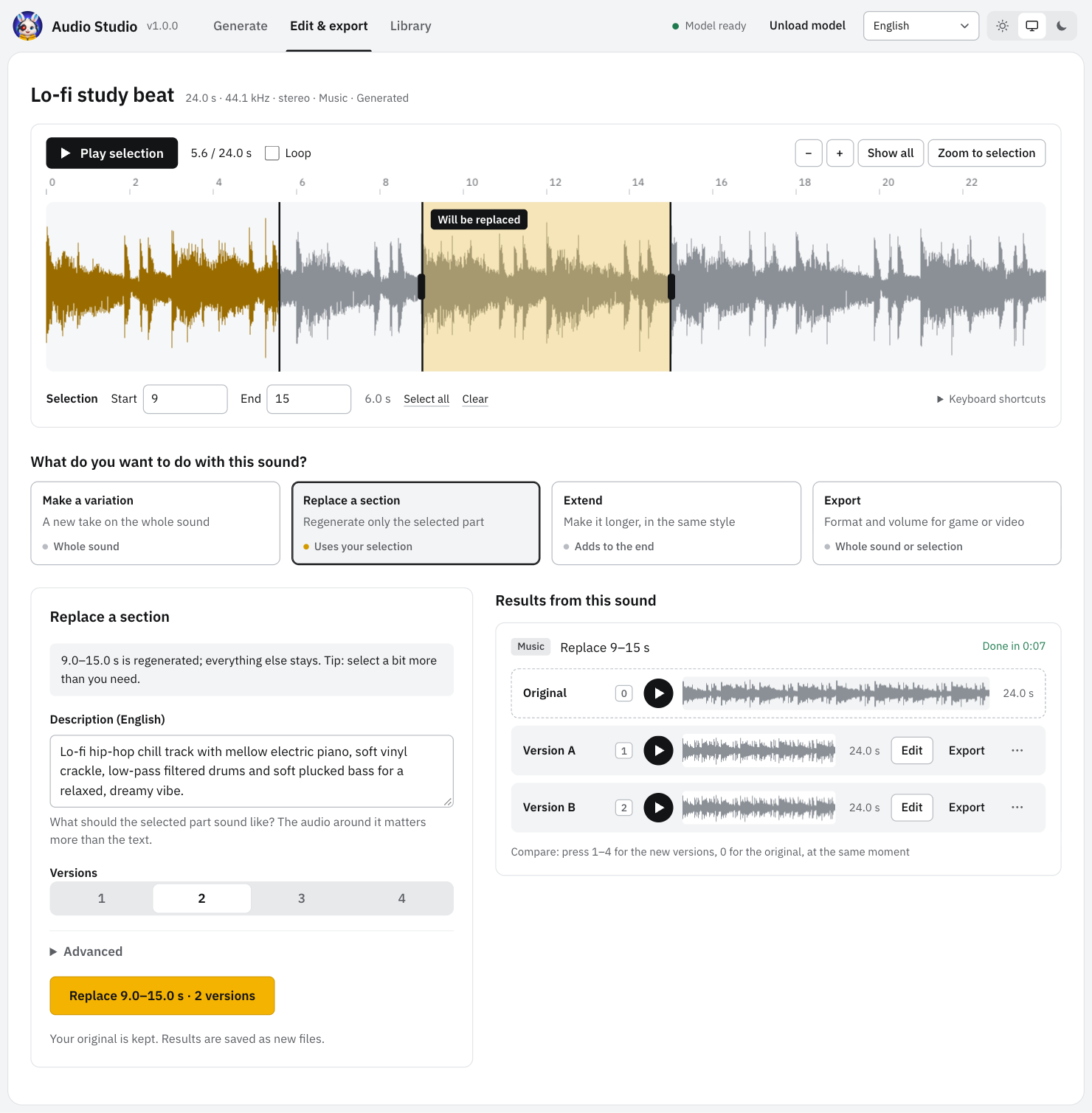
The browser and MCP clients share one server and one loaded Stable Audio 3 model. The new interface can compare up to four versions at the same playback position, regenerate a selected passage or extend a clip. Export presets cover game sound effects and loops, with WAV, OGG and FLAC output.
One practical workflow is to request several ambience candidates, audition them against a scene, replace an awkward section and export the chosen loop. That is an editorial use case, not a GameSlash test result. The screenshots here come from the developer; we have not independently evaluated the audio quality.
Local generation still needs suitable hardware
The setup guide recommends an Apple Silicon Mac with 16 GB RAM, or Windows 10/11 with an NVIDIA GPU offering at least 8 GB VRAM. Windows model downloads require a Hugging Face account and acceptance of the model terms. Intel Macs and AMD GPUs are unsupported; Linux remains untested.
Generation runs on your machine rather than a metered audio API, but hardware, electricity and any connected agent service still have costs. The web interface is intended for the same computer: its unauthenticated local server should not be exposed to other machines.
MIT code does not mean unrestricted model use
The server uses MIT, while the model follows separate Stability AI licensing terms. Stability lists Community access for individuals and organizations below US$1 million in total annual revenue, with a separate Enterprise route. Check the applicable agreement before commercial use; local generation is not a blanket rights guarantee.
Start with the official release notes and project documentation. The tool produces instrumental music and sound effects, not intelligible singing or lyrics.