 GAMESLASH
Ensō Engine 1.1 brings Eye Parallax and Face Shadow nodes to anime-style Blender renders
By GameSlash
The November 20 public beta adds 18 EEVEE nodes for stylized character lighting. See what changes for game art, plus the Blender handoff limitations.
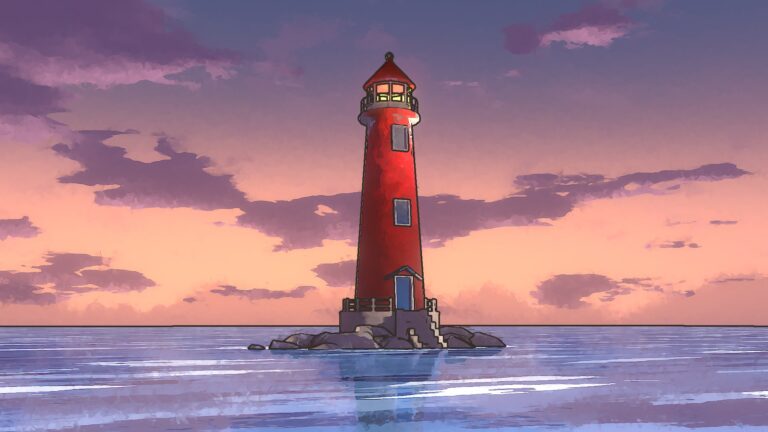
Mix 3D Design publicly released Ensō Engine 1.1 for Windows on November 20, 2026, after Patreon early access. It is a separate, free custom build of Blender 5.3 with native EEVEE nodes for anime and non-photorealistic rendering. The developer's November 21 announcement on Blender Artists names Face Shadow, Eye Parallax, hair shading, selective lighting and custom compositor masks among the update's tools. These techniques matter most to teams preparing 3D character art, stylized cinematic scenes and game trailers; this is not a game engine or a direct one-click export to Godot or Unreal.
Why a modified Blender build instead of an add-on?
The developer says per-light selection, custom shadow information and cel-shading passes require code changes inside EEVEE rather than a standard Python extension. The 1.1 release adds 18 native nodes, reaching 25 in total according to the developer and Cinevva's November 21 technical report. In practice an artist can put Face Shadow on an anime character, control depth in a flat-looking iris with Eye Parallax, and select which lamp affects face versus hair with Light Select. The point is to test how those surfaces react as lights and camera move rather than judge a fixed image.
A practical experiment for a stylized scene
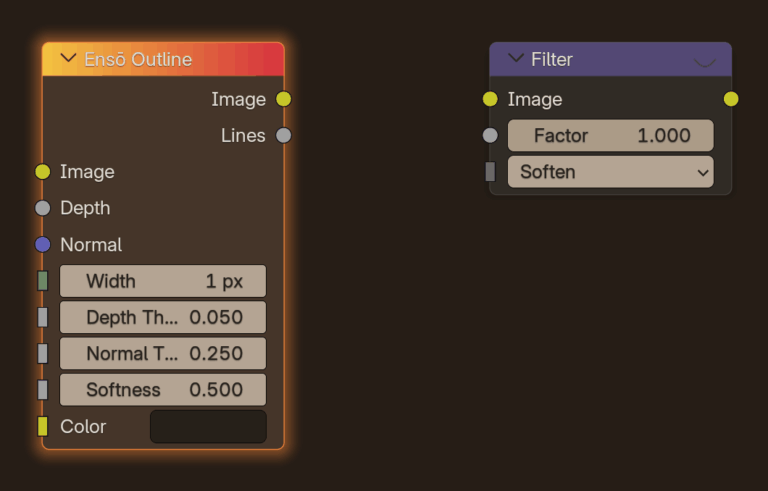
Create a simple head with separate eye, hair and face materials. In Ensō 1.1, adjust the Eye Parallax depth while orbiting the camera, then use Light Select to assign one light to the face and another to hair. Compare shading consistency at different angles. For environment silhouettes, try the existing Ensō Outline compositor node: it takes depth and normal passes and exposes line width, softness, and thresholds. Record the node layout and materials before sharing the scene.
Important compatibility caveat before shipping
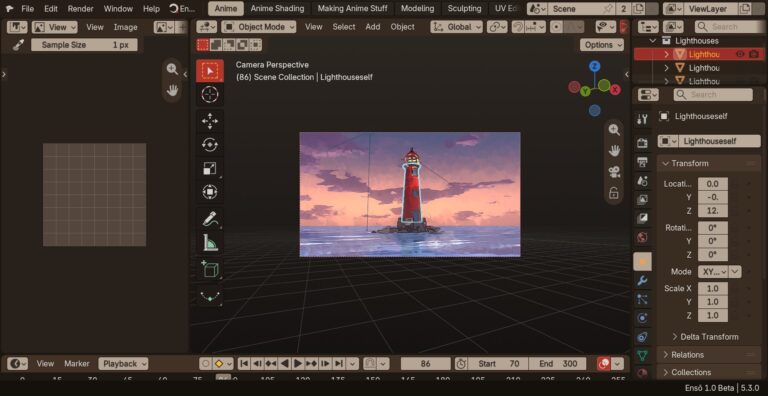
Ensō-only shader nodes are not understood by unmodified Blender. Version 1.1 adds a Handoff Report identifying which custom nodes are used and where, plus a text explanation placed with the .blend project, according to the November 21 report. A teammate using normal Blender cannot expect those materials to look the same. The Windows 10/11 x64 beta is free; the custom build's source is offered under the GPL. An optional commercial NPR Pack is separate. Verify your render pipeline before incorporating the result in your game: shader nodes and compositing effects demonstrated in Blender are not automatically supported in Unity, Unreal or Godot.
Check the developer's primary announcement, source repository and public download page before starting. This article distinguishes the new 1.1 features from earlier official 1.0 imagery.