 GAMESLASH
How Mito used Claude and Seedance to make an anime ultimate cutscene
By GameSlash
A three-step cutscene workflow: block the shots with Claude Fable 5.2, generate footage with Seedance, then use Claude to help finish the VFX.
On November 16, 2026, Mito Visuals×AI shared an anime-style ultimate cutscene breakdown, from a rough 3D mannequin setup to the finished attack. The workflow has three steps: use Claude to help build the previs, reference that previs in Seedance, then bring Claude back to help finish the VFX. The clip compares the orb, charge, and impact across four versions of each shot.
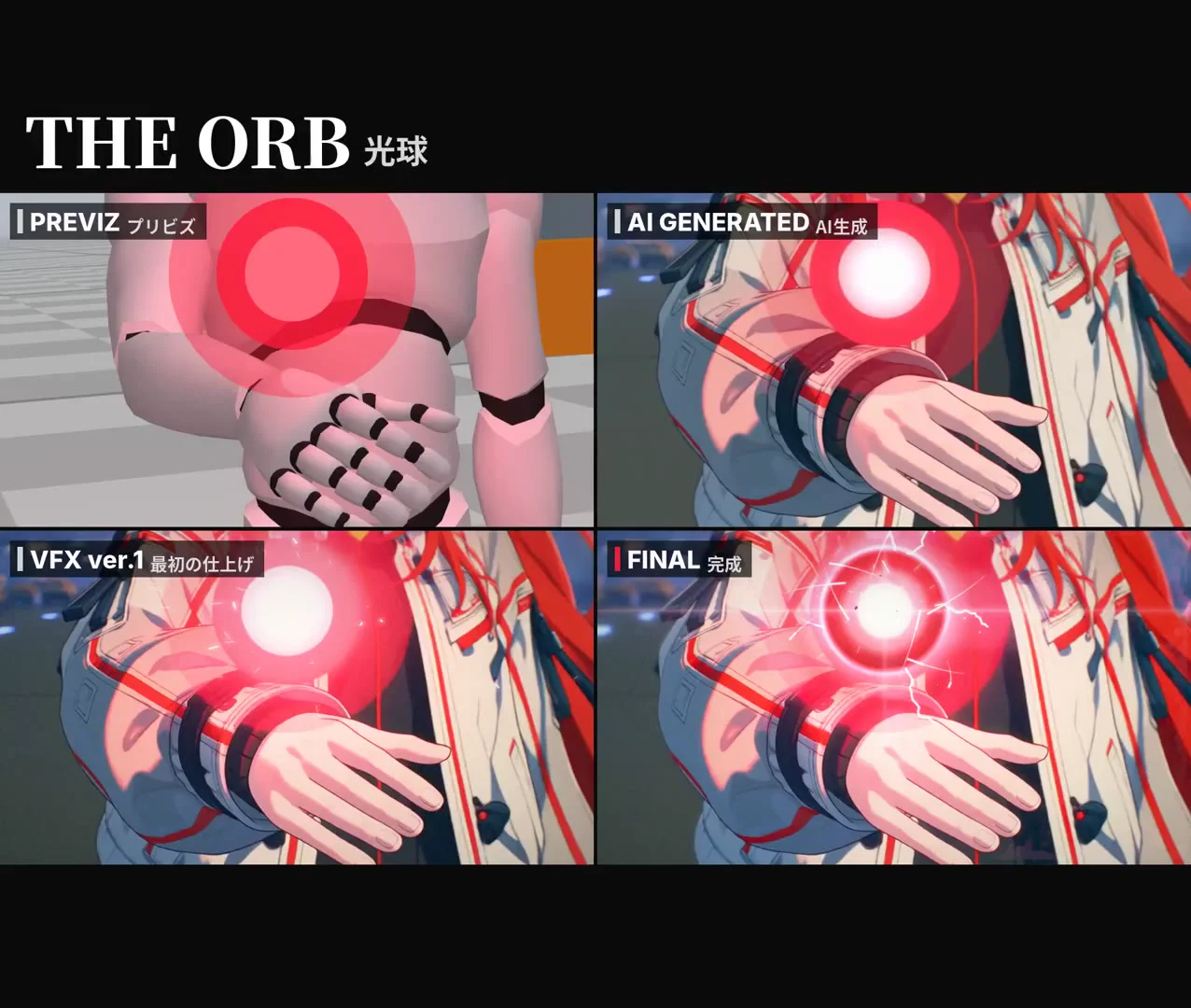
1. Block out the cutscene with 3D mannequin previs
Mito asked Claude Fable 5.2 to help assemble 3D mannequins and other rough scene elements for the previs. They then refined camera movement, framing, and shot timing before using the result as the reference.
2. Generate the cutscene shots in Seedance
Mito used the previs as the reference in Seedance and added the character and story world. Their approach to prompting is to describe what happens in the shot as a story, including the character’s movement and facial expressions.
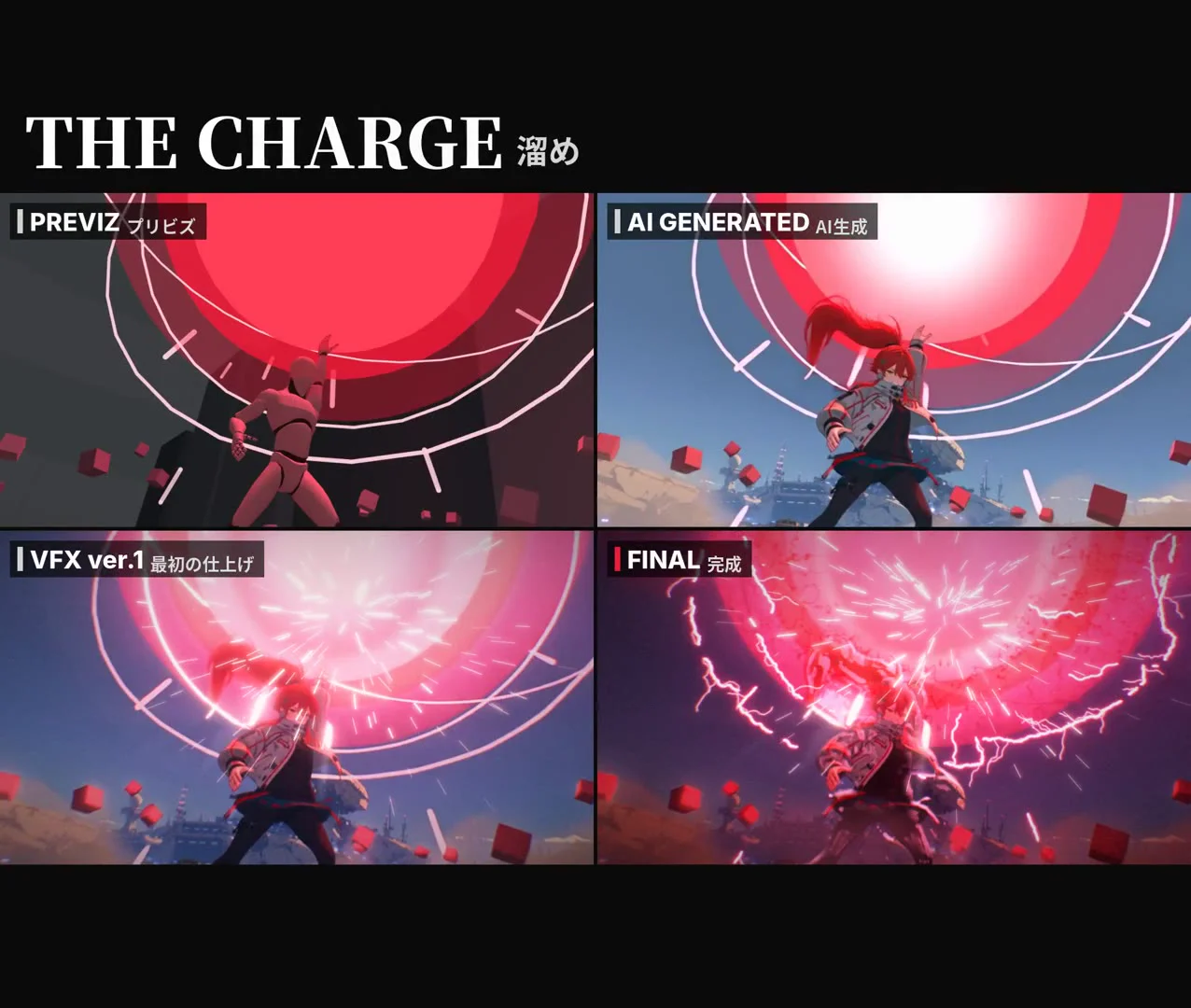
3. Use Claude to help finish the cutscene VFX
Mito brought Claude back for the finishing pass, layering in energy glow, redrawn lightning and orbs, impact smoke, a character cut-in, and red-and-black color grading for the feel of a character promo. The video compares the first VFX pass and the final version of the same shots.
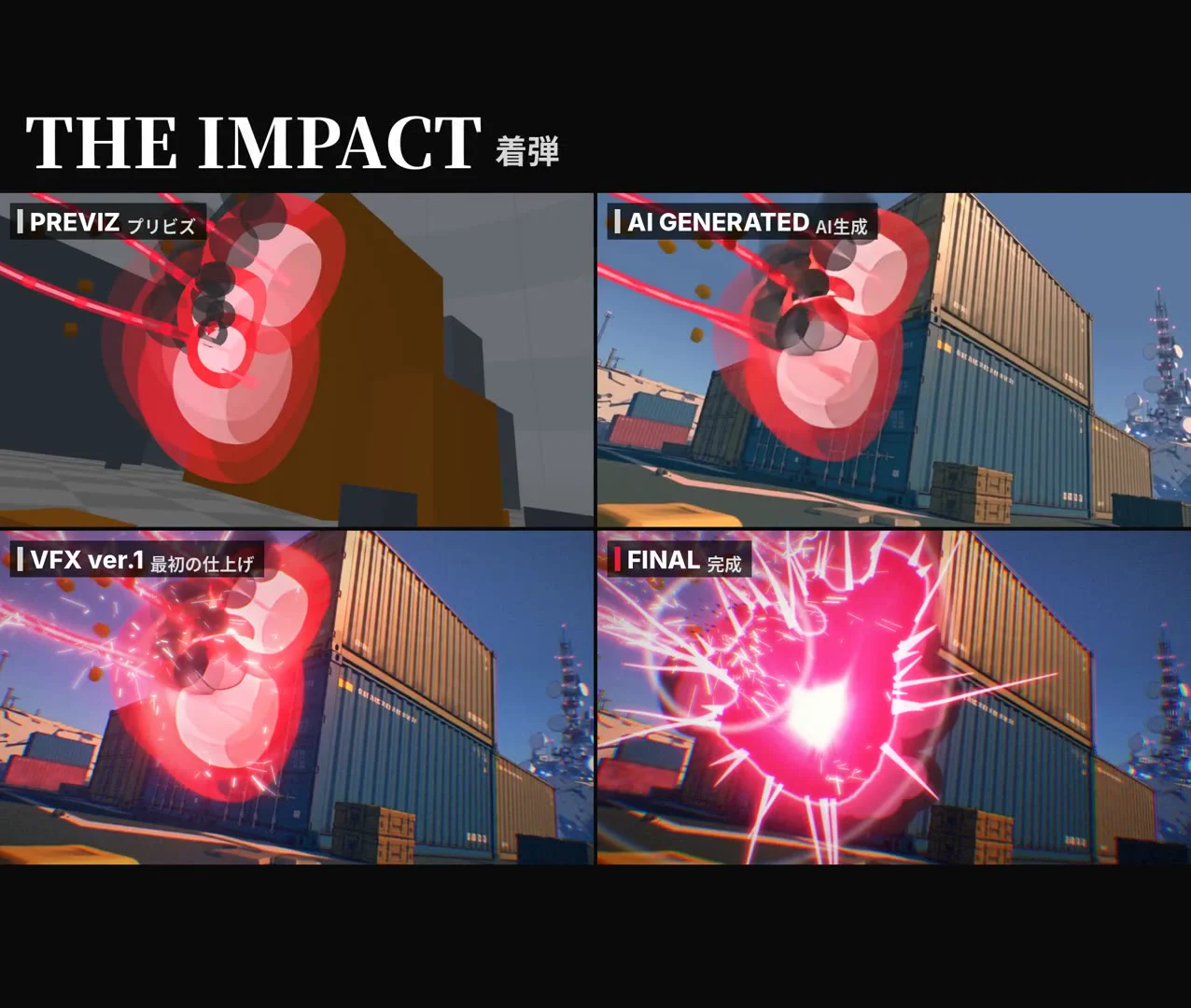
If the previs is giving you trouble, Mito suggests adapting the workflow to your usual style. When a shot still feels too difficult to pull off, they suggest letting it go, since pushing through can eat up a lot of time.