 GAMESLASH
Scenario retires Seedance 1.5 Pro and 1 Pro on Nov 11: game-video workflows need migration
By GameSlash
Scenario's November 11 cutoff ends new generation on Seedance 1.5 Pro and 1 Pro. Here is what game-cutscene creators need to change before switching to 2.0 or 2.5.
Scenario's scheduled shutdown of Seedance 1.5 Pro, Seedance 1 Pro and Seedance 1 Pro Fast takes effect on November 11, 2026 at 09:00 UTC (4:00 PM in Thailand). The November 2 notice set the cutoff in advance; November 11 is the scheduled change of availability, not a newly announced model launch. New generation calls to retired variants no longer work according to Scenario's documentation, but videos previously generated remain in users' libraries.

Which model should game creators switch to?
For game cutscenes, character reveals and trailer edits, Scenario lists Seedance 2.0 Mini as the replacement for Seedance 1 Pro, and Seedance 2.0 for Seedance 1 Pro Fast. The 2.0 family supports video-to-video editing and multi-image/video/audio references that the old 1.5 Pro did not support. Seedance 2.5 is another option for longer scenes, but it does not guarantee the same multilingual lip-sync behaviour as the retired 1.5 Pro.
When switching an automated pipeline, check inputs and output settings instead of replacing only the model ID. The replacement's duration defaults to Auto and normally ranges from 4 to 15 seconds for Seedance 2.0, with up to 30 seconds on 2.5. Older 9:21 framing must be changed to 9:16; the old fixed-camera control is unavailable, so describe the camera path in the prompt. Audio is enabled by default on the 2.0 family, so turn it off when assembling silent cutscene plates or loops.
A practical migration checklist for AI-assisted game video
First identify all Scenario workflows and API jobs referring to 1.5 Pro, 1 Pro or 1 Pro Fast. Next choose a 2.0-family or 2.5 replacement according to video duration, reference media and lip-sync needs. Test one character shot at a fixed duration, inspect camera framing and audio, and compare the new generated clip before replacing a production workflow. Existing library videos remain accessible; this change affects new generation requests.
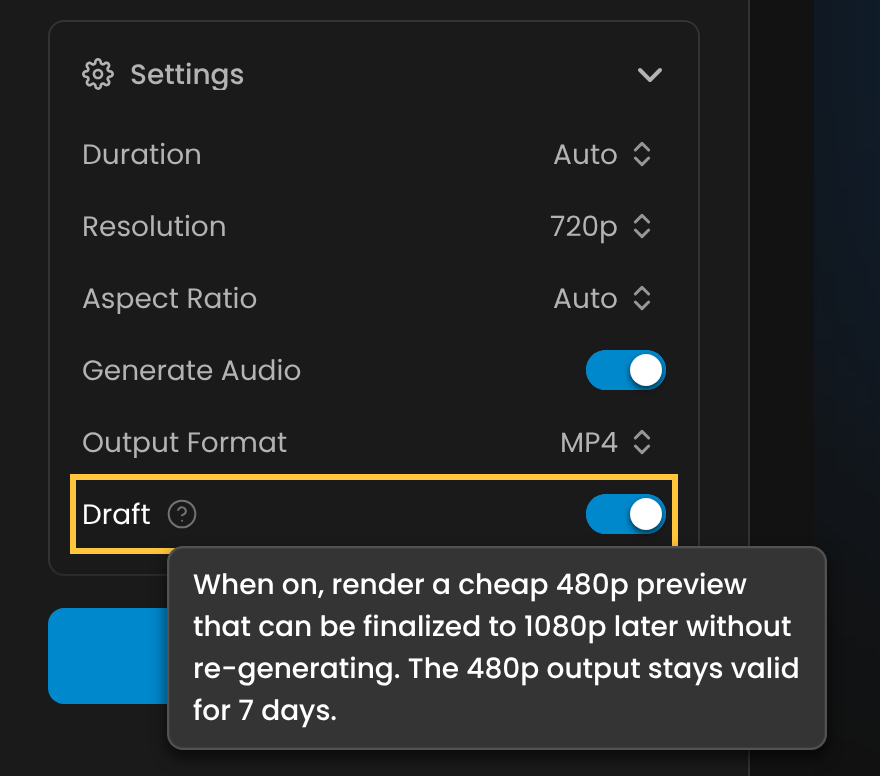
For early previews, Scenario's separate Seedance 2.5 guide also documents a 480p Draft toggle and a seven-day window to finalize a draft at 1080p. This is a current option for trying new cutscene variations, not a feature of the discontinued 1.5 Pro.
Source and retirement date: Scenario's Seedance model guide
Official guide for the alternative 2.5 workflow: Seedance 2.5 documentation