 GAMESLASH
sprite-stacking turns four pixel-art views into rotatable game sprites with Claude Code
By GameSlash
Daniel White's new free agent skill carves four pixel-art views into stacked slices and exports 16-direction game sprites. See the actual pipeline and its limitations.
Daniel White published the open-source sprite-stacking agent skill on November 20, 2026. Give Claude Code, Codex, Cursor or another supported coding agent four orthographic pixel-art views of one object—top, side, front and back—and it can produce a rotatable, fake-3D sprite without manually drawing every angle. The standout addition is four-view silhouette carving; sprite stacking itself is an older indie-game art technique.
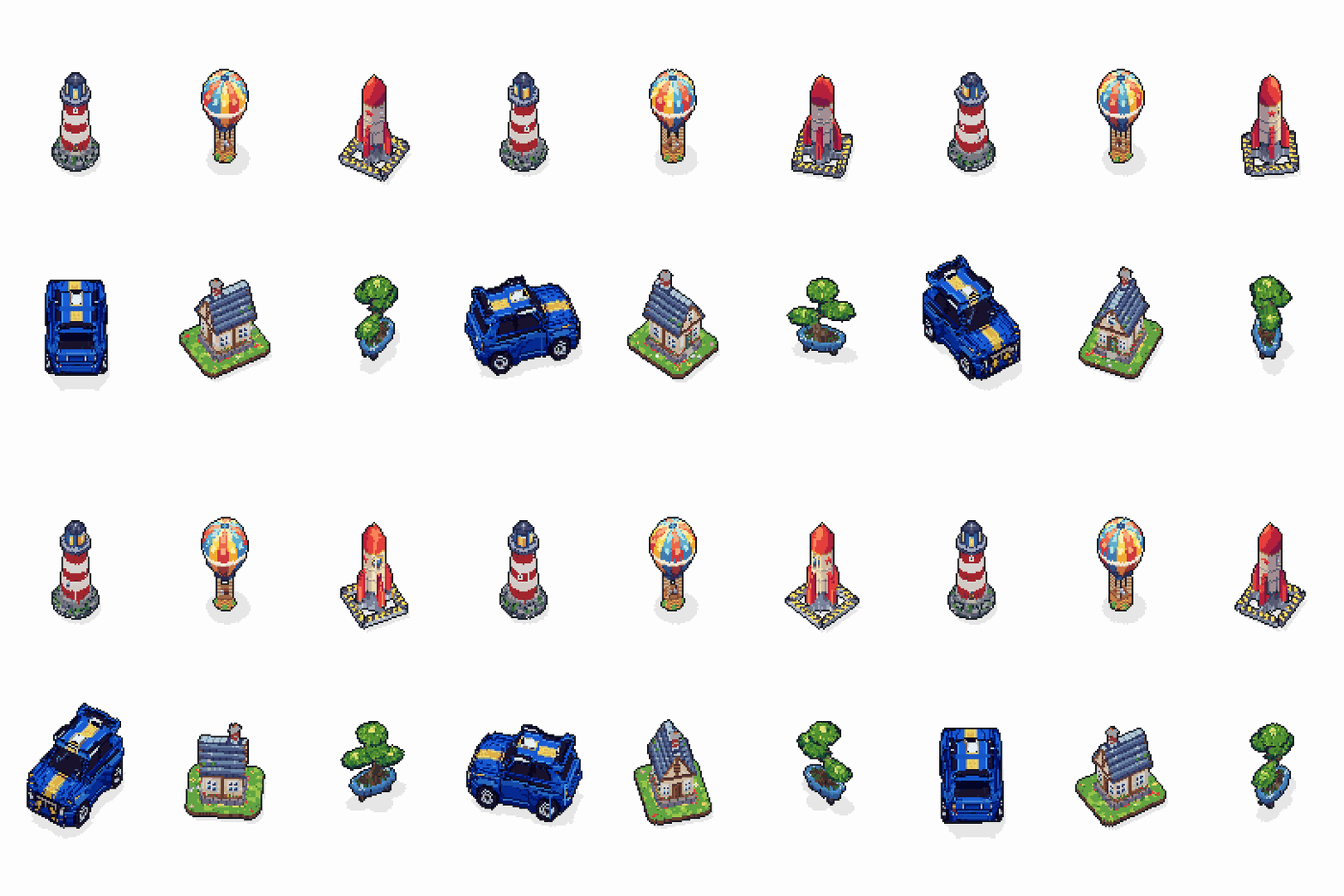
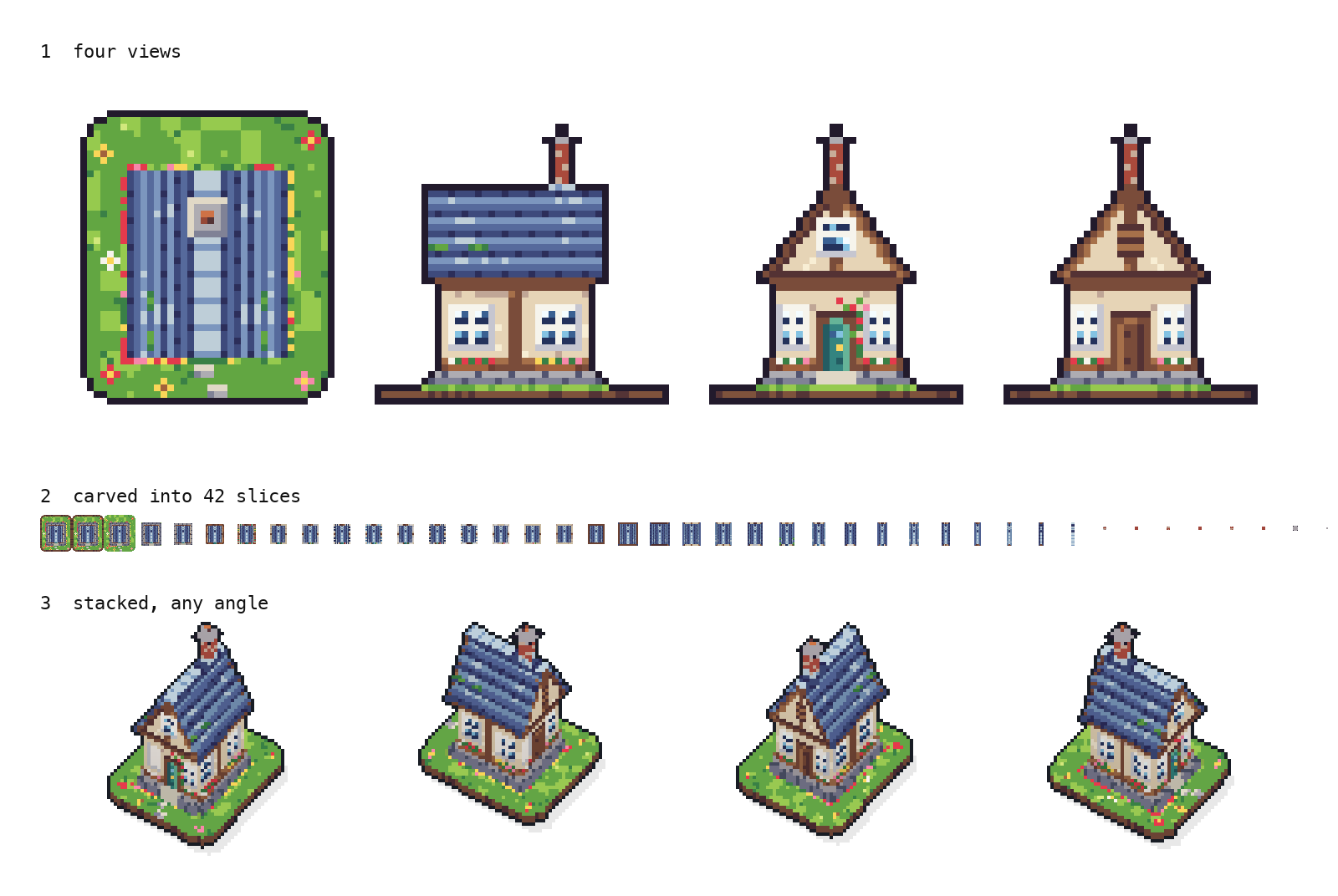
Four drawings become slices, then a 16-direction sheet
The workflow checks which tiny voxels are covered by all four silhouettes, removes the rest, and cuts the resulting volume into horizontal layers. Each flat layer is rotated and raised by one pixel in the viewer so the object appears to have depth. It is a visual-hull approximation, not a real 3D mesh or a new image-generation model. The browser viewer lets the creator spin and inspect it, then bake a 16-direction PNG sprite sheet for use in a game engine.
A concrete workflow for Godot, Unity or a browser game
First, prepare a sheet with four views at exactly matching scale; uneven lengths or heights will produce distorted geometry. Install the skill with npx skills add danielwh2/sprite-stacking (Node.js 22.20+), or manually copy the skill folder. Install Python 3, Pillow and NumPy for the slicer. The author documents a direct command: python3 skills/sprite-stacking/scripts/views_to_slices.py views.png slices.png --slices 36 --preview check.png --html viewer.html. Open the preview, inspect the rotation, and export the 16-direction PNG in the viewer. An AI image generator is optional: the agent can draw the four starting views in Python when none are supplied.
What needs hand correction before shipping
The four silhouettes cannot reconstruct hidden hollow areas such as an open box or a car's underbody. Very thin one-pixel parts can flicker between angles; inconsistent views can make blocks or warped proportions. The tool suits vehicles, small props and buildings better than articulated characters. The author recommends examining the turntable and repairing the source views or slices before exporting. The code is MIT-licensed; check the rights of any third-party artwork fed into the pipeline separately.
The source repository includes the install steps, code, original GIF and pipeline image. No independent GameSlash performance benchmark or engine integration test was performed for this article.