 GAMESLASH
SpriteCook shows how to animate pixel-art trees in the wind without extra frames
By GameSlash
Kimo’s Godot demo uses whole-pixel steps, a traveling wave across the canopy, and localized gusts to bring a pixel-art forest to life.
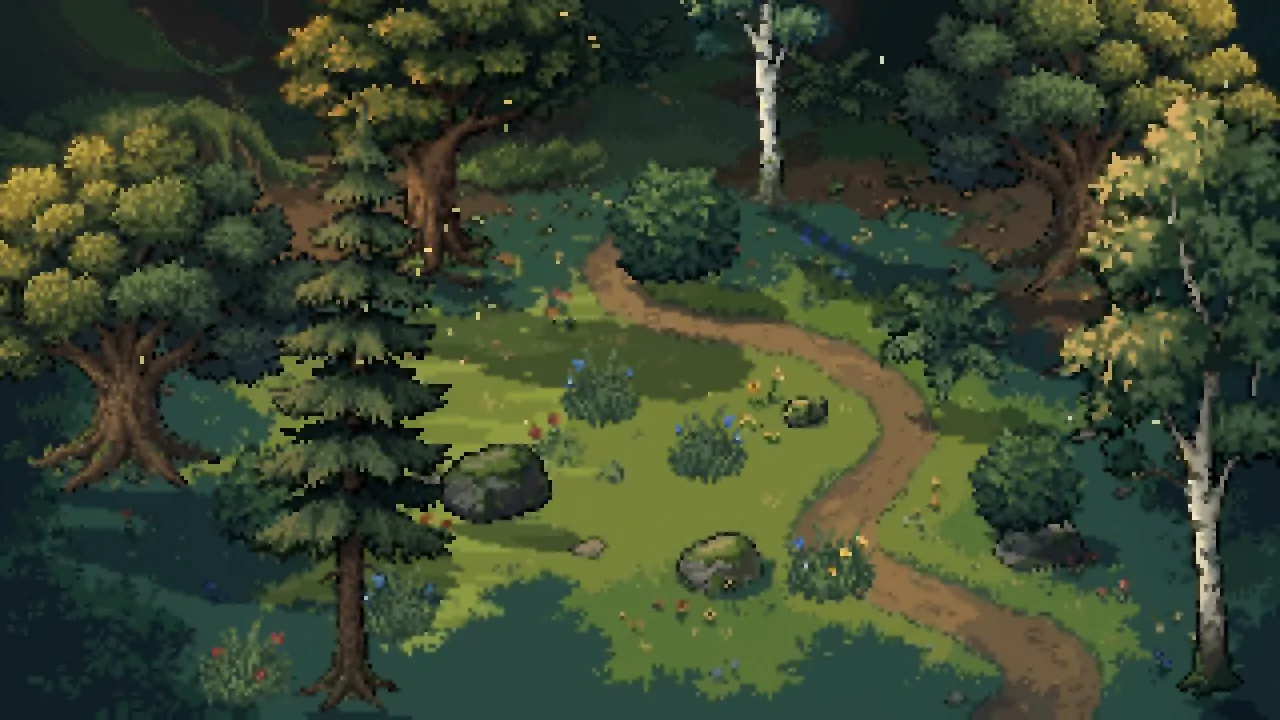
Kimo from SpriteCook shared a pixel-art wind demo on November 13 that shows leaf clusters rippling through a forest. Viking picked up the demo the next day. The trees, bushes and ground art were generated with SpriteCook, and code animates the scene from static sprites.
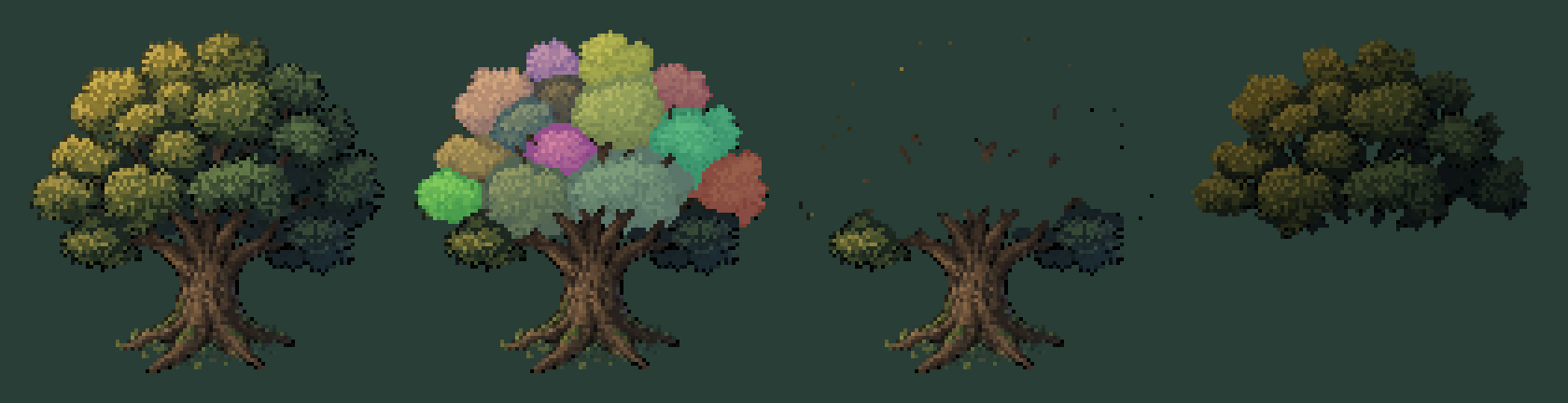
The oak starts as one sprite. Kimo split it into a fixed trunk and roots, 14 clusters of leaves, and a darker canopy layer underneath. That dark layer fills the gaps that appear when the clusters shift, so the background stays hidden.
Each cluster moves in whole-pixel steps. Its position along the wind direction determines when that movement begins, so nearby clusters move in sequence and the motion reads as a wave. The demo updates leaf poses ten times a second.
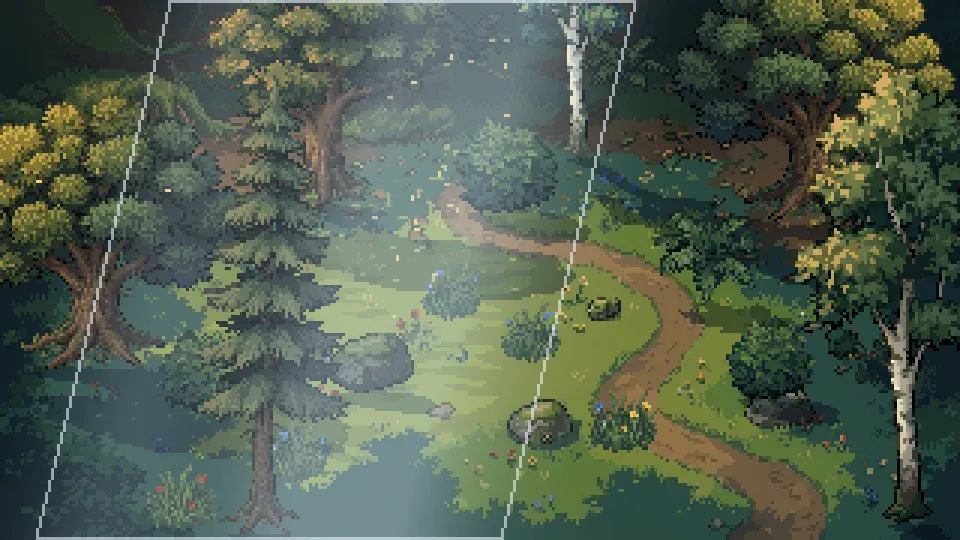
A gust affects a patch of the map at a time. As it passes, nearby leaves move farther and then settle. The pine uses eight tiers of branches that follow its bending trunk, giving it a different silhouette in the wind.
The SpriteCook guide includes a Python script for splitting the sprite, a working Godot 4 example, and a prompt for coding agents such as Claude Code, Codex and Cursor. For the rendering settings that keep this kind of motion sharp, see Kimo’s guide to crisp pixel-art rendering.