 GAMESLASH
Effigy turns character art into 3D models and game animations on your PC
By GameSlash
A practical look at an open-source tool that generates 3D character assets, fits skeletons and exports animation, with real examples and hardware limits.
Effigy helps a small game maker turn a written idea or reference picture into a 3D character, add a skeleton and movements, and export assets for use in game engines. The open-source project runs on a local computer rather than asking creators to upload their drawings to a cloud service.
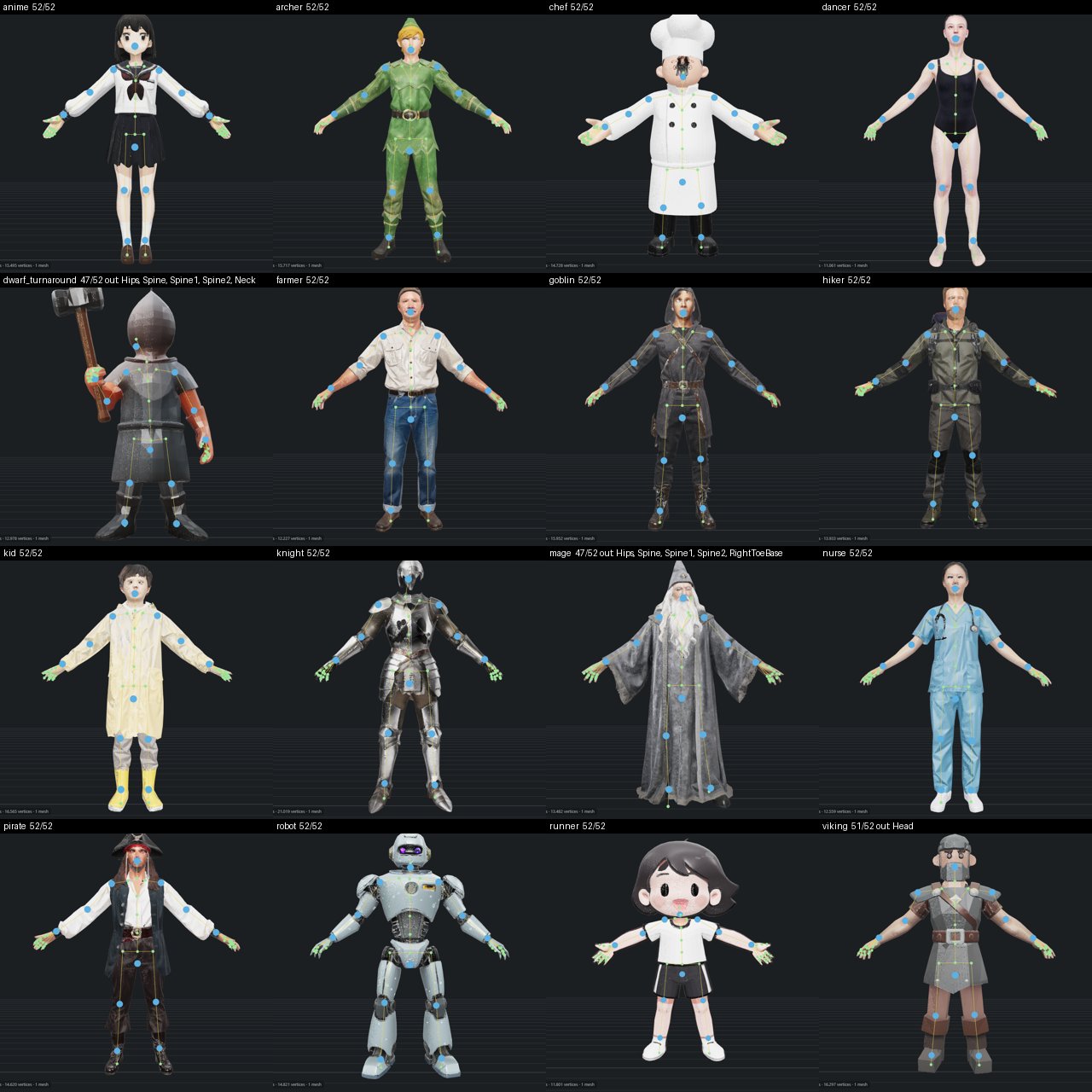
From an image to a character that can move
Effigy combines image-to-3D generation with mesh cleanup, texturing, rigging and animation. In the developer's initial test, 12 of 16 characters met the joint-placement criterion without marker fixes. After a skinning failure was fixed and the chef rerun, the count became 13 of 16. This is a narrow developer benchmark, not a guarantee of complete model or animation quality or a GameSlash test. See the tests and setup requirements.
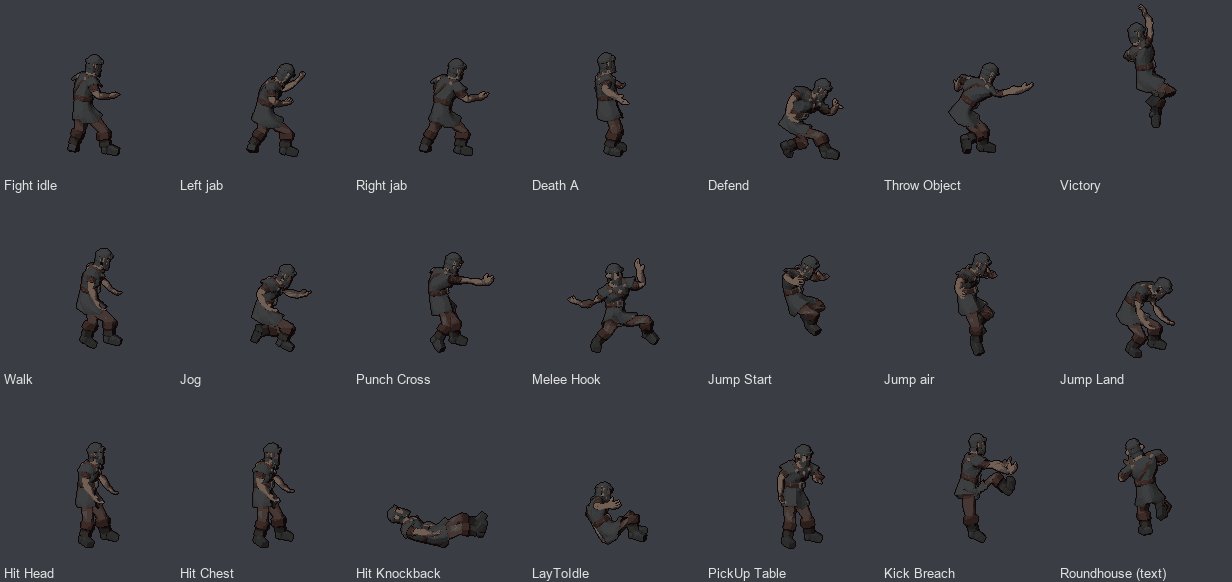
What can a beginner actually do?
For a simple RPG prototype, creators can start with concept art, produce a model, then export a character or sprite frames for a Godot or Unreal project. A second image from the project demonstrates action poses; it is a sample of generated pixel art, not a screenshot of a playable game. The source describes Unity and Unreal Paper2D exports, but says their import paths have not been tested by the author.
A critical limitation: this is not a browser tool that works on any laptop. The developer lists Windows 11 and a roughly 16 GB NVIDIA graphics card for its main workflow, with more limited support for certain AMD hardware and Linux setup. Work still needs checking and fixing; models, animations and game-engine integration are not guaranteed with one prompt.
Source code is published under MIT terms, except blender_ops, which is GPL-3.0-or-later. Third-party models have separate licenses; check the files bundled with each export before releasing a game.