 GAMESLASH
Three-Live 1.3.2 lets AI agents simulate 3D scenes and share previews by QR
By GameSlash
Released Nov 8, Three-Live 1.3.2 adds AI-agent scene simulation, multi-view checks, shareable previews and QR links for Three.js game prototypes.
The Three-Live project released beta 1.3.2 on November 8, 2026, extending an AI-oriented 3D scene workflow: agents can validate and simulate procedural Three.js scenes, create a shareable preview link and QR code for a phone, and export GLB or USDZ assets. The previous 1.3.1 release on November 7 introduced the built-in MCP server, while 1.3.2 added the link-sharing command, 60 Hz simulation harness, and updated playground. The changelog documents these changes in v1.3.2 and v1.3.1.
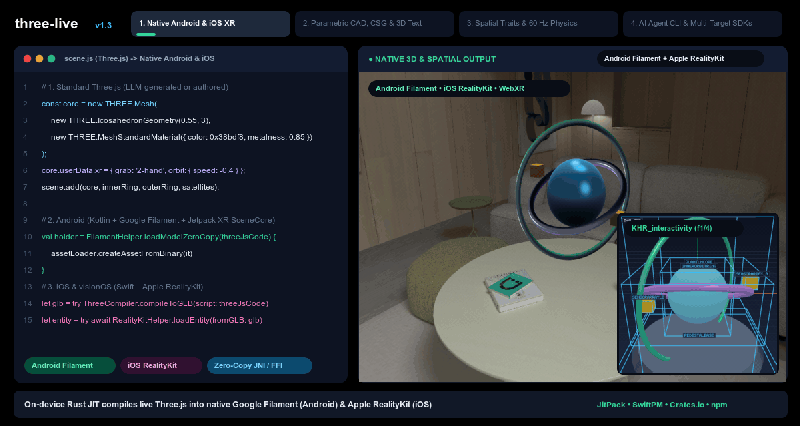
What changes for an AI-assisted game workflow?
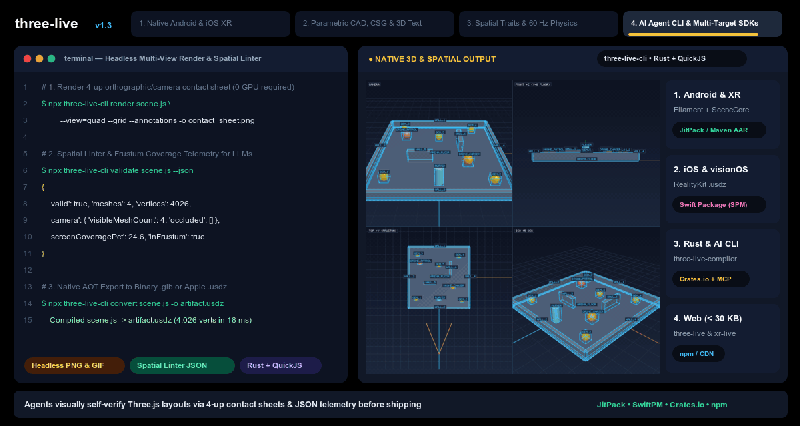
Instead of asking an agent to write 3D code and manually guessing whether the result works, a creator can ask it to build a simple scene in Three.js, call `three_live_validate` to flag spatial problems, use `three_live_render` to get contact-sheet images, and call `three_live_sim` to step through deterministic 60 Hz physics and scene interactions. The MCP integration arrived in 1.3.1, and the dedicated link and simulation commands were added in 1.3.2. This is useful for prototyping a small interactive level, checking object placement and seeing whether game-like interactions behave as intended. These checks do not guarantee a complete game is bug-free.
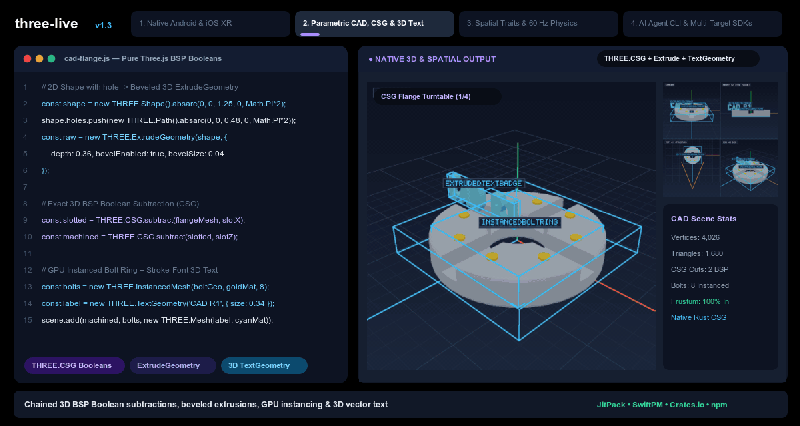
Share prototypes, inspect, and export
Version 1.3.2 adds `three-live-cli link` and the `three_live_link` MCP tool, which validate a scene and return a preview URL with a QR code. Its web playground can also open named scenes through `#p=` and compressed scene scripts through `#s=z:`. The new outputs panel displays mesh counts, GLB/USDZ sizes and snippets for Android, iOS and Web. Creators can show a concept on a phone without setting up their own game showcase site. The repository also includes AI Pagoda and Forklift Drill playground presets; these are project demos, not finished commercial games.
How to try it, and its limits
The official README documents `npx three-live-cli validate scene.js --json`, `npx three-live-cli render scene.js --view=quad -o contact_sheet.png`, and `npx three-live-cli link scene.js --qr`. An MCP-aware agent can be connected with `claude mcp add three-live -- npx -y -p three-live three-live-cli mcp`. The project is a beta Three.js scene compiler and runtime targeting the Web and native Android/iOS/XR, not a one-click replacement for Godot, Unity or Unreal. The same repo explicitly says it is not an officially supported Google product.
Source and examples: Three-Live 1.3.2 release notes, official 3D playground, and GitHub repository. The three images in this article are distinct stills extracted from the project's official animated showcase, reproduced with credit under the repository's Apache-2.0 license. GameSlash has not personally run the scene or verified the final web rendering.