Back to Tools
Game testing

Unreal Engine: Network Emulation

By Epic Games

Simulate Unreal multiplayer latency and packet loss instead of testing only ideal connectivity.
guide
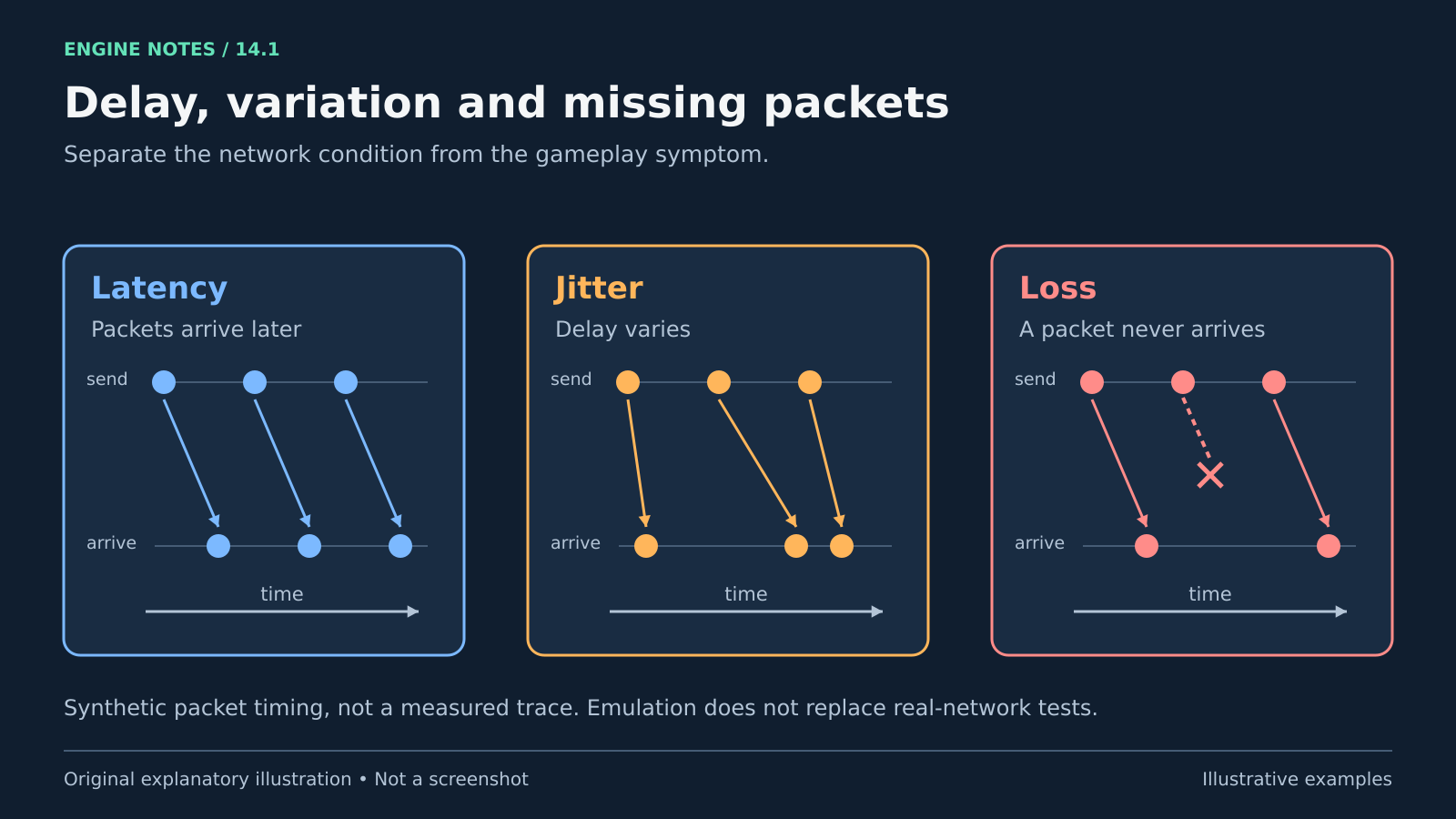
Three synthetic packet timing diagrams contrast equal added latency, varying delay called jitter, and one lost packet. Time runs to the right.
Conceptual network conditions. Arrows are illustrative and do not represent measured performance. Original explanatory artwork prepared for GameSlash with AI assistance. Documentation is credited as the factual source only; no source imagery reused. Concept source

Use it for: Shooting, pickups and state mismatches hidden by ideal local connections.

Start: 1) Open Edit > Editor Preferences > Level Editor > Play > Multiplayer Options. 2) Enable Network Emulation. 3) Try Average/Bad profiles and record the settings.
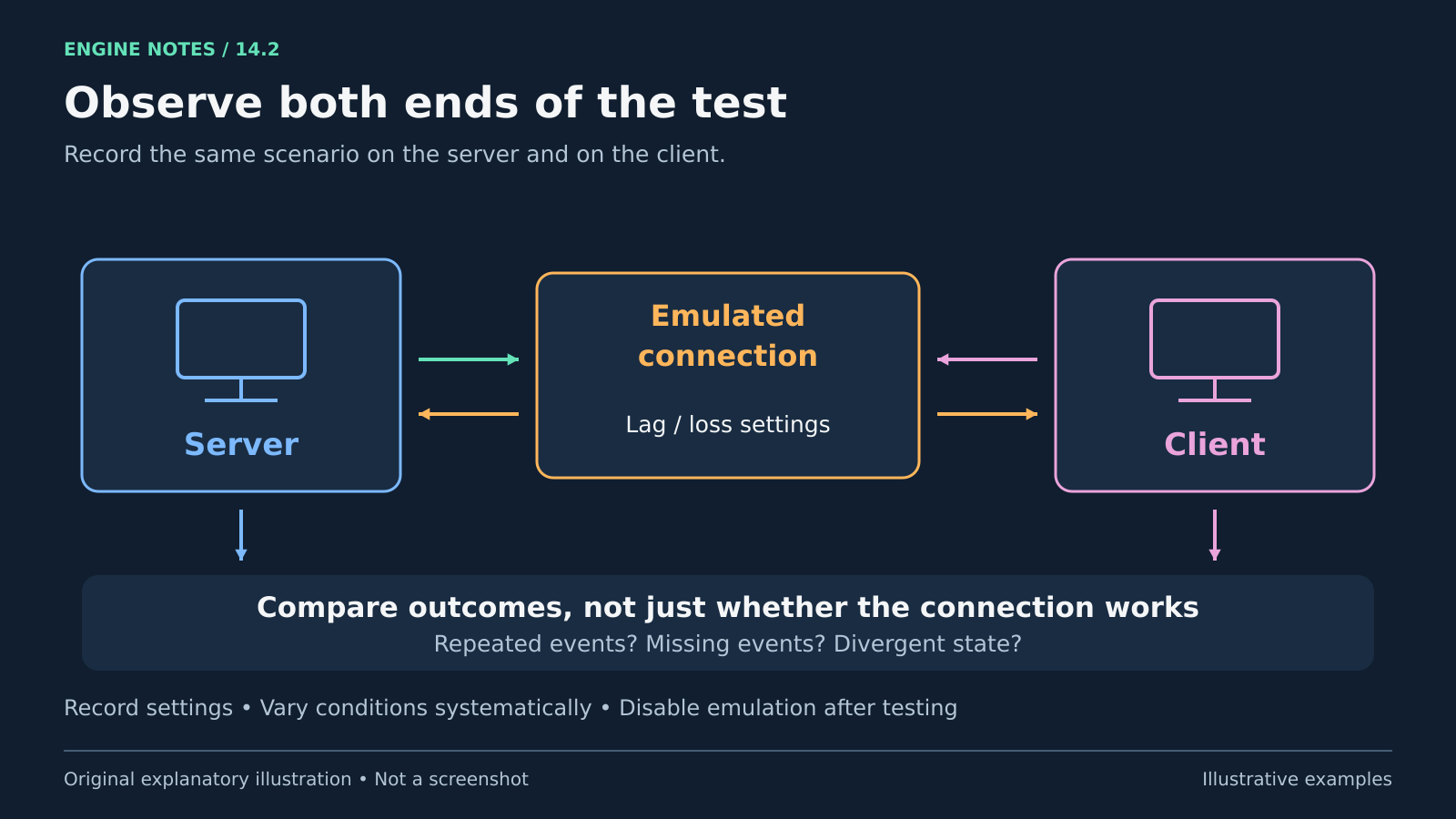
A server and client communicate across an emulated connection, and observations from both ends feed a comparison for repeated events, missing events and divergent state.
Suggested observation workflow for network emulation. Record settings and turn emulation off after the test. PktLag cannot be combined with PktOrder. Original explanatory artwork prepared for GameSlash with AI assistance. Documentation is credited as the factual source only; no source imagery reused. Concept source

Try checking: Compare server and client behavior for repeated or missing outcomes; disable emulation after testing.

Limits: Emulation does not replace all real-network testing. PktLag cannot be combined with PktOrder. Vary conditions systematically.

Source: Official guide

View source