Understand fixed simulation steps, an accumulator and render interpolation.
guide
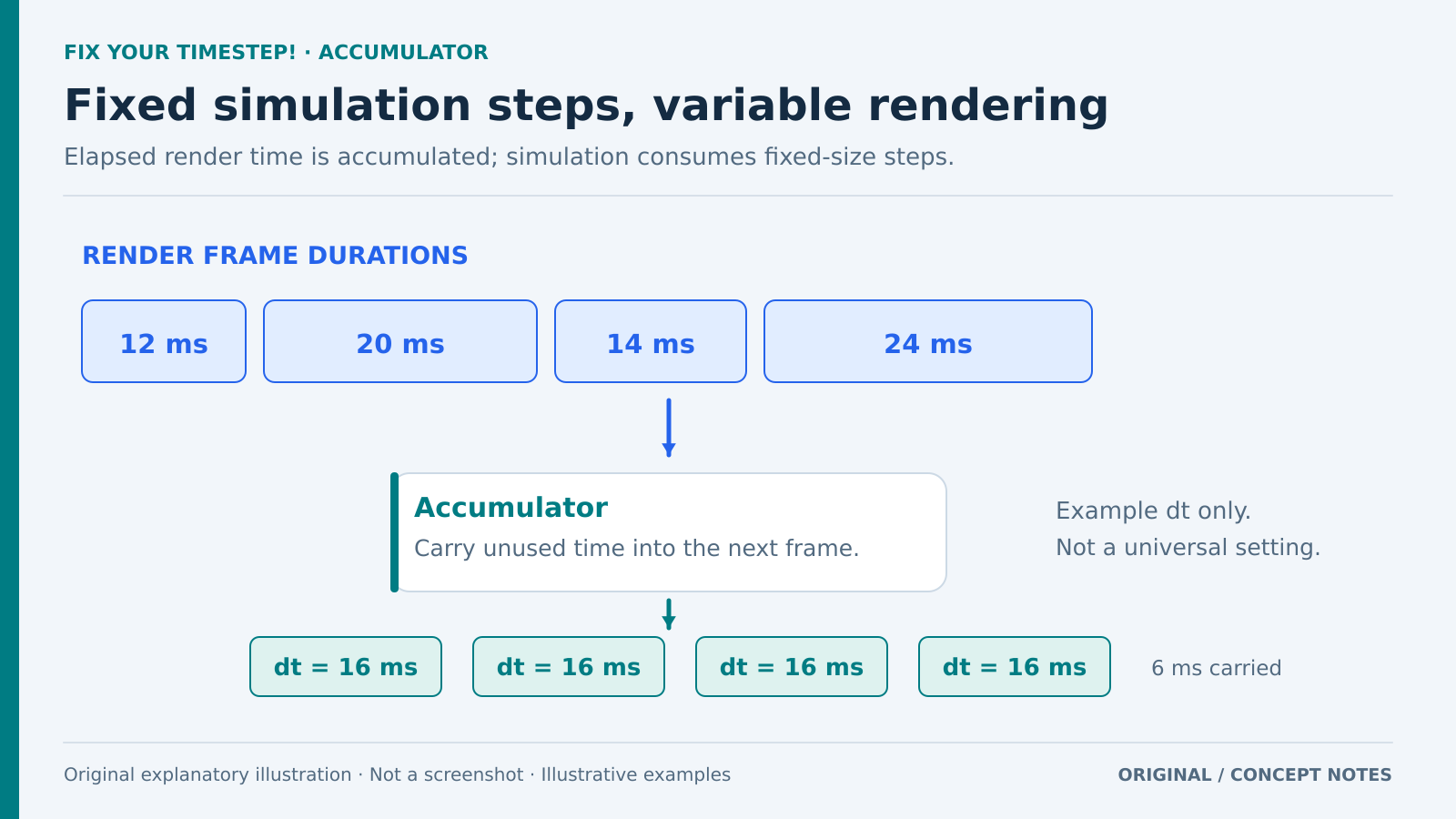
Original timing concept. Values are illustrative, not measured; leave processing headroom or plan how to limit catch-up work. Original explanatory artwork prepared for GameSlash with AI assistance. Documentation is the factual source only; no source imagery reused. Not an official screenshot or gameplay capture. Concept source
Use it for: Jumps, springs or fast objects whose behavior changes with framerate.
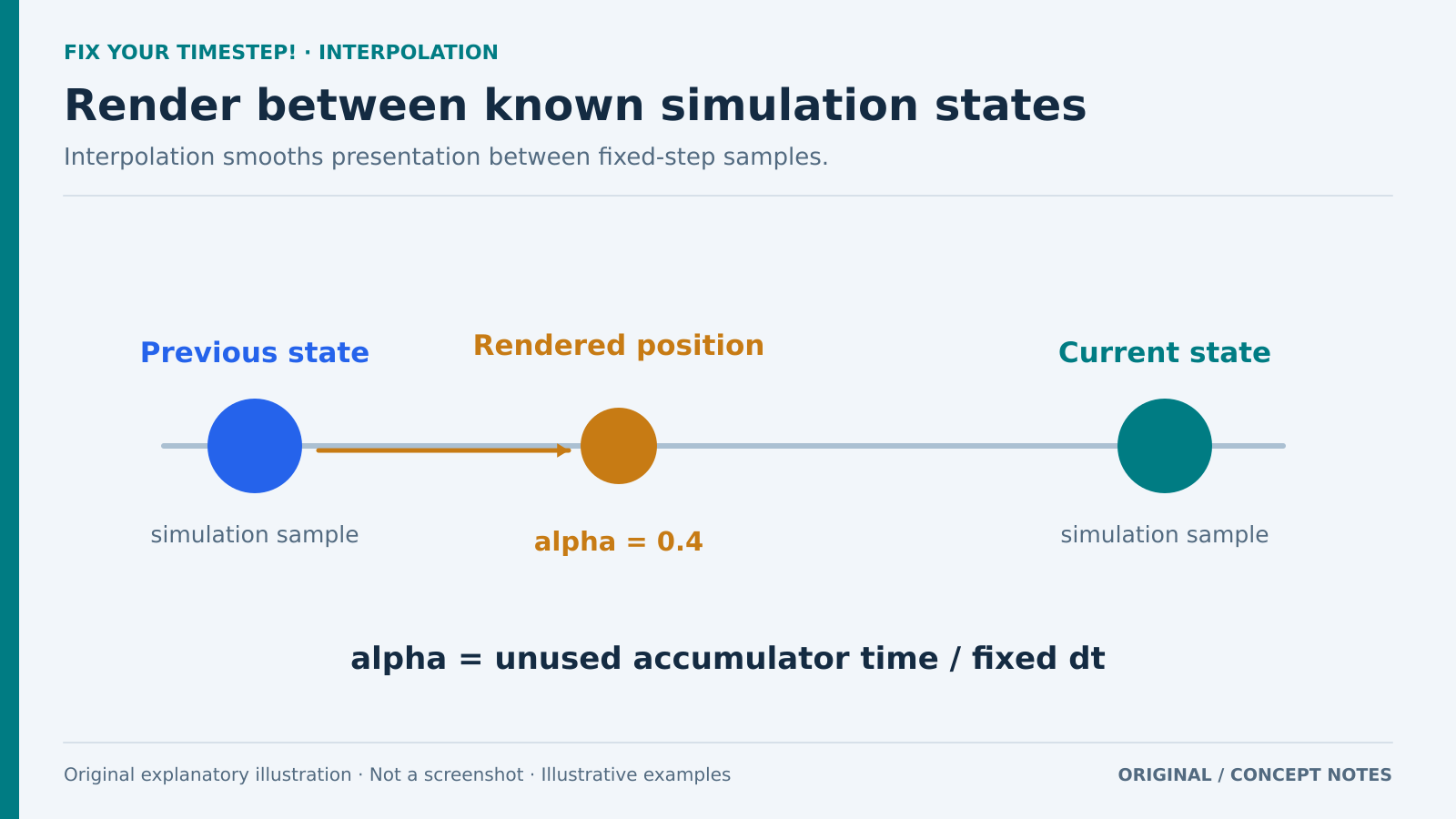
Start: 1) Compare variable and fixed delta time. 2) Accumulate elapsed time and simulate in fixed dt steps. 3) Study interpolation between previous and current states.
Original linear-position example. Alpha expresses the remaining fraction of a fixed step; other state types need appropriate interpolation. Original explanatory artwork prepared for GameSlash with AI assistance. Documentation is the factual source only; no source imagery reused. Not an official screenshot or gameplay capture. Concept source
Try checking: Compare the same scene and input at 30, 60 and 144 FPS while measuring simulation cost.
Limits: Leave processing headroom or cap catch-up steps; capping can cause slowdown under load. Apply the ideas through an engine’s existing physics loop when applicable.
 GAMESLASH