 GAMESLASH
AssetFurnace 0.5.10 makes AI-built 3D assets easier to fit into games
By GameSlash
November 13 update adds real-world character scale, upright props, 512-size textures and selectable mesh cleanup for AI-generated game assets.
AssetFurnace released version 0.5.10 on November 13, 2026. The update targets a practical obstacle for AI-generated 3D assets: getting models into a game at the right physical scale, orientation and texture budget without extra manual cleanup. The developer's GitHub release notes list new Finish options and fixes for rigging and Windows.
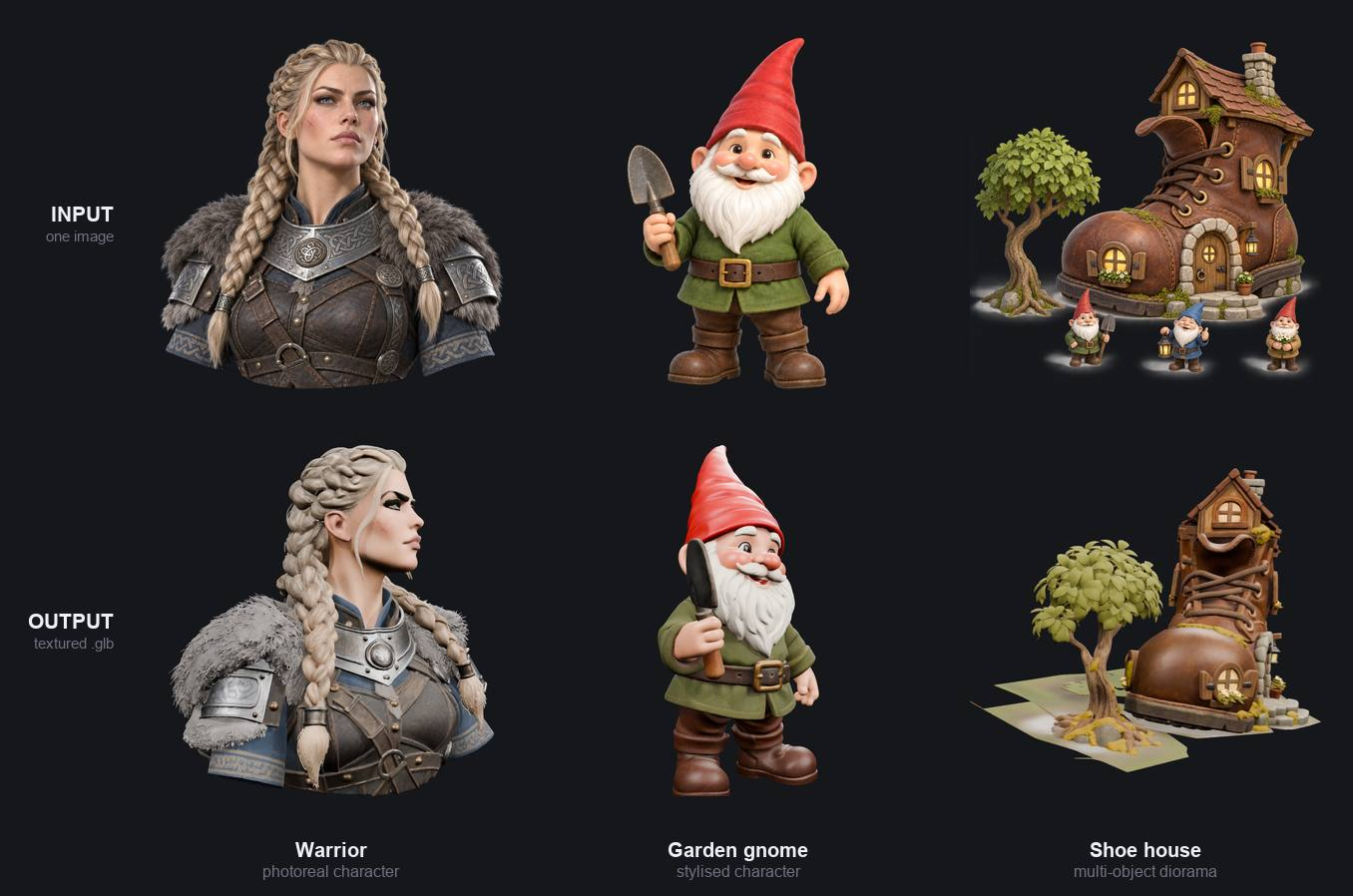
What changed in 0.5.10
Characters now default to 1.8 meters tall with feet placed on the ground; creators can change the height in Finish. Props are oriented upright even when the input image was shot from above, with an option to allow intentional leaning. For mobile-friendly texture budgets, the minimum texture dimension is now 512, and Surface maps: Drop yields a flatter, matte appearance with a smaller file.
Finish → Advanced now offers Auto, Fast and Rebuild cleanup. The release also improves preservation of narrow geometry such as fingers and railings on small models. Separately, the update fixes rigging on new installations, restores Pixal3D cleanup for Windows users and improves unsupported-GPU errors. These are developer-reported changes, not our own benchmark.
A workflow game creators can use
Start with a character reference image or a text description, generate a textured model, inspect it in AssetFurnace, then open Finish to set the desired height and texture size. Choose cleanup according to whether speed or thin-part preservation matters. Check proportions, topology, file size, animations and collisions after importing the resulting GLB into a game engine; do not assume that a generated mesh is automatically production-ready.
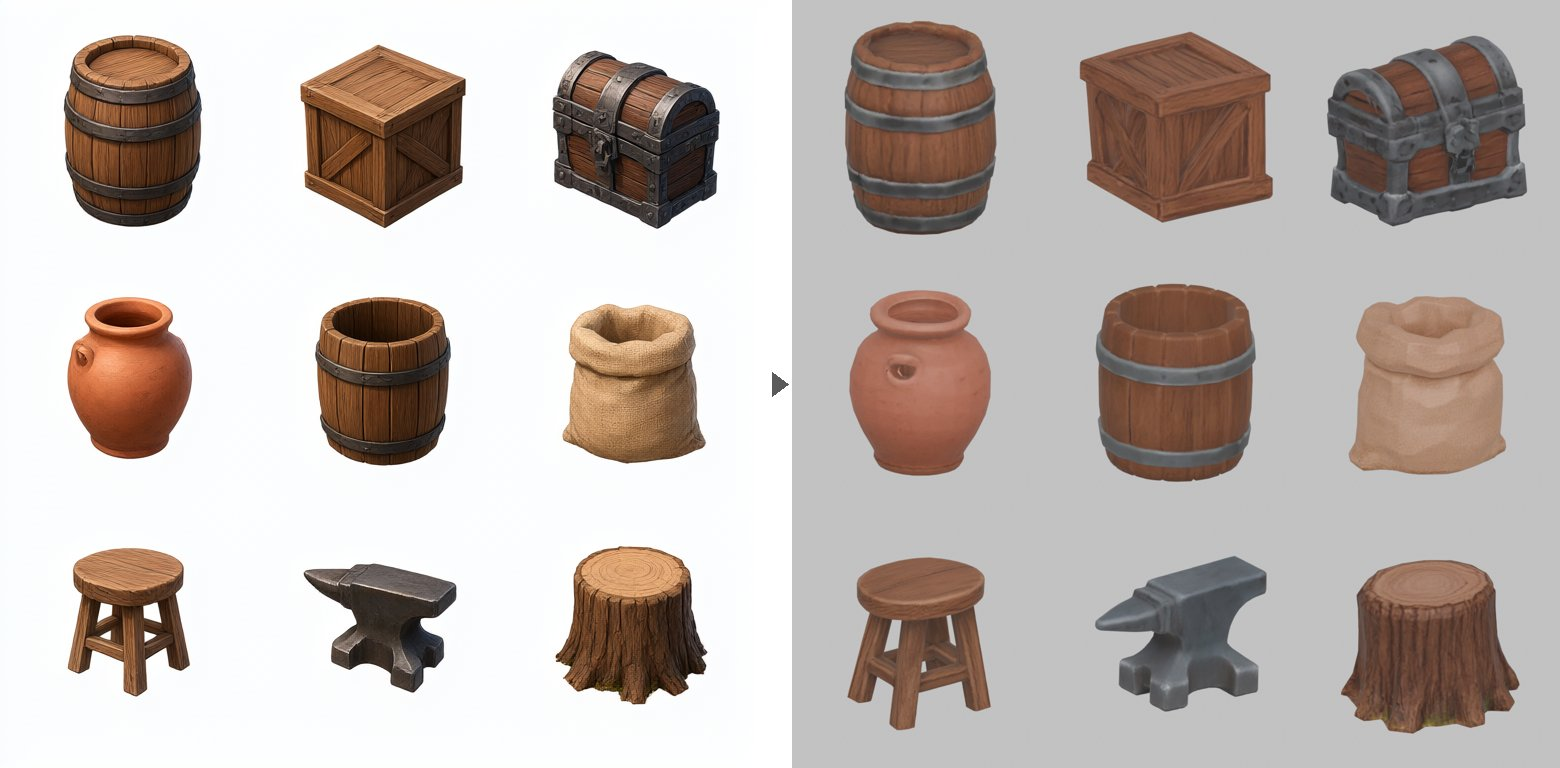
AssetFurnace can run its image-to-3D steps locally and can be controlled through MCP by coding agents. The software repository is Apache-2.0, but individual model weights have separate terms; for example, Tencent Hunyuan weights have geographic restrictions. Check the exact backend and asset provenance before commercial use. Hardware and model downloads also differ by backend, so this is not a browser-only one-click generator.
See version 0.5.10 release notes, the official repository and setup instructions, or the existing AssetFurnace tool listing on GameSlash.