 GAMESLASH
Rigby2D 0.5 adds AI-controlled sprite sheet export, Defold runtime and production-ready Godot support
By GameSlash
November 6 release adds MCP sprite sheet export, GPU rendering, Defold playback and SVG-to-rig workflows for 2D game creators.
Rigby2D released version 0.5.0 on November 6, 2026, bringing a native Defold runtime, GPU-rendered sprite sheet exports, SVG layer import and a production-ready Godot runtime to its free, open-source skeletal-animation editor. For game makers working with AI agents, the key change is that the built-in MCP interface can now export an animation to sprite sheets through the export_sprite_sheet tool, giving a concrete bridge between an AI-directed animation workflow and the frames that engines actually import.

What is new for game creators?
File > Export > Sprite sheet now produces one of three outputs: packed PNG sheets with JSON for Phaser, PixiJS and compatible importers; a Defold atlas with separate animation frames; or individual PNG frames. The exporter keeps the origin consistent across frames and writes frame durations and pivots into the supported JSON format. Large animations can be split into several connected sheets. The developer says GPU rendering reduces an example export of 120 large frames from about 30 seconds to around four seconds; that is the project's own claim, not an independent benchmark.
The same release adds a native C++ playback runtime for Defold, including skeletal meshes, inverse kinematics, skins, physics and animation crossfades. The Godot RigbySkeleton2D and RigbyScene2D runtimes also move out of preview. SVG artwork from Inkscape, Affinity or Illustrator can be imported layer by layer for AutoRig, and the editor can trace an image into an editable triangular mesh.
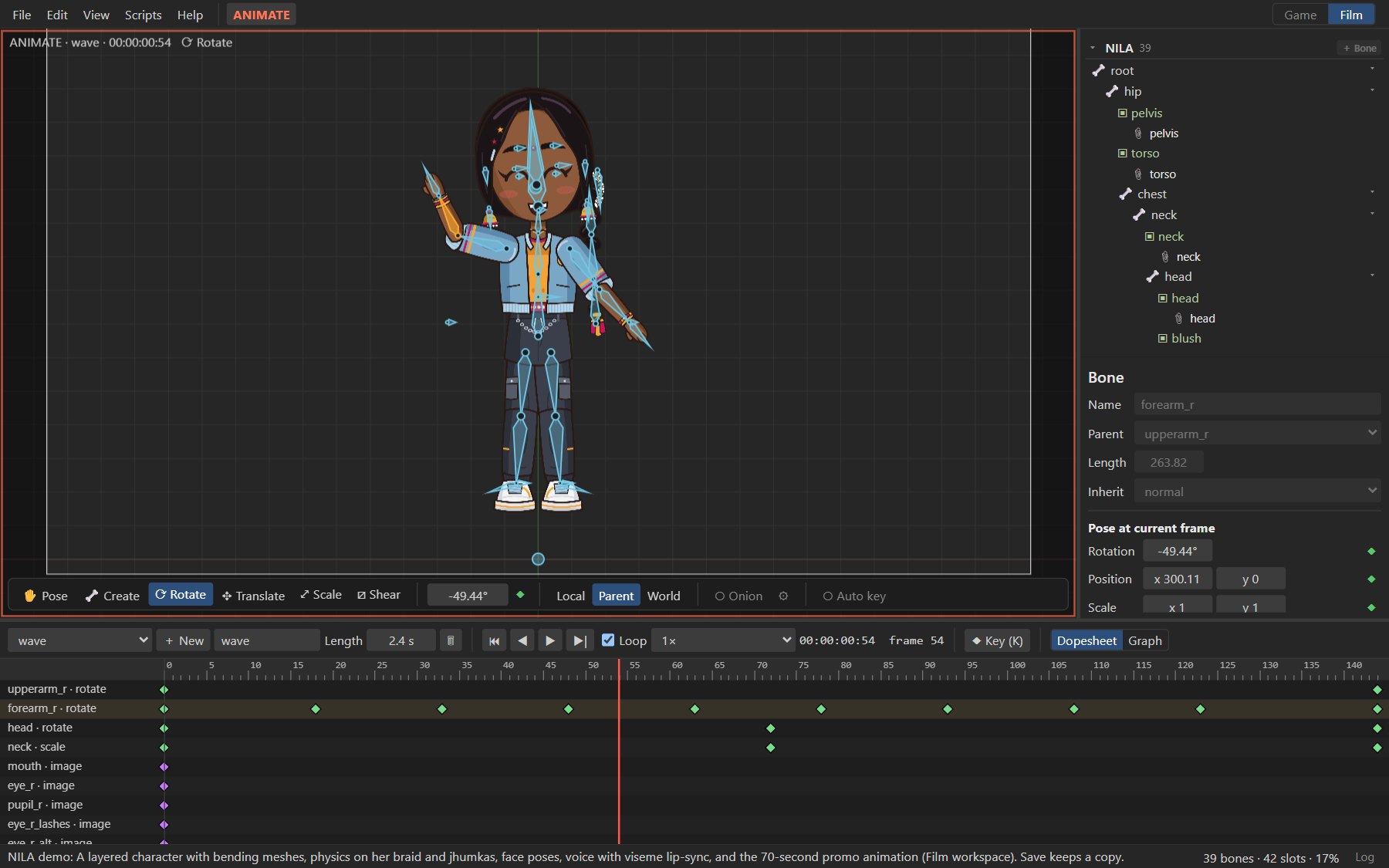
How AI-assisted animation can become usable game assets
A developer can import layered art, create or adjust a rig and animation, then use the built-in MCP interface from an AI assistant to request export_sprite_sheet. Select the animation, frame rate, format and maximum sheet size; inspect the generated PNG and metadata before bringing them into an engine. The official export documentation explains frame pivots, frame tags, loop handling and multiple sheets, details that matter when preventing characters from jumping between frames.
Rigby2D 0.5 is available in the browser and as downloads for Windows, macOS and Linux. The project says the editor and runtimes are free to use. GameSlash reviewed the November 6 GitHub release and official developer announcement; we have not executed the software or independently measured performance.