 GAMESLASH
Scenario for Blender 0.13 adds text-to-motion and reference-based 3D level blockouts
By GameSlash
The November 4 release adds reference-image blockouts, density controls, rigged text-to-motion and head-preserving retexture for AI-assisted 3D game development.
Scenario for Blender released version 0.13.0 on November 4, 2026 (17:25 UTC, or November 5 at 00:25 in Thailand), expanding its AI-assisted blockout and animation tools for 3D scenes. The release introduces reference-image-based greyboxing, model and density choices, text-driven motion for rigged characters, and an option that preserves a character's head texture when retexturing. These are features in the developer's release notes, not results independently benchmarked by GameSlash.
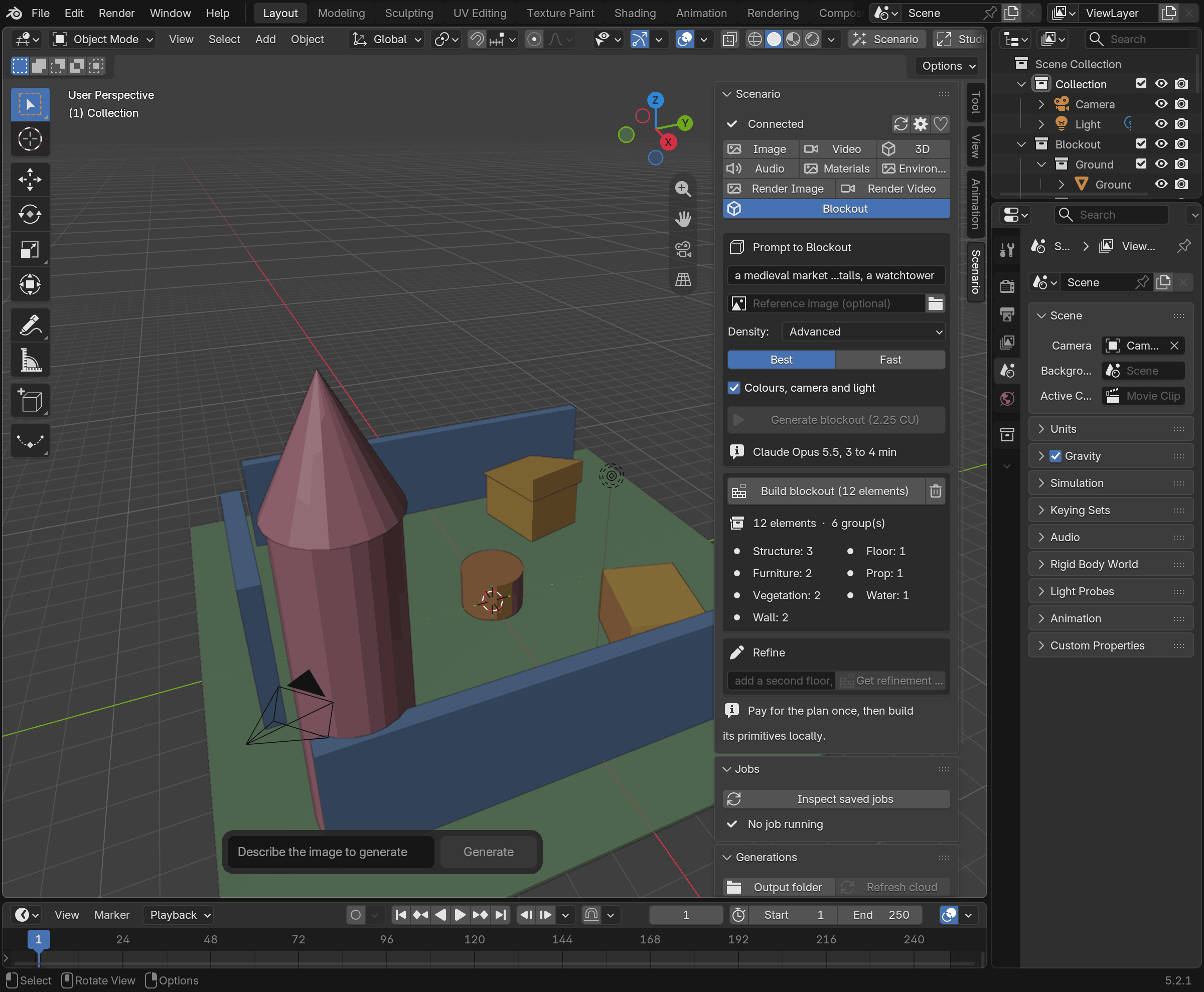
From a concept to a level blockout
In the Blockout lane, describe a level or upload a concept reference, choose density (Simple, Medium, Advanced or Expert), then select Best or Fast. The plugin prices the generation in Creative Units before approval, produces a structured plan, and builds a grouped collection of coloured Blender primitives. The geometry can be revised and eventually replaced by final art assets. The example pictured in the official guide was constructed locally for illustration, not presented as an AI-generated production level.
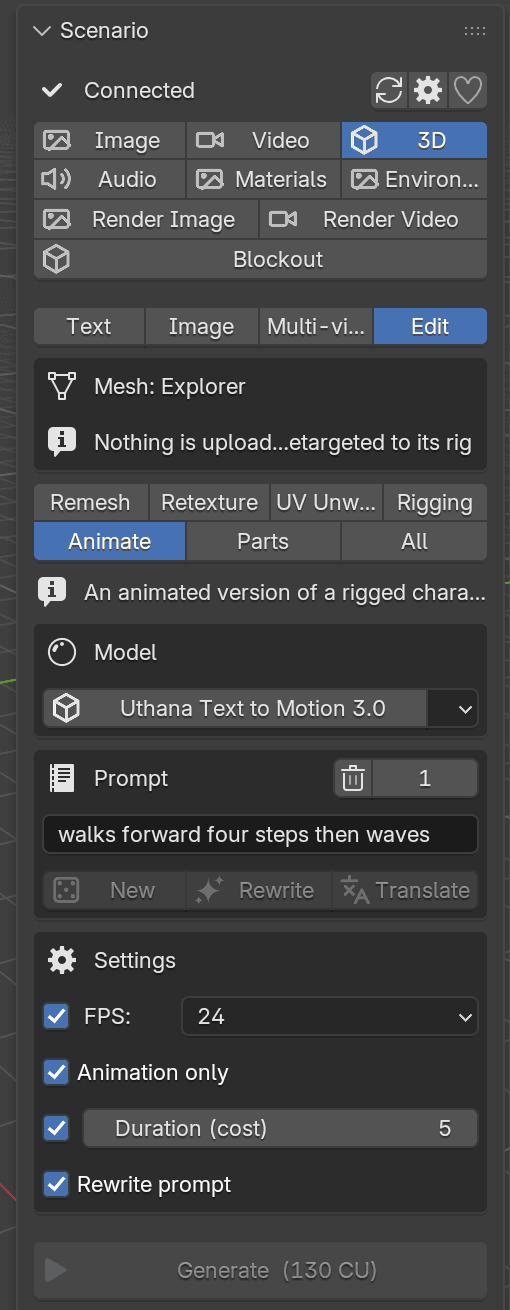
Type a motion prompt instead of keyframing every move
With a character mesh that already has a compatible rig, users can select a text-to-motion model such as Uthana or Viggle and describe a movement such as walking and waving. The downloaded result may be applied to a rig. The guide warns that retargeting supports selected humanoid skeletons and can reject incompatible rigs; the output should be reviewed before game-engine export.
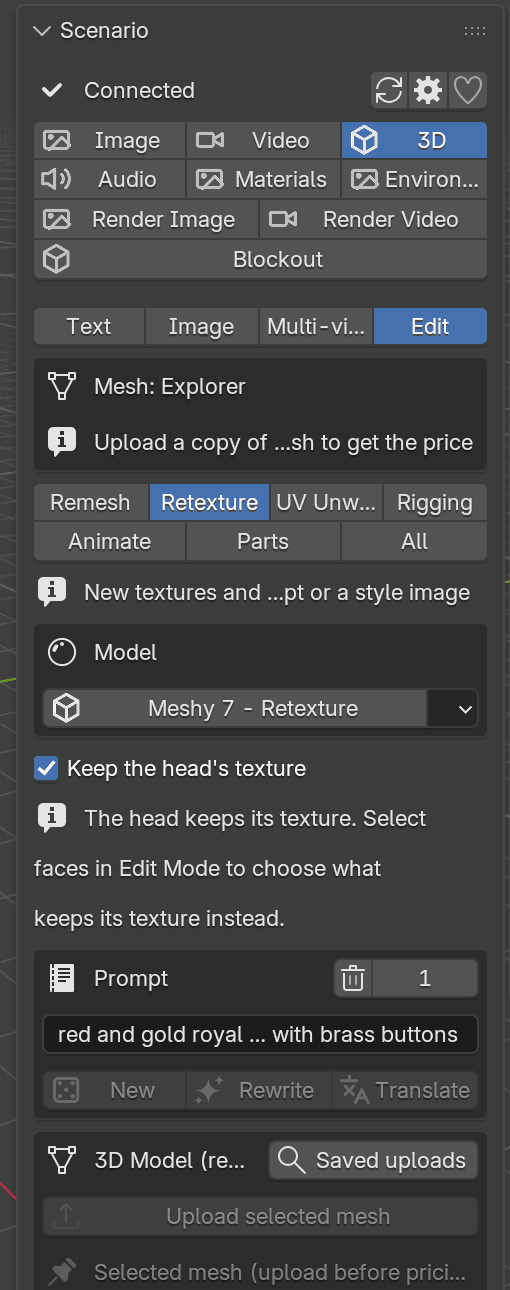
Preserve the face when changing the costume
The 3D Edit retexture workflow can change materials while keeping the character's head texture, useful when generating outfit variants without accidentally changing the face. Users upload a selected mesh, review the generation price and explicitly apply the result; supported geometry and texture alignment still need checking.
Practical requirements and limits
This is an experimental Blender 5.0+ extension, not a free one-click game generator. It needs a Scenario account with API access and an internet connection, and generation can spend Creative Units. Its local MCP server can connect AI coding agents to scene-inspection and generation tools. Credit approvals and source-mesh safeguards matter before automating work.
Sources: official v0.13.0 release notes and Scenario for Blender handbook. Earlier GameSlash coverage: Scenario for Blender 0.10.0 and MCP.